
Millimeter - screen ruler app
Kupovina unutar aplikacije

4,2star
1,91 hilj. recenzija
500 hilj.+
Preuzimanja

Svako
info





O aplikaciji
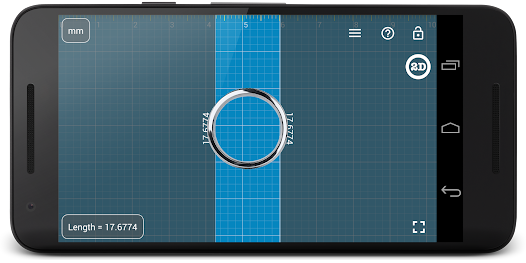
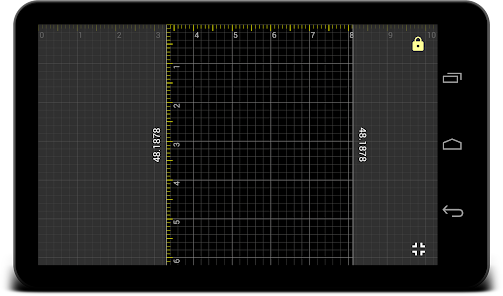
Millimeter is a simple free screen ruler app. You can measure small objects that fit the device screen with this ruler. There are NO ADs in the app for the best experience and real full-screen measurements (with subscription).
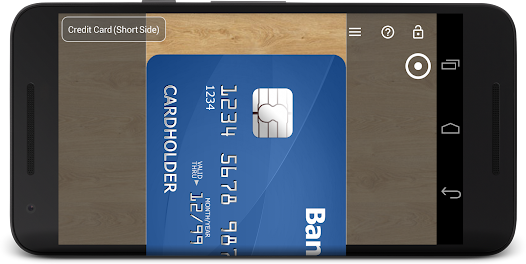
☛ ANY DEVICE can be calibrated for accurate measurements in Calibration Mode, where common standard objects (coins, credit cards, etc) can be used as a reference.
You can also customize your app by purchasing extra features or modes.
📏 What you can do in the free version of the on-screen ruler:
- Calibrate Millimeter with custom or standard objects
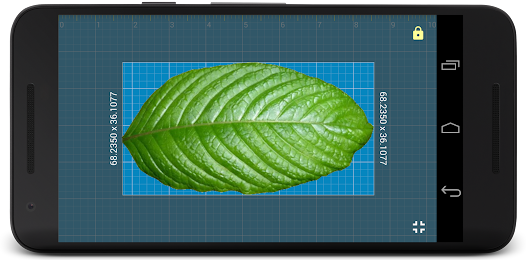
- Ruler Mode for the measure in metric units.
💳
You can upgrade your free version to Pro by subscribing and unlocking extra modules and features that add the following functionality:
- Units: millimeter (mm), inch (in).
- Additional vertical ruler for 2D measurements (📐)
- Area measurement for 2D measurements (⬛)
- Calculate W/H ratio of the rectangular objects in 2D
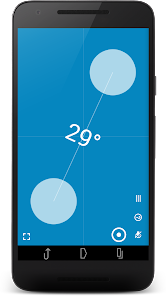
- Spirit / bubble level for checking incline or tilt angle 🔮
- Parts Mode to split length or objects in equal parts
- Thread per inch ( TPI ) measurement pattern (🔩) in Parts mode (https://youtu.be/M1Qrbs2bgCY)
- Circle Mode to measure circular objects (🔴)
- Split circle into equal sector / angle
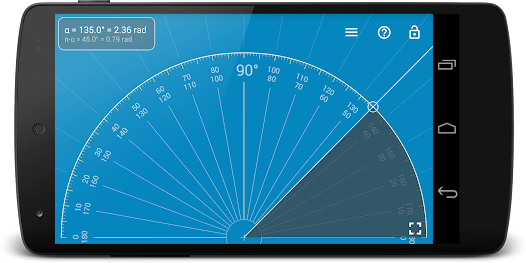
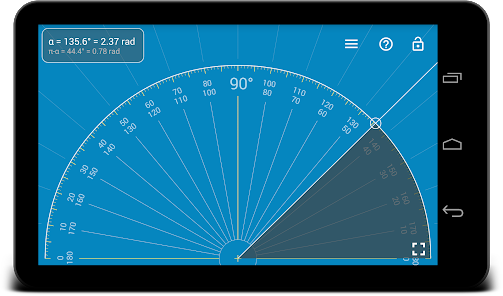
- Protractor / Goniometer Mode - measure angles
- Lock / Unlock rulers in any mode for better usability (🔒)
- Fine grid (1mm for millimeter units) 👍
- Fractions for inch units.
- Snap to fractions when moving sliders
- Decimal scale for inch units
- Variable sliders/rulers speed: top or right side of the screen - fast,
bottom and left - slow.
- Use full-screen mode for better user experience
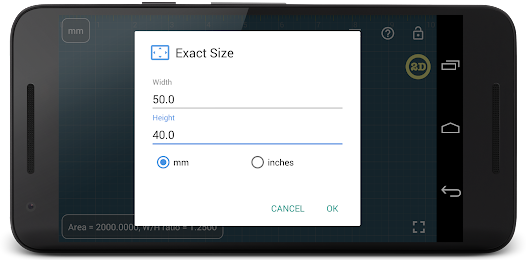
- Set exact size, length, diameter, number of parts manually with keyboard input (⌨)
- Change background to BW night mode for power saving (🔋) and better visualization (🌓)
Use this screen ruler in different areas to measure small objects that fit your phone or tablet screen: jewelry, jewels, rings 💍 , stones, screws, bolts, buttons diameter, nuts, knitting needles, knitting patterns, washers, insects, mosaic tile, hooks, thread, frame wrap angle, etc.
Supported languages:
- English, German, Russian, Japanese, and French languages.
📖 More about the app: http://goo.gl/304nJB
☎ If you have any problems with the app on your device, please contact support@vistechprojects.com first, and we will help you. Thank you.
VisTech.Projects Team.
☛ ANY DEVICE can be calibrated for accurate measurements in Calibration Mode, where common standard objects (coins, credit cards, etc) can be used as a reference.
You can also customize your app by purchasing extra features or modes.
📏 What you can do in the free version of the on-screen ruler:
- Calibrate Millimeter with custom or standard objects
- Ruler Mode for the measure in metric units.
💳
You can upgrade your free version to Pro by subscribing and unlocking extra modules and features that add the following functionality:
- Units: millimeter (mm), inch (in).
- Additional vertical ruler for 2D measurements (📐)
- Area measurement for 2D measurements (⬛)
- Calculate W/H ratio of the rectangular objects in 2D
- Spirit / bubble level for checking incline or tilt angle 🔮
- Parts Mode to split length or objects in equal parts
- Thread per inch ( TPI ) measurement pattern (🔩) in Parts mode (https://youtu.be/M1Qrbs2bgCY)
- Circle Mode to measure circular objects (🔴)
- Split circle into equal sector / angle
- Protractor / Goniometer Mode - measure angles
- Lock / Unlock rulers in any mode for better usability (🔒)
- Fine grid (1mm for millimeter units) 👍
- Fractions for inch units.
- Snap to fractions when moving sliders
- Decimal scale for inch units
- Variable sliders/rulers speed: top or right side of the screen - fast,
bottom and left - slow.
- Use full-screen mode for better user experience
- Set exact size, length, diameter, number of parts manually with keyboard input (⌨)
- Change background to BW night mode for power saving (🔋) and better visualization (🌓)
Use this screen ruler in different areas to measure small objects that fit your phone or tablet screen: jewelry, jewels, rings 💍 , stones, screws, bolts, buttons diameter, nuts, knitting needles, knitting patterns, washers, insects, mosaic tile, hooks, thread, frame wrap angle, etc.
Supported languages:
- English, German, Russian, Japanese, and French languages.
📖 More about the app: http://goo.gl/304nJB
☎ If you have any problems with the app on your device, please contact support@vistechprojects.com first, and we will help you. Thank you.
VisTech.Projects Team.
Ažurirano dana
Sigurnost počinje razumijevanjem na koji način programeri prikupljaju i dijele vaše podatke. Privatnost podataka i sigurnosne prakse se mogu razlikovati ovisno o korištenju, regiji i dobi. Programer je naveo ove informacije i može ih s vremenom ažurirati.

Podaci se ne dijele s trećim stranama
Saznajte više o načinu na koji programeri pružaju izjavu o dijeljenju

Ova aplikacija može prikupljati ove vrste podataka
Lokacija i Aktivnost aplikacija

Podaci se šifriraju tokom prenosa

Podaci se ne mogu izbrisati
Ocjene i recenzije
4,2
1,79 hilj. recenzije
Što je novo
v2.3.6
- fixes and improvements for new versions of Android
- snap to fractions option (paid) in Pro
- variable slide speed option (fast: top or right, slow: bottom or left) (paid) in Pro
- decimal grid in inches(paid) in Pro
v2.3 New features:
- new Level feature available in Pro
v2.2:
- Fine grid
- lock screen
- 2D ruler
- multi-touch support (for easy measurements when the object touches the screen)
v2.1: Protractor Mode( paid) in Pro: https://goo.gl/wquu2s
- fixes and improvements for new versions of Android
- snap to fractions option (paid) in Pro
- variable slide speed option (fast: top or right, slow: bottom or left) (paid) in Pro
- decimal grid in inches(paid) in Pro
v2.3 New features:
- new Level feature available in Pro
v2.2:
- Fine grid
- lock screen
- 2D ruler
- multi-touch support (for easy measurements when the object touches the screen)
v2.1: Protractor Mode( paid) in Pro: https://goo.gl/wquu2s
Podrška za aplikaciju
Informacije o programeru
VisTech.Projects LLC
support@vistechprojects.com
2332 Addison Ln
Johns Creek, GA 30005
United States
+1 678-250-8478


