
VRidge Controller

2.6star
268 reviews
5K+
Downloads

Everyone
info


About this app
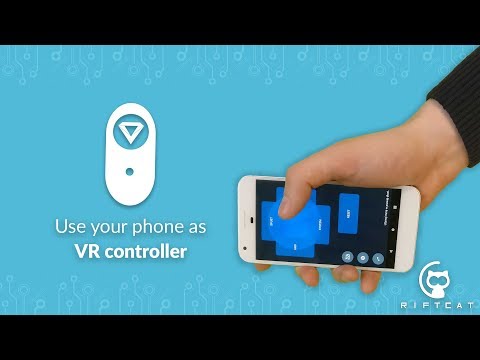
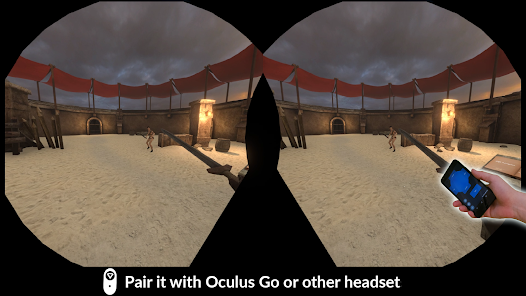
Turn your phone into VR controller that can be used with VRidge in SteamVR.
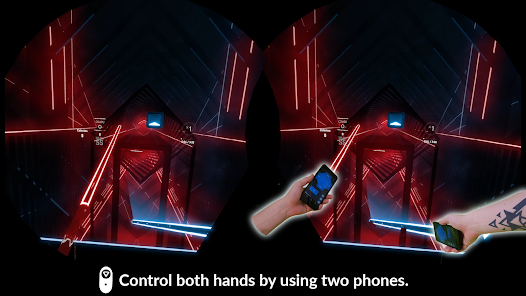
This easy to use app will allow you to use your hands inside virtual reality with VRidge. If you pair two phones you will be able to control both hands! With this solution, you can recreate a full 3-DOF PC VR experience.
The quality of tracking varies based on the phone’s available sensors.
To use this controller, you need a PC VR streaming solution called VRidge, available at: https://riftcat.com/vridge
This easy to use app will allow you to use your hands inside virtual reality with VRidge. If you pair two phones you will be able to control both hands! With this solution, you can recreate a full 3-DOF PC VR experience.
The quality of tracking varies based on the phone’s available sensors.
To use this controller, you need a PC VR streaming solution called VRidge, available at: https://riftcat.com/vridge
Updated on
Safety starts with understanding how developers collect and share your data. Data privacy and security practices may vary based on your use, region, and age. The developer provided this information and may update it over time.

No data shared with third parties
Learn more about how developers declare sharing

No data collected
Learn more about how developers declare collection
Ratings and reviews
2.6
267 reviews

wyverncult
- Flag inappropriate
August 12, 2022
I use this with Riftcat and my iPhone and it works great, and works very well as a wand! I do however have an issue with it; This controller's button setup is not intuitive. There should be options to customize the button layout yourself; On larger phones, it's nearly impossible to grasp the phone and reach the buttons, and I experience constant misclicks. Also, when holding the center button, it registers as a "tap" and in some games causes my character to jump when I'd like them to turn.
6 people found this review helpful

Dainen Kelly
- Flag inappropriate
January 17, 2023
Does what it is supposed to do, but.. There are some improvements to be made. 1. It would be more intuitive to be able to make the controller right-side up while holding the phone either screen up, or screen toward the palm. I cant reach all the UI with my thumb. 2. Ability to move all the buttons would help, maybe if they were arranged like a wedge. I love what you guys are doing though!
3 people found this review helpful

Phoebe S
- Flag inappropriate
- Show review history
April 28, 2020
I can't seem to find a vridge connection no matter what I do.. 😤😥😭 -Edit- I figured out my problem. The app works.. I had to manually connect with an IP address.. However I don't have the right device for this app unfortunately.. I have a tablet that works with but, it's too big to hold in my small hands. Then there's the phone that I use for the headset. I might have to see if I can get a couple of cheap phones that have the sensors on them.
9 people found this review helpful
RiftCat Sp. z o.o.
April 28, 2020
Make sure that your PC network profile is set to private and firewall/antivirus aren't blocking VRidge connection. You can always contact support@riftcat.com for assistance.
What’s new
Updated dependencies and SDK for Android 13.
App support
About the developer
RiftCat Sp. z o.o.
support@riftcat.com
Ul. Żurawia 71-2.30
15-540 Białystok
Poland
+48 500 590 034


