BNI Mobile Banking
4.2star
1.09M reviews
10M+
Downloads

Everyone
info

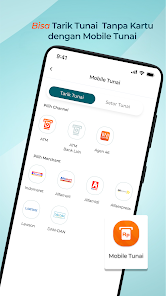
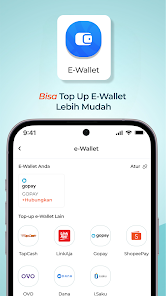
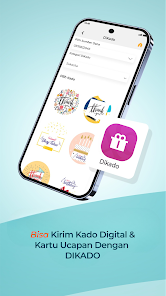
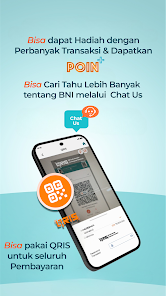
About this app
The demands for speed and ease of making banking continued to innovate, has come BNI Mobile Banking is more fresh, user friendly and has many new features.
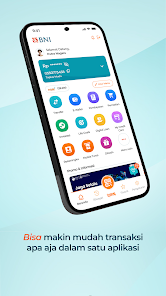
BNI Mobile Banking is a banking service facility that allows you to transact directly through your smartphone, is safe, easy, and fast. BNI Mobile Banking provides balance information transaction transactions, transfers, telephone bill payments, credit card payments, flight ticket payments, credit purchases, opening a Taplus account, opening a Deposit account, etc. BNI Mobile Banking can also be activated and used for transactions abroad.
The latest BNI Mobile Banking application can be found on Google Play with a minimum version 3.0.0 and can be accessed by Android with a minimum version 5.0.0 (Lollypop)
For customers who want to use BNI BNI Mobile Banking can visit the nearest branch to register, for the next activation at BNI Mobile Banking application in the following manner:
- User ID input.
- Input Debit Card Number.
- Select Country Location.
- Input OTP Code.
- MPIN input.
- Input Password Transaction.
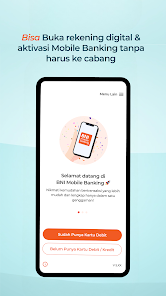
In addition to visiting the nearest branch, BNI Mobile Banking registration and activation can be done directly through your smartphone after downloading the BNI Mobile Banking application. With the following flow:
1. Registration
2. Activation
1. Registration
Select "Registration" If you agree with the terms and conditions, select "Yes, I Agree" The data entered by the Customer must be the same as the Customer data registered in the BNI system.
Next, create User ID consisting of a combination of letters and numbers (8-12 characters)
Enter the Registration Code (6 digit number) sent to your registered email Nasaah
2. Activation
Select "Enter" Input User ID that you created during registration (consisting of a combination of letters and numbers), Enter No. Your Debit Card, and Select Location Country of residence Enter the Activation Code (6 digit number) sent to the customer's registered mobile number
* make sure your credit is available (Min. Rp 10,000, -) for sending OTP via SMS
Create MPIN which consists of 6 digit numbers, no default PIN (serial and twin numbers) and date of birth are not allowed.
Furthermore, Create a Transaction Password consisting of a combination of letters and numbers (8-12 characters), may not contain elements of the Customer's Name and is the same as the User ID
BNI Mobile Banking You can immediately make transactions
Make sure when you fill in the data in the registration and activation flow, fill in accordance with the data registered in the BNI system and connected to a stable network.
BNI Mobile Banking features
1. My account
- Savings and Current Accounts.
- Deposits and Tapenas.
- Loans.
- DPLK.
- Investation.
- Account Opening.
2. Transfer
- Own account
- BNI
- Interbank
- Clearing
- Pension Fund / BNI Simponi
- Own account
- Virtual Account Billing
- International Remittance
3. Payment
- BNI Credit Card.
- Other Bank Credit Cards.
- Postpaid Tel.
- electricity.
- MPN G2.
- Multifinance.
- Subscription TV.
- ZIS and Qurban.
- Payments taps.
- insurance.
- Train ticket.
- Flight ticket.
- the internet.
- Personal loans.
- Pawnshop.
- Cost of education.
- Tax.
- PGN.
- TKI.
- SAMSAT.
- Health and Employment BPJS
4. Purchase
- Top Up LinkAja
- Voucher Prepaid Phone.
- Electric Token.
- Top Up Agent Flight.
- Top Up Go-Pay.
- Package Data
- Top Up TapCash.
- Subscription TV Vouchers.
5. Investment
- Retail SBN.
- Mutual funds
6. Other Products and Services
- BNI Debit Online (VCN).
- Activation of Card Transactions Overseas.
- Pertamina LPG 3 kg.
- Disbursement of deposit.
- Proof of transaction.
- Change PIN Debit Card.
- Regular Hajj Payments
7. Administration
- Change MPIN.
- Change Password.
- Delete Favorite List.
- Block Debit Cards.
BNI Mobile Banking is a banking service facility that allows you to transact directly through your smartphone, is safe, easy, and fast. BNI Mobile Banking provides balance information transaction transactions, transfers, telephone bill payments, credit card payments, flight ticket payments, credit purchases, opening a Taplus account, opening a Deposit account, etc. BNI Mobile Banking can also be activated and used for transactions abroad.
The latest BNI Mobile Banking application can be found on Google Play with a minimum version 3.0.0 and can be accessed by Android with a minimum version 5.0.0 (Lollypop)
For customers who want to use BNI BNI Mobile Banking can visit the nearest branch to register, for the next activation at BNI Mobile Banking application in the following manner:
- User ID input.
- Input Debit Card Number.
- Select Country Location.
- Input OTP Code.
- MPIN input.
- Input Password Transaction.
In addition to visiting the nearest branch, BNI Mobile Banking registration and activation can be done directly through your smartphone after downloading the BNI Mobile Banking application. With the following flow:
1. Registration
2. Activation
1. Registration
Select "Registration" If you agree with the terms and conditions, select "Yes, I Agree" The data entered by the Customer must be the same as the Customer data registered in the BNI system.
Next, create User ID consisting of a combination of letters and numbers (8-12 characters)
Enter the Registration Code (6 digit number) sent to your registered email Nasaah
2. Activation
Select "Enter" Input User ID that you created during registration (consisting of a combination of letters and numbers), Enter No. Your Debit Card, and Select Location Country of residence Enter the Activation Code (6 digit number) sent to the customer's registered mobile number
* make sure your credit is available (Min. Rp 10,000, -) for sending OTP via SMS
Create MPIN which consists of 6 digit numbers, no default PIN (serial and twin numbers) and date of birth are not allowed.
Furthermore, Create a Transaction Password consisting of a combination of letters and numbers (8-12 characters), may not contain elements of the Customer's Name and is the same as the User ID
BNI Mobile Banking You can immediately make transactions
Make sure when you fill in the data in the registration and activation flow, fill in accordance with the data registered in the BNI system and connected to a stable network.
BNI Mobile Banking features
1. My account
- Savings and Current Accounts.
- Deposits and Tapenas.
- Loans.
- DPLK.
- Investation.
- Account Opening.
2. Transfer
- Own account
- BNI
- Interbank
- Clearing
- Pension Fund / BNI Simponi
- Own account
- Virtual Account Billing
- International Remittance
3. Payment
- BNI Credit Card.
- Other Bank Credit Cards.
- Postpaid Tel.
- electricity.
- MPN G2.
- Multifinance.
- Subscription TV.
- ZIS and Qurban.
- Payments taps.
- insurance.
- Train ticket.
- Flight ticket.
- the internet.
- Personal loans.
- Pawnshop.
- Cost of education.
- Tax.
- PGN.
- TKI.
- SAMSAT.
- Health and Employment BPJS
4. Purchase
- Top Up LinkAja
- Voucher Prepaid Phone.
- Electric Token.
- Top Up Agent Flight.
- Top Up Go-Pay.
- Package Data
- Top Up TapCash.
- Subscription TV Vouchers.
5. Investment
- Retail SBN.
- Mutual funds
6. Other Products and Services
- BNI Debit Online (VCN).
- Activation of Card Transactions Overseas.
- Pertamina LPG 3 kg.
- Disbursement of deposit.
- Proof of transaction.
- Change PIN Debit Card.
- Regular Hajj Payments
7. Administration
- Change MPIN.
- Change Password.
- Delete Favorite List.
- Block Debit Cards.
Updated on
Safety starts with understanding how developers collect and share your data. Data privacy and security practices may vary based on your use, region, and age. The developer provided this information and may update it over time.

No data shared with third parties
Learn more about how developers declare sharing

This app may collect these data types
Location, Personal info and 2 others

Data is encrypted in transit

Data can’t be deleted
Ratings and reviews
4.2
1.08M reviews

Fitri Asfari R.
- Flag inappropriate
- Show review history
March 4, 2021
I used to like this app a lot. But recently since the-unknownly-crash happened a lot, it got my nerves. I needed to re-activate my account everytime I wanted to use it. Literally every single time! Please, if you don't want to lose your loyal customers, you need to fix this really really really asap. Anyway I have to consider another bank to save the money and get easy access to it if this problem won't fixed in near time. Thank you. Edit: have alr send detail by mail to contact. Please check.
408 people found this review helpful
PT Bank Negara Indonesia (Persero) Tbk.
March 5, 2021
Hi Ms Fitri, thank you for your respon, we will follow up at the soonest accordingly.-Jims-

Merry Fransisca
- Flag inappropriate
February 27, 2021
What's happening with the app, apparently i'm having the same problems with other customers. I can't log in to my account, it keeps asking me to create new account, then after i did that then it says connection is lost. I've done it several times, but i got the email saying it's been successful. I don't have time to go to the customer service EVERYWEEK to fix this. Please fix your app, or maybe i might need to open new account in other bank because this is really disturbing.
16 people found this review helpful
PT Bank Negara Indonesia (Persero) Tbk.
March 5, 2021
Hallo Ms Merry, we are sorry for the inconvenience. BNI Mobile Banking runs normally at the moment, please retry using stable internet connection (4G) from HP number registered in BNI Mobile Banking and placed in SIM 1 slot or secured WiFi and use an updated vers of Android System Webview, Chrome & software. Thanks.-Lila-

Riando Natanael
- Flag inappropriate
February 20, 2021
Have read all the review and BNI staff reply before I write this, and found most of their relply told that the issue is with our phone. To be honest the issue is not in our end, it's in yours (BNI). I think the upgrade will have a good improvement, in the end it just getting worse. Evrytime try to log in, the system ask us to reactivate by fill in the user ID, card number, and etc. IT IS SO ANNOYING. Please fix this.
7 people found this review helpful
PT Bank Negara Indonesia (Persero) Tbk.
March 1, 2021
Hello Mr/Ms, sorry for the problems you have experienced. Please enter your user ID and MPIN manually and reactivate, when sending SMS Verification to get SMS OTP, so you can return / back from messages to the BNI Mobile Banking application Enter OTP and BNI Mobile Banking returned to normal. -Tks ALE-
What’s new
Kami selalu berkomitmen dalam memberikan pelayanan yang lebih aman dan transparan dengan senantiasa menjaga keamanan privasi data kamu.
Yuk nikmati pengalaman bertransaksi yang lebih seru tanpa rasa khawatir #GaPakeNanti
Yuk nikmati pengalaman bertransaksi yang lebih seru tanpa rasa khawatir #GaPakeNanti
App support
About the developer
PT. BANK NEGARA INDONESIA (PERSERO) TBK
bnicall@bni.co.id
Grha BNI
Jl. Jenderal Sudirman Kav. 1
Kota Administrasi Jakarta Pusat
DKI Jakarta 10220
Indonesia
+62 811-5881-946


