
Xopero Cloud
1K+
Downloads

Everyone
info
About this app
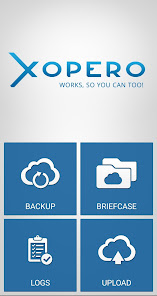
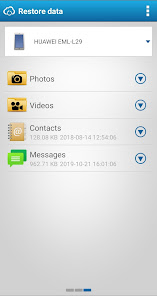
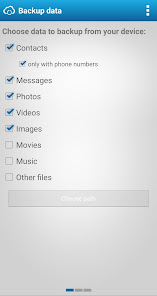
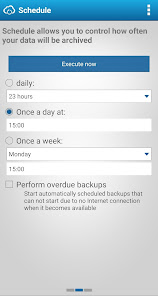
T-Cloud Backup is an advanced backup system that keeps your data safe from loss of a laptop, tablet or phone. The deposit occurs at intervals that you choose. Restoring from a backup is performed so that a new device only install the application on T-Cloud backup, select what data should be downloaded from the backup T-Cloud, and everything now works automatically. Level Incremental Backups of data blocks saves space in the designated area T-cloud that examines in detail the changes in the files that you are backing up, and saves only the changes. For advances made possible with previous versions of the file back, if there were to accidentally overwriting or infecting your PC with a virus.
T-Cloud Backup for individuals
T-Cloud Backup is available in two versions. T-Cloud Backup for individuals is intended for users who prefer the simplicity and security of their data.
T-Team Cloud Backup
Team deposit is more complex applications. Your IT appreciate the elegant solve your backup strategy, because Teamwork Backup backs up the server. Within this service, multiple users share one capacity, so you can more efficiently manage the purchase of necessary space. Teamwork Backup also allows you to set your own password during installation, which is then using the AES 256 algorithm automatically encrypts all your data on the device before sending it to the T-Cloud, and therefore the data, do not make T-Mobile.
HOW SERVICE T-CLOUD Backup IMPROVE YOUR BUSINESS
- You will have access to your data at all times. Loss, theft or damage to equipment they will never prepare you for them when you need them most.
- Save time and money over traditional methods of backup. You do not have to mine data from a damaged disk. Just install a new T-Cloud backup and restore data.
- Your know-how remains only yours. Any transfer to T-cloud is encrypted. Likewise, all data stored in the data center are encrypted. This means that your data is protected to the maximum extent possible.
- You get an effective tool for data sharing. Your colleagues and business partners will have easy access to information that they want to provide.
- Not all the changes are for the better. Because the application backs up data on a regular basis, you can easily revert to older versions of documents.
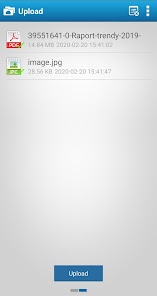
- T-Cloud backup also includes a feature called Briefcase. This is the "disk", which you will see on your computer and that you have saved all their unfinished documents, contracts, presentations, price lists and more. On these then you can work on all your devices.
- If you want any folder or file from his briefcase share with your business partners or colleagues, just simply create a link, which then send an e-mail. When your partner clicks on the link to see the current share content. Therefore, you will not have to send large attachments in the mail.
T-Cloud Backup for individuals
T-Cloud Backup is available in two versions. T-Cloud Backup for individuals is intended for users who prefer the simplicity and security of their data.
T-Team Cloud Backup
Team deposit is more complex applications. Your IT appreciate the elegant solve your backup strategy, because Teamwork Backup backs up the server. Within this service, multiple users share one capacity, so you can more efficiently manage the purchase of necessary space. Teamwork Backup also allows you to set your own password during installation, which is then using the AES 256 algorithm automatically encrypts all your data on the device before sending it to the T-Cloud, and therefore the data, do not make T-Mobile.
HOW SERVICE T-CLOUD Backup IMPROVE YOUR BUSINESS
- You will have access to your data at all times. Loss, theft or damage to equipment they will never prepare you for them when you need them most.
- Save time and money over traditional methods of backup. You do not have to mine data from a damaged disk. Just install a new T-Cloud backup and restore data.
- Your know-how remains only yours. Any transfer to T-cloud is encrypted. Likewise, all data stored in the data center are encrypted. This means that your data is protected to the maximum extent possible.
- You get an effective tool for data sharing. Your colleagues and business partners will have easy access to information that they want to provide.
- Not all the changes are for the better. Because the application backs up data on a regular basis, you can easily revert to older versions of documents.
- T-Cloud backup also includes a feature called Briefcase. This is the "disk", which you will see on your computer and that you have saved all their unfinished documents, contracts, presentations, price lists and more. On these then you can work on all your devices.
- If you want any folder or file from his briefcase share with your business partners or colleagues, just simply create a link, which then send an e-mail. When your partner clicks on the link to see the current share content. Therefore, you will not have to send large attachments in the mail.
Updated on
Safety starts with understanding how developers collect and share your data. Data privacy and security practices may vary based on your use, region and age. The developer provided this information and may update it over time.

No data shared with third parties
Learn more about how developers declare sharing

No data collected
Learn more about how developers declare collection
What's new
- improved support of Android API 29 and newer,
- bugfixes
- bugfixes
App support
About the developer
XOPERO SOFTWARE S A
g.bak@xopero.com
3 Ul. Zbigniewa Herberta
66-400 Gorzów Wielkopolski
Poland
+48 664 926 600


