
Mirror Screen To Roku
Contains adsIn-app purchases
4.1star
1.06K reviews
100K+
Downloads

Everyone
info




About this app
Tv Cast Roku is the best TV cast app for mirroring & connects your mobile to your TV.
Connect any phone to your Android TV easily by using our Screen share for roku cast, screen mirroring for roku tv. This Screen share and TV mirror app for Roku, Samsung, LG, Sony, and TCL Android TV Screen casting app lets you connect your android phone to the TV so you can enjoy your mobile videos exactly as you see it on your mobile device.
Screen share for roku cast, screen mirroring for roku tv is a powerful app for screen mirroring and video & TV casting. Roku smart view provides you Roku TV smart view, screen mirroring app, screen share, all cast, TV cast, roku TV, chrome cast, connect mobile to TV, screen cast, with an awesome user friendly interface.
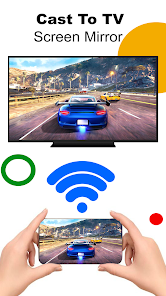
Please follow below steps to mirror your mobile screen to smart TV:
1. Make sure your TV and phone are connected to the same Wi-Fi network.
2. Turn on Mira cast Display function on the TV.
3. Turn on Wireless Display option on the phone.
4. Click Select TV button and choose your TV.
5. Screen mirroring cast phone to TV.
Features Of Screen Share for Roku TV: Screen Mirroring App
1.Easy to change mobile into Smart TV
2.Support Wireless Display or any sort of Display Dongles
3.No registration require to TV
4.TV and Mobile should be connected with the same WIFI network
5.Download and run the Screen Mirroring App
6.Easy to see Videos, Music Or also View Images
Screen share for roku cast, screen mirroring for roku tv is all in one app for all roku cast tvs, lcd and devices
Connect any phone to your Android TV easily by using our Screen share for roku cast, screen mirroring for roku tv. This Screen share and TV mirror app for Roku, Samsung, LG, Sony, and TCL Android TV Screen casting app lets you connect your android phone to the TV so you can enjoy your mobile videos exactly as you see it on your mobile device.
Screen share for roku cast, screen mirroring for roku tv is a powerful app for screen mirroring and video & TV casting. Roku smart view provides you Roku TV smart view, screen mirroring app, screen share, all cast, TV cast, roku TV, chrome cast, connect mobile to TV, screen cast, with an awesome user friendly interface.
Please follow below steps to mirror your mobile screen to smart TV:
1. Make sure your TV and phone are connected to the same Wi-Fi network.
2. Turn on Mira cast Display function on the TV.
3. Turn on Wireless Display option on the phone.
4. Click Select TV button and choose your TV.
5. Screen mirroring cast phone to TV.
Features Of Screen Share for Roku TV: Screen Mirroring App
1.Easy to change mobile into Smart TV
2.Support Wireless Display or any sort of Display Dongles
3.No registration require to TV
4.TV and Mobile should be connected with the same WIFI network
5.Download and run the Screen Mirroring App
6.Easy to see Videos, Music Or also View Images
Screen share for roku cast, screen mirroring for roku tv is all in one app for all roku cast tvs, lcd and devices
Updated on
Safety starts with understanding how developers collect and share your data. Data privacy and security practices may vary based on your use, region and age. The developer provided this information and may update it over time.

No data shared with third parties
Learn more about how developers declare sharing

No data collected
Learn more about how developers declare collection

Data is encrypted in transit

Data can’t be deleted
Ratings and reviews
4.1
993 reviews

ismail hossain
- Flag inappropriate
30 November 2025
Cast to Roku is a smooth and reliable screen mirroring app for Roku TVs. It connects quickly and streams videos, photos, and apps without lag. The setup is simple, and the interface is easy for anyone to use. Casting quality is clear and stable, making entertainment more enjoyable. Overall, a great app for sharing your phone’s content on a bigger Roku screen.

Alexander Coggins
- Flag inappropriate
17 October 2025
Aggressive pricing based on hoping you'll forget you subscribed and won't cancel before the trial runs out. A lot of reviews look like AI nonsense. The main thing, mirroring to Roku, literally just takes you to the built in OS page to connect, app provides zero value and was probably built in a day with AI and uses a farm for reviews to trick users.
9 people found this review helpful

Ranawahab Umer
- Flag inappropriate
28 November 2025
Here’s an honest review/overview of using “mirror screen to Roku” — i.e. the feature (or third-party apps) that let you mirror your phone or computer screen to a Roku device. I’ll cover what tends to work, what doesn’t, and what to watch out for.🎀
App support
About the developer
Syed Jahangeer Shah
remotesnmirrors@gmail.com
Aku khel huramzai, Dak khana huramzai, Tehsil wo zilla pishin
Quetta, 87300
Pakistan
undefined


