Screen Mirroring - Miracast
Contains adsIn-app purchases
4,2star
113K reviews
10M+
Downloads

Everyone
info



About this app
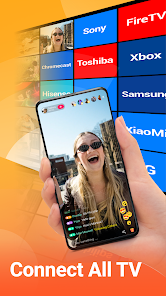
Screen Mirroring - All Mirror turns any Smart TV into your personal big screen! Instantly cast your phone to TV and enjoy flawless HD screen mirroring with no lag. No tangled cables, no complicated setup—just seamless streaming and full control.
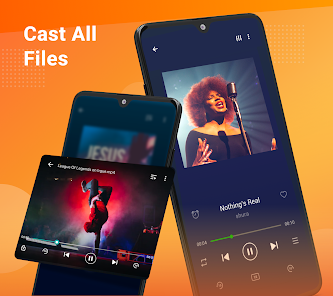
With the Cast to TV app, you can share screen with your family or friends in simple steps using Miracast screen mirroring. All types of media you love—photos, movies, TV series, games, E-books, and music—come alive on the big screen.
Screen Mirroring - All Mirror is your ideal choice if you’re looking for a stable & quick screen cast and TV mirror app.
📺Multiple Devices Supported
- Most smart TVs, LG, Samsung, Sony, TCL, Xiaomi, Hisense, etc.
- Google Chromecast
- Amazon Fire Stick & Fire TV
- Roku Stick & Roku TV
- AnyCast
- Other DLNA Receivers
- Other wireless adapters
🏅KEY FEATURES
✦ Cast smartphone screen to big TV screen stably
✦ Simple & fast connection with just a click
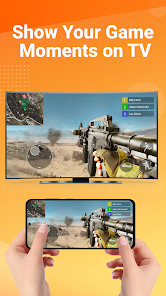
✦ Cast the mobile game to your big-screen TV
✦ Cast to TV, Live video on Twitch, YouTube and BIGO LIVE
✦ All media files supported, including photos, audios, E-books, PDFs, etc.
✦ Show demonstrations in a meeting, watch travel slideshowswith family
✦ Neat & clean user interface to create a good experience
✦ Screen share in real-time speed.
🔍How to Use Screen Mirroring:
1. Make sure your phone/tablet and smart TV are connected to the same Wi-Fi network.
2. Enable “Wireless display” on your phone.
3. Enable “Miracast” on your smart TV.
4. Search and pair the device.
Watch PPT in TV Mirror
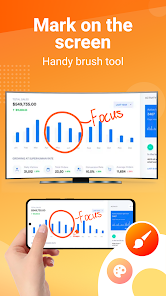
You are able to start a presentation in a business meeting now with this Miracast & TV mirror technology! Cast to TV and show your demonstrations and ideas with your co-workers, save your eyes with screen sharing technology.
Share Movies in Smart View
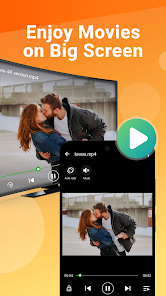
Feel bad about watching a movie alone on your small phone screen? Try our Miracast & screen mirroring/cast screen app, share the funny contents with your friends or family in a smart view on big TV screens.
Tired of searching for a free and stable cast to TV app for casting your small screens into larger screens, and get awesome screen sharing experiences? Screen Mirroring - All Mirror based on Miracast TV mirror technology is your best choice!
Attention Before You Start:
1. Your TV and Android device should both support wireless display/Miracast and screen mirroring function.
2. Make sure your phone/tablet and smart TV mirror are connected to the same Wi-Fi network.
3. To connect the device properly, it is suggested to turn off the VPN.
Thanks for downloading Screen Mirroring - All Mirror. Any other feedback, please feel free to contact us at casttotv.feedback@gmail.com.
With the Cast to TV app, you can share screen with your family or friends in simple steps using Miracast screen mirroring. All types of media you love—photos, movies, TV series, games, E-books, and music—come alive on the big screen.
Screen Mirroring - All Mirror is your ideal choice if you’re looking for a stable & quick screen cast and TV mirror app.
📺Multiple Devices Supported
- Most smart TVs, LG, Samsung, Sony, TCL, Xiaomi, Hisense, etc.
- Google Chromecast
- Amazon Fire Stick & Fire TV
- Roku Stick & Roku TV
- AnyCast
- Other DLNA Receivers
- Other wireless adapters
🏅KEY FEATURES
✦ Cast smartphone screen to big TV screen stably
✦ Simple & fast connection with just a click
✦ Cast the mobile game to your big-screen TV
✦ Cast to TV, Live video on Twitch, YouTube and BIGO LIVE
✦ All media files supported, including photos, audios, E-books, PDFs, etc.
✦ Show demonstrations in a meeting, watch travel slideshowswith family
✦ Neat & clean user interface to create a good experience
✦ Screen share in real-time speed.
🔍How to Use Screen Mirroring:
1. Make sure your phone/tablet and smart TV are connected to the same Wi-Fi network.
2. Enable “Wireless display” on your phone.
3. Enable “Miracast” on your smart TV.
4. Search and pair the device.
Watch PPT in TV Mirror
You are able to start a presentation in a business meeting now with this Miracast & TV mirror technology! Cast to TV and show your demonstrations and ideas with your co-workers, save your eyes with screen sharing technology.
Share Movies in Smart View
Feel bad about watching a movie alone on your small phone screen? Try our Miracast & screen mirroring/cast screen app, share the funny contents with your friends or family in a smart view on big TV screens.
Tired of searching for a free and stable cast to TV app for casting your small screens into larger screens, and get awesome screen sharing experiences? Screen Mirroring - All Mirror based on Miracast TV mirror technology is your best choice!
Attention Before You Start:
1. Your TV and Android device should both support wireless display/Miracast and screen mirroring function.
2. Make sure your phone/tablet and smart TV mirror are connected to the same Wi-Fi network.
3. To connect the device properly, it is suggested to turn off the VPN.
Thanks for downloading Screen Mirroring - All Mirror. Any other feedback, please feel free to contact us at casttotv.feedback@gmail.com.
Updated on
Events and offers

Safety starts with understanding how developers collect and share your data. Data privacy and security practices may vary based on your use, region and age. The developer provided this information and may update it over time.

No data shared with third parties
Learn more about how developers declare sharing

This app may collect these data types
Messages and Device or other IDs

Data is encrypted in transit

You can request that data be deleted
Ratings and reviews
4,1
106K reviews

Jennifer Scott
- Flag inappropriate
13 June 2021
I went through 6 different apps that we supposedly "free to cast" well suprise suprise they weren't. I was about to give up until I found this app, and let me tell you it WORKS! I have 5 kids who love to watch me play games on my phone and instead of them all fighting for space to see my phone screen we can all lay in bed and snuggle while I play on my phone and they get to watch comfortably too. I only ever have to see one add when I open then it's smooth sailing from there. Highly recommend!!
907 people found this review helpful

Matt Desrochers
- Flag inappropriate
17 August 2025
Can connect to your tv or other devices. Has option to use an app connected to the main screen mirroring app where you can screen videos, photos, and more. Is very basic and has ads, not very aesthetically pleasing. An app that looks like you may get a virus. Does have upgrade available to remove ads for $4.99, one time purchase.
14 people found this review helpful
InShot Inc.
21 August 2025
Hi friend,
Thanks for your feedback. If you have any questions, please feel free to let us know. It will help us to improve it further. And if you like our app, we'd be grateful if you could give us 5 stars on Google Play to support us, which will inspire us to get better.

Jeremy Estes
- Flag inappropriate
28 November 2025
I couldn't even get the application set up on my tv before getting slammed with ads. I will not be using this application at all. I don't mind ads but as soon as I downloaded the application ads hit, really. I didn't even get to see the tutorial because ads hit so fast.
12 people found this review helpful
InShot Inc.
01 December 2025
Hi friend,
We are so sorry for that. As for the ads, we will try to optimize the user experience. And we need the ads to feed our team, hope that you can understand. Actually you can remove ads in our app. If you have any suggestions about ads, feel free to let us know.
What's new
🌟 Bug fixes and performance improvements.
App support
About the developer
Five Stars Apps Inc.
cameras.ideas@gmail.com
8 The Grn Ste R
Dover, DE 19901-3618
United States
+1 315-218-9991


