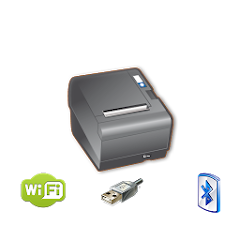
POS PRINTER DRIVER ESC/POS
In-App-Käufe
2.3star
364 Rezensionen
100 Tsg.+
Downloads

Jedes Alter
info


Über diese App
2024 Versión MultiPrinting
====
You can be printing in minutes with just a couple lines of code. It's as simple as creating your intent, adding your ESC formatted string and start the (service) intent.
See demo in:
https://bitbucket.org/fidelier/posprinterdrivertest/src
Now it si possible direct logo printing on pro version, just choose a logo on config, and it will be printed on top of every document.
Inverse colors of the logo, make gradient colors.
Print From Web in an android device web. Just make a link:
a href="com.fidelier.printfromweb://?$biguhw$Print From Web$intro$$small$Print small letter$intro$->$intro$->$intro$->$intro$$intro$$intro$$intro$$cut$$intro$"Test print from web/a
Print direct from Server!
Read instruction in the web
Open and close a tag
Include easy helpers for ESC commands like
Easy font size selection.
$qr-s-e-text$
Example $qr-8-50-www.posprinterdriver.com$
Size (1-16)
Error correction (48-51) 7%,15%25%,30%
$small$ For small size
$smallh$ For small size with double hight
$smallw$ For small size with double width
$smallhw$ For small size with double hight and width
$smallu$ For small size underline
$smalluh$ For small size with double hight underline
$smalluw$ For small size with double width underline
$smalluhw$ For small size with double hight and width underline
$big$ For big size
$bigh$ For big size with double hight
$bigw$ For big size with double width
$bighw$ For big size with double hight and width
Add u to underline
$cut$ To cut the paper
$drawer$ To open the first drawer
Example
String dataToPrint="$big$This is a printer test$intro$posprinterdriver.com$intro$$intro$$cut$$intro$";
Intent intentPrint = new Intent();
intentPrint.setAction(Intent.ACTION_SEND);
intentPrint.putExtra(Intent.EXTRA_TEXT, dataToPrint);
intentPrint.setType("text/plain");
this.startActivity(intentPrint);
Direct link print:
String dataToPrint="$big$This is a printer test$intro$posprinterdriver.com$intro$$intro$$cut$$intro$";
Intent intentPrint = new Intent();
intentPrint.setAction(Intent.ACTION_SEND);
intentPrint.putExtra(Intent.EXTRA_TEXT, dataToPrint);
// Link IP:port direct
intentPrint.putExtra("printer_type_id", "1");// For IP
intentPrint.putExtra("printer_ip", printerIpAddress);
intentPrint.putExtra("printer_port", printerPort);
// Link USB:port direct
intentPrint.putExtra("printer_type_id", "3");// For USB
intentPrint.putExtra("printer_usb_product_id", usbProductID);
intentPrint.putExtra("printer_usb_vendor_id", usbVendorId);
intentPrint.putExtra("printer_usb_device_id", usbDeviceID);
// Link BT:port direct
intentPrint.putExtra("printer_type_id", "4");// For bluetooth
intentPrint.putExtra("printer_bt_adress", BtDevice);
intentPrint.setType("text/plain");
intentPrint.setType("text/plain");
Log.i(internalClassName, "sendDataToBTPrinter Start Intent");
**Free version could print ads on your ticket**
====
You can be printing in minutes with just a couple lines of code. It's as simple as creating your intent, adding your ESC formatted string and start the (service) intent.
See demo in:
https://bitbucket.org/fidelier/posprinterdrivertest/src
Now it si possible direct logo printing on pro version, just choose a logo on config, and it will be printed on top of every document.
Inverse colors of the logo, make gradient colors.
Print From Web in an android device web. Just make a link:
a href="com.fidelier.printfromweb://?$biguhw$Print From Web$intro$$small$Print small letter$intro$->$intro$->$intro$->$intro$$intro$$intro$$intro$$cut$$intro$"Test print from web/a
Print direct from Server!
Read instruction in the web
Open and close a tag
Include easy helpers for ESC commands like
Easy font size selection.
$qr-s-e-text$
Example $qr-8-50-www.posprinterdriver.com$
Size (1-16)
Error correction (48-51) 7%,15%25%,30%
$small$ For small size
$smallh$ For small size with double hight
$smallw$ For small size with double width
$smallhw$ For small size with double hight and width
$smallu$ For small size underline
$smalluh$ For small size with double hight underline
$smalluw$ For small size with double width underline
$smalluhw$ For small size with double hight and width underline
$big$ For big size
$bigh$ For big size with double hight
$bigw$ For big size with double width
$bighw$ For big size with double hight and width
Add u to underline
$cut$ To cut the paper
$drawer$ To open the first drawer
Example
String dataToPrint="$big$This is a printer test$intro$posprinterdriver.com$intro$$intro$$cut$$intro$";
Intent intentPrint = new Intent();
intentPrint.setAction(Intent.ACTION_SEND);
intentPrint.putExtra(Intent.EXTRA_TEXT, dataToPrint);
intentPrint.setType("text/plain");
this.startActivity(intentPrint);
Direct link print:
String dataToPrint="$big$This is a printer test$intro$posprinterdriver.com$intro$$intro$$cut$$intro$";
Intent intentPrint = new Intent();
intentPrint.setAction(Intent.ACTION_SEND);
intentPrint.putExtra(Intent.EXTRA_TEXT, dataToPrint);
// Link IP:port direct
intentPrint.putExtra("printer_type_id", "1");// For IP
intentPrint.putExtra("printer_ip", printerIpAddress);
intentPrint.putExtra("printer_port", printerPort);
// Link USB:port direct
intentPrint.putExtra("printer_type_id", "3");// For USB
intentPrint.putExtra("printer_usb_product_id", usbProductID);
intentPrint.putExtra("printer_usb_vendor_id", usbVendorId);
intentPrint.putExtra("printer_usb_device_id", usbDeviceID);
// Link BT:port direct
intentPrint.putExtra("printer_type_id", "4");// For bluetooth
intentPrint.putExtra("printer_bt_adress", BtDevice);
intentPrint.setType("text/plain");
intentPrint.setType("text/plain");
Log.i(internalClassName, "sendDataToBTPrinter Start Intent");
**Free version could print ads on your ticket**
Aktualisiert am
Was die Sicherheit angeht, solltest du als Erstes verstehen, wie Entwickler deine Daten erheben und weitergeben. Die Datenschutz- und Sicherheitspraktiken können je nach deiner Verwendung, deiner Region und deinem Alter variieren. Diese Informationen wurden vom Entwickler zur Verfügung gestellt und können jederzeit von ihm geändert werden.

Keine Daten werden mit Drittunternehmen oder -organisationen geteilt

Keine Daten erhoben

Daten werden bei der Übertragung verschlüsselt

Daten können nicht gelöscht werden
Bewertungen und Rezensionen
2.4
320 Rezensionen
Neuerungen
Actualizada para SDK34
Support für diese App
phone
Telefonnummer
+34915479640
Informationen zum Entwickler
FIDELIER MEDIOS DE PAGO SL.
info@fidelier.com
CALLE LUISA FERNANDA, 21 - 3
28008 MADRID
Spain
+34 915 47 96 40


