PL OpenSpace Pro Mobile
10+
Downloads

Jedes Alter
info
Über diese App
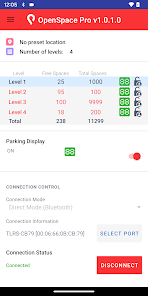
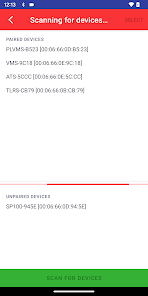
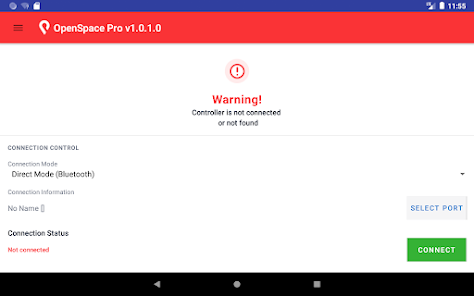
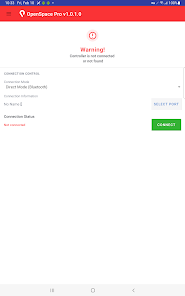
Whether you want to monitor or configure your parking device, the PL OpenSpace Pro Mobile App makes it easier than ever for you. The app home screen displays the Bluetooth connection mode, the MAC Address, and the connection status. If you're pairing the device for the first time, tap the select port button to scan for devices. For your subsequent connections, you can just select from the list of paired devices. Tap the connect button to access parking updates.
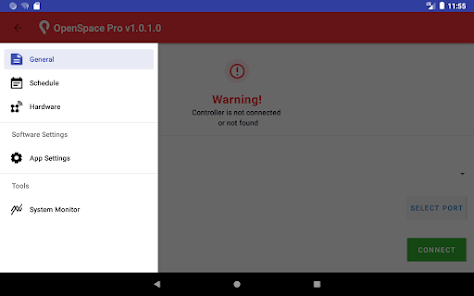
General
The app screen displays the following when connected:
— Preset location,
— Number of levels,
— Individual Parking level, Spaces mode, Total spaces, Parking display, and Status of each level,
— Press and hold on a particular parking level to configure the following:
• Set the total spaces and free spaces,
• Set the Display to: On or Off, by tapping the radio button,
• Set the Status to: Open or Closed, by tapping the radio button,
• Set the Parking Display to: On or Off, by tapping the radio button,
— Displays the connection mode and the MAC Address,
— Displays Connected and lets you disconnect by tapping the Disconnect button.
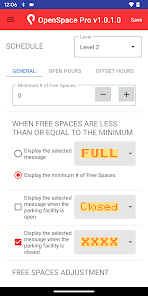
Schedule
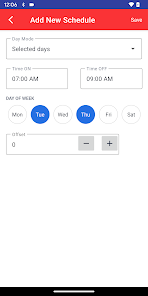
You can configure the minimum number of free spaces, schedule messages, and adjust the free spaces for
each parking level. The app enables you to configure and set the open hours and the offset hours for each
parking level.
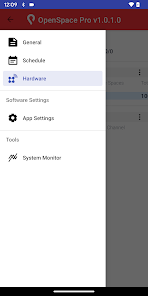
Hardware
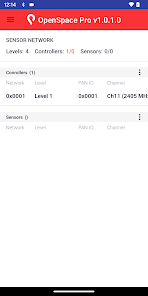
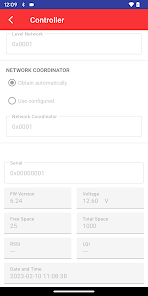
Lists all controllers and sensors, and enables you to reset them.
App settings
You can set the Spaces Mode by selecting either Free spaces or Cars IN.
System monitor
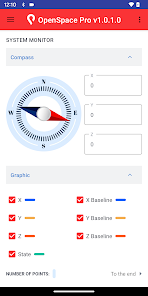
Displays the real-time status of specific components of the system such as controllers and sensors. The
app also represents the graphical view of the vehicle detection data, the magnetometer values, and the list
of commands that can be sent to the controller or the sensor.
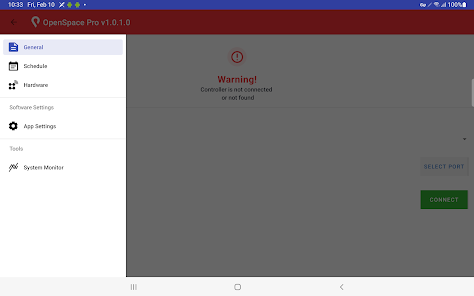
General
The app screen displays the following when connected:
— Preset location,
— Number of levels,
— Individual Parking level, Spaces mode, Total spaces, Parking display, and Status of each level,
— Press and hold on a particular parking level to configure the following:
• Set the total spaces and free spaces,
• Set the Display to: On or Off, by tapping the radio button,
• Set the Status to: Open or Closed, by tapping the radio button,
• Set the Parking Display to: On or Off, by tapping the radio button,
— Displays the connection mode and the MAC Address,
— Displays Connected and lets you disconnect by tapping the Disconnect button.
Schedule
You can configure the minimum number of free spaces, schedule messages, and adjust the free spaces for
each parking level. The app enables you to configure and set the open hours and the offset hours for each
parking level.
Hardware
Lists all controllers and sensors, and enables you to reset them.
App settings
You can set the Spaces Mode by selecting either Free spaces or Cars IN.
System monitor
Displays the real-time status of specific components of the system such as controllers and sensors. The
app also represents the graphical view of the vehicle detection data, the magnetometer values, and the list
of commands that can be sent to the controller or the sensor.
Aktualisiert am
Was die Sicherheit angeht, solltest du als Erstes verstehen, wie Entwickler deine Daten erheben und weitergeben. Die Datenschutz- und Sicherheitspraktiken können je nach deiner Verwendung, deiner Region und deinem Alter variieren. Diese Informationen wurden vom Entwickler zur Verfügung gestellt und können jederzeit von ihm geändert werden.

Keine Daten werden mit Drittunternehmen oder -organisationen geteilt

Keine Daten erhoben

Daten werden bei der Übertragung verschlüsselt
Support für diese App
phone
Telefonnummer
+18777275423
Informationen zum Entwickler
Traffic Logix Corporation
avoropai@logixits.com
3 Harriet Ln
Spring Valley, NY 10977
United States
+1 438-521-1369


