
XServer XSDL
3,6star
1,54K avis
100K+
Téléchargements

Tout public
info
À propos de l'application
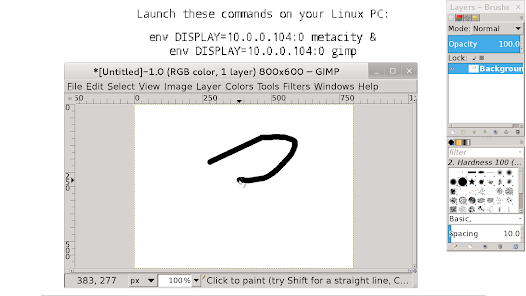
X Window System / X11 server for Android, complete and fully functional, with PulseAudio server included.
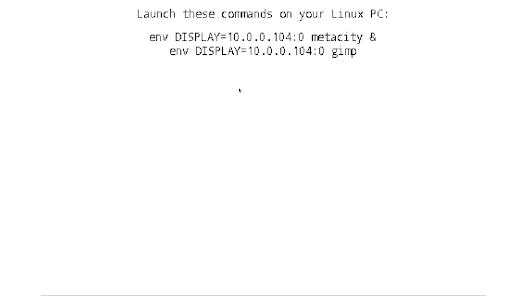
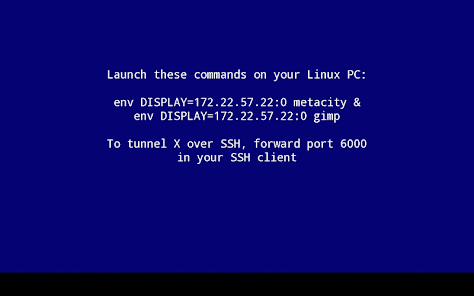
You may use it to stream applications from your Linux PC, or to launch Linux installed on your Android (installing Linux is done via separate app).
3D acceleration and OpenGL are not supported. If you're launching X clients from PC, you can install VirtualGL to use OpenGL.
Touch screen with two fingers to send right mouse button click, with three fingers to send middle button click. You can also press button on your stylus, or use Bluetooth mouse.
Swipe with two fingers to scroll documents.
Finger hover is supported on select devices. If you have Galaxy S4/Note 3 device, enable AirView in system settings to use it.
To invoke keyboard, press Back key. Non-English text input is not supported in terminal, but it works in GUI applications.
If you don't see Back key, swipe up from the bottom of the screen.
If you have hardware Menu key, it will send Ctrl-Z (Undo in most apps).
You can disable gyroscope in Mouse emulation → Advanced → Gyroscope.
You can enable portrait screen orientation and 24bpp color depth in Change device config → Video.
To set custom display number, go to Change device config → Command line parameters → change parameters to XSDL :123, press OK, where 123 is your display number. XSDL will listen on TCP port 6123. You may also pass other parameters to X server using this dialog.
To connect to the display manager on your PC, add parameter -query your.PC.IP.address to the Xserver command line, then configure your display manager.
If you have XDM, you will need to remove a line starting with :0 from /etc/X11/xdm/Xservers , add * to /etc/X11/xdm/Xaccess , and set DisplayManager*authorize: false in /etc/X11/xdm/xdm-config , to disable local X server and allow connections from external IP addresses.
If you want SHM extension to work in Linux chroot - download file libandroid-shmem.so from here:
https://github.com/pelya/cuntubuntu/tree/master/dist
copy it to chroot, set executable flag, and execute this in chroot before other commands:
export LD_PRELOAD=/path/to/libandroid-shmem.so
.APK file for side-loading and old versions:
https://sourceforge.net/projects/libsdl-android/files/apk/XServer-XSDL/
Sources:
https://github.com/pelya/commandergenius/tree/sdl_android/project/jni/application/xserver
You may use it to stream applications from your Linux PC, or to launch Linux installed on your Android (installing Linux is done via separate app).
3D acceleration and OpenGL are not supported. If you're launching X clients from PC, you can install VirtualGL to use OpenGL.
Touch screen with two fingers to send right mouse button click, with three fingers to send middle button click. You can also press button on your stylus, or use Bluetooth mouse.
Swipe with two fingers to scroll documents.
Finger hover is supported on select devices. If you have Galaxy S4/Note 3 device, enable AirView in system settings to use it.
To invoke keyboard, press Back key. Non-English text input is not supported in terminal, but it works in GUI applications.
If you don't see Back key, swipe up from the bottom of the screen.
If you have hardware Menu key, it will send Ctrl-Z (Undo in most apps).
You can disable gyroscope in Mouse emulation → Advanced → Gyroscope.
You can enable portrait screen orientation and 24bpp color depth in Change device config → Video.
To set custom display number, go to Change device config → Command line parameters → change parameters to XSDL :123, press OK, where 123 is your display number. XSDL will listen on TCP port 6123. You may also pass other parameters to X server using this dialog.
To connect to the display manager on your PC, add parameter -query your.PC.IP.address to the Xserver command line, then configure your display manager.
If you have XDM, you will need to remove a line starting with :0 from /etc/X11/xdm/Xservers , add * to /etc/X11/xdm/Xaccess , and set DisplayManager*authorize: false in /etc/X11/xdm/xdm-config , to disable local X server and allow connections from external IP addresses.
If you want SHM extension to work in Linux chroot - download file libandroid-shmem.so from here:
https://github.com/pelya/cuntubuntu/tree/master/dist
copy it to chroot, set executable flag, and execute this in chroot before other commands:
export LD_PRELOAD=/path/to/libandroid-shmem.so
.APK file for side-loading and old versions:
https://sourceforge.net/projects/libsdl-android/files/apk/XServer-XSDL/
Sources:
https://github.com/pelya/commandergenius/tree/sdl_android/project/jni/application/xserver
Date de mise à jour
La sécurité, c'est d'abord comprendre comment les développeurs collectent et partagent vos données. Les pratiques concernant leur confidentialité et leur protection peuvent varier selon votre utilisation, votre région et votre âge. Le développeur a fourni ces informations et peut les modifier ultérieurement.

Aucune donnée partagée avec des tiers
En savoir plus sur la manière dont les développeurs déclarent le partage

Aucune donnée collectée
En savoir plus sur la manière dont les développeurs déclarent la collecte
Notes et avis
3,6
1,3K avis
Nouveautés
Fixed a warning for app notification
Assistance de l'appli
À propos du développeur
Sergii Pylypenko
x.pelya.x@gmail.com
Ukraine


