Spreadsheet data entry
Ilova ichida xaridlar
3,6star
110 ta sharh
10 ming+
Yuklanmalar

Hamma uchun
info




Bu ilova haqida
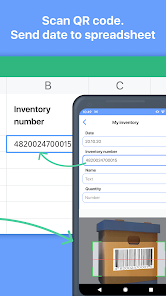
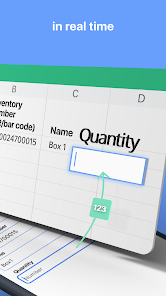
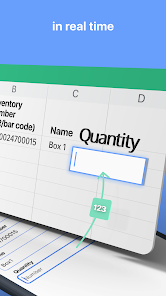
Scan data from your phone to your Google sheet quickly.
After that you can make any future manipulation with data on your Google sheet.
Perfectly fit for inventory, track attendance, finance and tax purpose, collecting QR codes to spreadsheet and beyond.
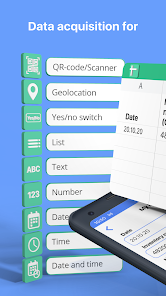
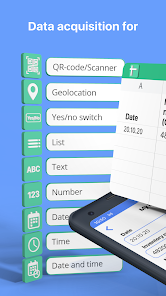
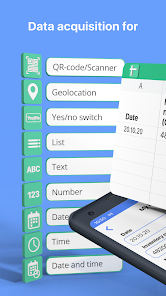
Save next data types:
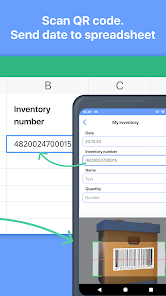
- QR and Bar codes (scans code and save data to the spreadsheet);
- Geolocation (allow to save your current location or select it on map);
- Text;
- Number;
- Date / Time / Date and time;
- Select value from predefined list;
- Yes / No selector.
How it works
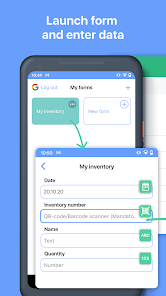
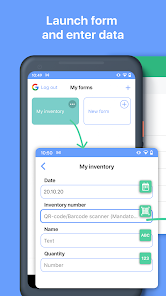
1. Select function;
2. Put data (scan codes, entering text etc);
3. Tap send;
4. Data appear in spreadsheet on your Google Drive.
You can repeat it as much as you want.
How to connect your Google sheet to the app
1. Connect your Google account to the app;
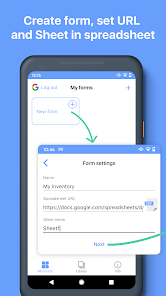
2. Set spreadsheet URL in function settings.
What is Function
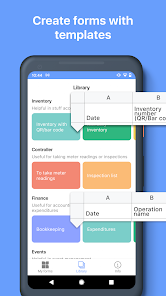
Function has target spreadsheet URL and list of input fields. Function can be created manually or from predefined functions library.
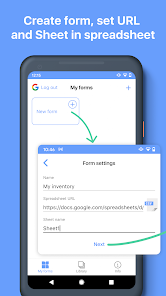
Create function manually
1. Create spreadsheet with required columns in your Google Drive;
2. Create function in the app:
- Copy spreadsheet URL and name of sheet;
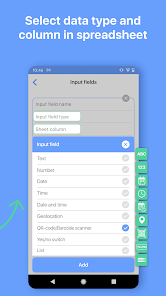
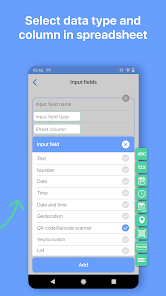
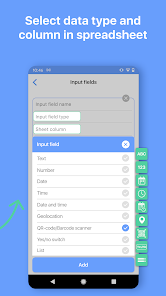
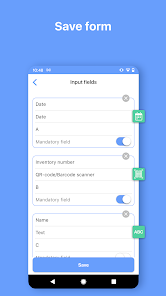
- Set input fields:
- name;
- data type;
- column.
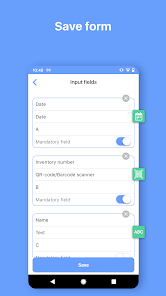
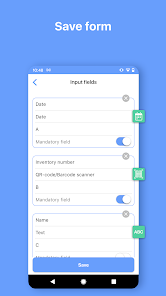
- Save.
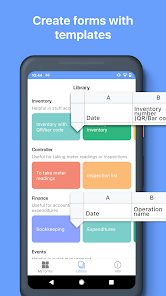
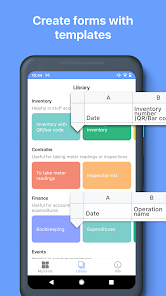
Create function from library
1. Select function from the library;
2. Tap “Add to my functions”
- Function will be added on My Functions screen;
- Spreadsheet will be copied to your Google Drive.
After that you can make any future manipulation with data on your Google sheet.
Perfectly fit for inventory, track attendance, finance and tax purpose, collecting QR codes to spreadsheet and beyond.
Save next data types:
- QR and Bar codes (scans code and save data to the spreadsheet);
- Geolocation (allow to save your current location or select it on map);
- Text;
- Number;
- Date / Time / Date and time;
- Select value from predefined list;
- Yes / No selector.
How it works
1. Select function;
2. Put data (scan codes, entering text etc);
3. Tap send;
4. Data appear in spreadsheet on your Google Drive.
You can repeat it as much as you want.
How to connect your Google sheet to the app
1. Connect your Google account to the app;
2. Set spreadsheet URL in function settings.
What is Function
Function has target spreadsheet URL and list of input fields. Function can be created manually or from predefined functions library.
Create function manually
1. Create spreadsheet with required columns in your Google Drive;
2. Create function in the app:
- Copy spreadsheet URL and name of sheet;
- Set input fields:
- name;
- data type;
- column.
- Save.
Create function from library
1. Select function from the library;
2. Tap “Add to my functions”
- Function will be added on My Functions screen;
- Spreadsheet will be copied to your Google Drive.
Oxirgi yangilanish
Xavfsizlik — dastur ishlab chiquvchilar maʼlumotlaringizni qanday jamlashi va ulashishini tushunishdan boshlanadi. Maʼlumotlar maxfiyligi va xavfsizlik amaliyotlari ilovadan foydalanish, hudud va yoshga qarab farq qilishi mumkin. Bu axborot dastur ishlab chiquvchi tomonidan taqdim etilgan va keyinchalik yangilanishi mumkin.

Tashqi hamkorlarga hech qanday axborot ulashilmagan
Dastur ishlab chiquvchilar axborot ulashilishini qanday aytishi haqida batafsil

Ushbu ilova quyidagi axborot turlarini toʻplashi mumkin
Men haqimda

Maʼlumotlar shifrlanmagan

Maʼlumotlarni oʻchirishni soʻrashingiz mumkin
Reytinglar va sharhlar
3,7
106 ta sharh

Ismloiljon Muxtorov
- Nomaqbul deb belgilash
29-mart, 2022
0 prosta 0
Nima yangiliklar
Performance improvements
Support for the latest Android versions
Support for the latest Android versions
Ilova yuzasidan yordam
Dasturchi haqida
BP TEKH, TOO
bptechllp@gmail.com
Dom 125, N. P. 67, prospekt Nursultan Nazarbaev
Kokshetau
Kazakhstan
+7 778 691 2963


