
DynamicG Popup Launcher
4,4star
3,82 ming ta sharh
100 ming+
Yuklanmalar

Hamma uchun
info
Bu ilova haqida
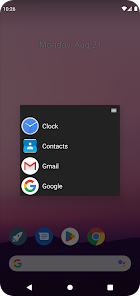
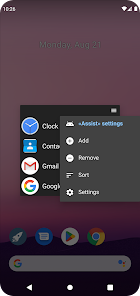
«DynamicG Popup Launcher» (previously called «Home Button Launcher») lets you bookmark your favorite apps, app shortcuts and web pages.
How to launch:
• On Pixel phones with gesture navigation, the app can be configured as “Digital assistant” and launched with “diagonal swipe from bottom corner”, more details see here: https://dynamicg.ch/help/098
• Alternatively, you can use the “Quick Settings” tile to open the app from your phone's notification bar.
• Or you just open the app from your home screen.
• Since One UI 7.0, Samsung uses “Power button long press” to launch the “Digital assistant”, which we think is a bad idea and makes that feature useless. Our app cannot override this behavior.
Features:
★ No advertisement
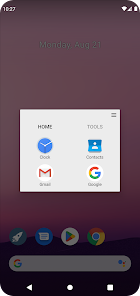
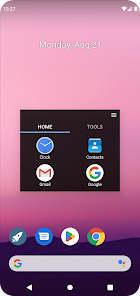
★ Optional tabs
★ Icon pack and custom icons support
★ Partial “App shortcut” support (many apps don't allow other apps to open their shortcuts, so the list of shortcuts is limited)
★ Minimal set of permissions:
- “QUERY_ALL_PACKAGES” to access the list of installed apps.
- “INTERNET” so the app can download its icons zip file.
- on-demand “CALL_PHONE” for those users who create a "Direct dial" contact shortcut.
How to launch:
• On Pixel phones with gesture navigation, the app can be configured as “Digital assistant” and launched with “diagonal swipe from bottom corner”, more details see here: https://dynamicg.ch/help/098
• Alternatively, you can use the “Quick Settings” tile to open the app from your phone's notification bar.
• Or you just open the app from your home screen.
• Since One UI 7.0, Samsung uses “Power button long press” to launch the “Digital assistant”, which we think is a bad idea and makes that feature useless. Our app cannot override this behavior.
Features:
★ No advertisement
★ Optional tabs
★ Icon pack and custom icons support
★ Partial “App shortcut” support (many apps don't allow other apps to open their shortcuts, so the list of shortcuts is limited)
★ Minimal set of permissions:
- “QUERY_ALL_PACKAGES” to access the list of installed apps.
- “INTERNET” so the app can download its icons zip file.
- on-demand “CALL_PHONE” for those users who create a "Direct dial" contact shortcut.
Oxirgi yangilanish
Xavfsizlik — dastur ishlab chiquvchilar maʼlumotlaringizni qanday jamlashi va ulashishini tushunishdan boshlanadi. Maʼlumotlar maxfiyligi va xavfsizlik amaliyotlari ilovadan foydalanish, hudud va yoshga qarab farq qilishi mumkin. Bu axborot dastur ishlab chiquvchi tomonidan taqdim etilgan va keyinchalik yangilanishi mumkin.


Reytinglar va sharhlar
4,5
3,48 ming ta sharh
Nima yangiliklar
• V9.12: Additional theme settings button to change the background color (was only accessible via "long press" before).
• V9.11: New setting "Number of lines: minimum, maximum"
• Full changelog: https://dynamicg.ch/help/098#changelog
• V9.11: New setting "Number of lines: minimum, maximum"
• Full changelog: https://dynamicg.ch/help/098#changelog
Ilova yuzasidan yordam
Dasturchi haqida
Martin Groinig
dynamicg.info@gmail.com
Saumackerstrasse 35
8048 Zürich
Switzerland


