
WiFi Analyzer
Contains adsIn-app purchases

4.6star
249K reviews
10M+
Downloads

Everyone
info





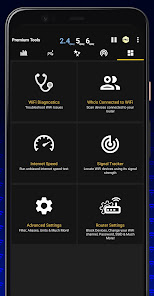
About this app
Introducing a new way to analyze and optimize your WiFi, Turn you android device into WiFi Analyzer!
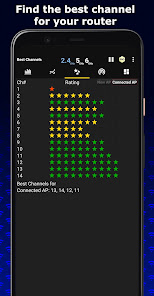
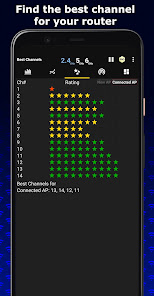
WiFi Analyzer Recommends the best channel and place for your network.
WiFi Analyzer gives you the most useful optimization information to help decrease interference and increase connection speed and stability.
Features:
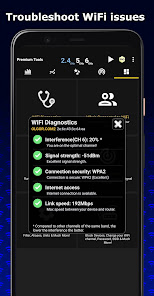
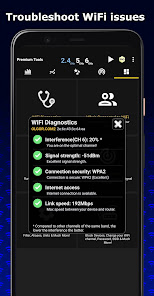
- WiFi Optimizer for Interference Issues
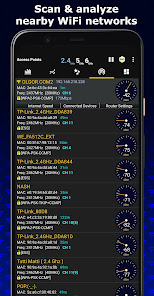
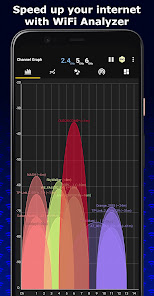
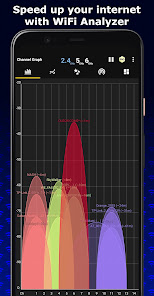
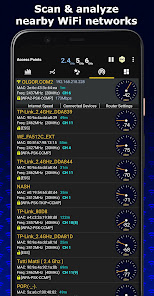
- Channel Analyzer for Nearby APs
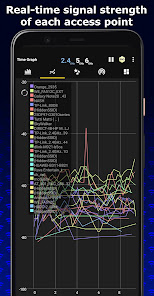
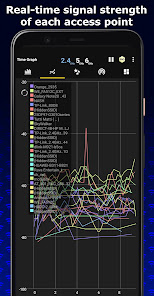
- Real-time data and distance calculations.
- History of signal strength
- Supports 2.4GHz/5GHz/6GHz
- View Hidden WiFis
- Copy MAC address
- Channel Optimizer + Much More!
WiFi Analyzer Recommends the best channel and place for your network.
WiFi Analyzer gives you the most useful optimization information to help decrease interference and increase connection speed and stability.
Features:
- WiFi Optimizer for Interference Issues
- Channel Analyzer for Nearby APs
- Real-time data and distance calculations.
- History of signal strength
- Supports 2.4GHz/5GHz/6GHz
- View Hidden WiFis
- Copy MAC address
- Channel Optimizer + Much More!
Updated on
Safety starts with understanding how developers collect and share your data. Data privacy and security practices may vary based on your use, region, and age. The developer provided this information and may update it over time.


Ratings and reviews
4.6
238K reviews

Bryan “Gula”
- Flag inappropriate
June 3, 2024
Look I love this app and all, but the free version has been completely reworked to have nearly nonstop ads including when you are closing it. The ironic part is that this is usually used as a troubleshooting tool so any bandwidth I'm receiving is going straight to the ads. The ads used to be way more toned down so I'm taking this down 2 stars. Otherwise, a solid product.
17 people found this review helpful

Jo
- Flag inappropriate
- Show review history
May 7, 2024
I was able to change the various wifi names in my area on the wifi list by double tapping but now can't. I used this to recognize the neighbors vs others don't know and assumed this was for my benefit only to better recognize any strangers that shouldn't be near me so dropped 1 star. Like the addition of sorting the list by strength or alphabetical. Need to be able to enlarge the graph as cant makeout overlapping names.
15 people found this review helpful

Alex Nelson
- Flag inappropriate
June 29, 2024
Enshittified. This was a good app. Used it for years. Simple, ad-supported in an unintrusive way, did the job. But the developers (or at least whoever bought the IP, since whoever developed the original app years ago clearly hasn't done much work since then) noticed it had millions of downloads, so cranked up the ads. Popups, videos, notifications days after the fact begging you to pay them money. No thanks. If an app spams me with ads while it's closed, it gets uninstalled immediately.
6 people found this review helpful
What's new
WiFi Analyzer now works even better!
Translated to 17 languages, more are coming soon!
New Features:
- Supports WiFi 6GHz
- Displays channel width by default
- Supports Android 13
- Best channels for connected AP
- Remembers your preferences
- Export Graphs
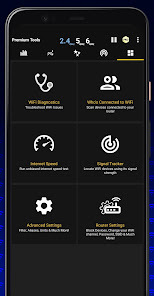
- View information about your connection
- Connect to open WiFi networks within the app
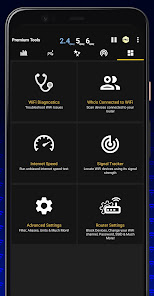
- Detect who is connected to your WiFi
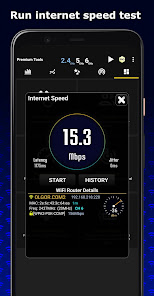
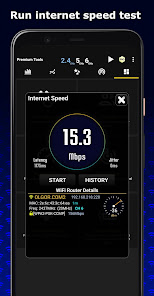
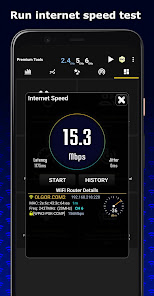
- WiFi Speed Test
- Signal Tracker
Translated to 17 languages, more are coming soon!
New Features:
- Supports WiFi 6GHz
- Displays channel width by default
- Supports Android 13
- Best channels for connected AP
- Remembers your preferences
- Export Graphs
- View information about your connection
- Connect to open WiFi networks within the app
- Detect who is connected to your WiFi
- WiFi Speed Test
- Signal Tracker


