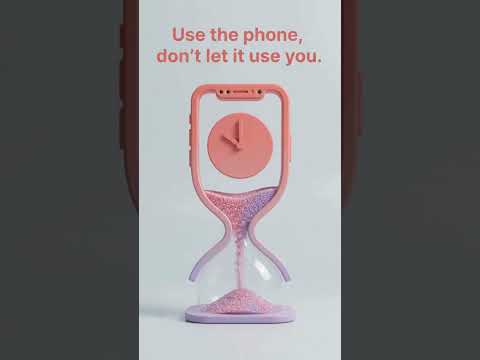

PhoneLimit: Stop Doomscrolling
In-app purchases


Everyone
info
10+
Downloads

Everyone
Learn more


About this app
Set a time limit before you open the app, and stop doomscrolling before it starts.
When you open a distracting app, PhoneLimit asks one simple question: how long do you want to use it? Pick your time, tap Start, and use the app on purpose. When your time is up, a gentle screen steps in so stopping is the easy choice.
SET YOUR TIME BEFORE YOU SCROLL
Choose the apps that pull you in. Every time you open one, PhoneLimit asks how many minutes you want. When time's up, you decide: close the app, or add a few more minutes on purpose.
SEE HOW MANY TIMES YOU OPENED IT (PRO)
See how many times you opened each app this week, and how many times you chose "just a bit more" after your time was up. Most people are surprised by the number.
FAMILY MODE
Set time limits for your child in advance. In family mode, starting or extending app time needs your permission with your pattern lock, so the rules stay yours. Forgot your pattern? Reset it by email.
RACE YOUR FRIENDS IN ROOMS
Create a room, share the invite code, and everyone competes on the same screen time leaderboard. Room members see only summary stats, and app details only if you turn them on.
SEE YOUR ANALYTICS
Your last 7 days at a glance: daily screen time, hourly breakdown, most-used apps and your trend.
MORE WAYS TO STAY ON TRACK
• Time-based restrictions: lock apps automatically during sleep, study or meal times.
• Home screen widget: today's screen time without opening the app.
• Chain calendar and flame badges: build a streak and unlock a new flame as it grows.
• Weekly pledge (Pro): lock your daily goal for a week and earn a badge for keeping it.
FREE AND PRO
Free: up to 3 apps, set-your-time screen, time-based restrictions, 7-day analytics, widget, family mode, rooms, chain calendar and badges.
PhoneLimit Pro (yearly): unlimited apps, open and continue counts, and the weekly pledge.
YOUR PRIVACY
Your detailed usage is processed on your device. Only if you use Rooms are summary stats shared, and only with the members of the rooms you join.
When you open a distracting app, PhoneLimit asks one simple question: how long do you want to use it? Pick your time, tap Start, and use the app on purpose. When your time is up, a gentle screen steps in so stopping is the easy choice.
SET YOUR TIME BEFORE YOU SCROLL
Choose the apps that pull you in. Every time you open one, PhoneLimit asks how many minutes you want. When time's up, you decide: close the app, or add a few more minutes on purpose.
SEE HOW MANY TIMES YOU OPENED IT (PRO)
See how many times you opened each app this week, and how many times you chose "just a bit more" after your time was up. Most people are surprised by the number.
FAMILY MODE
Set time limits for your child in advance. In family mode, starting or extending app time needs your permission with your pattern lock, so the rules stay yours. Forgot your pattern? Reset it by email.
RACE YOUR FRIENDS IN ROOMS
Create a room, share the invite code, and everyone competes on the same screen time leaderboard. Room members see only summary stats, and app details only if you turn them on.
SEE YOUR ANALYTICS
Your last 7 days at a glance: daily screen time, hourly breakdown, most-used apps and your trend.
MORE WAYS TO STAY ON TRACK
• Time-based restrictions: lock apps automatically during sleep, study or meal times.
• Home screen widget: today's screen time without opening the app.
• Chain calendar and flame badges: build a streak and unlock a new flame as it grows.
• Weekly pledge (Pro): lock your daily goal for a week and earn a badge for keeping it.
FREE AND PRO
Free: up to 3 apps, set-your-time screen, time-based restrictions, 7-day analytics, widget, family mode, rooms, chain calendar and badges.
PhoneLimit Pro (yearly): unlimited apps, open and continue counts, and the weekly pledge.
YOUR PRIVACY
Your detailed usage is processed on your device. Only if you use Rooms are summary stats shared, and only with the members of the rooms you join.
Set a time limit before you open an app. Stop doomscrolling before it starts.
Updated on
Safety starts with understanding how developers collect and share your data. Data privacy and security practices may vary based on your use, region, and age. The developer provided this information and may update it over time.
- No data shared with third partiesLearn more about how developers declare sharing
- This app may collect these data typesPersonal info, App activity, and Device or other IDs
- Data is encrypted in transit
- You can request that data be deleted


What’s new
New: Categories
• Group your apps: social media, messaging, entertainment, games, browsers and more. See each group's total time on the home screen.
• Set a daily total limit for a category, like 1 hour a day for social media.
• Category insights and an A-F report card.
• A category streak with a flame badge for days you stay under your limit.
• Pro: week-over-week trend and a 7-day chart.
• Group your apps: social media, messaging, entertainment, games, browsers and more. See each group's total time on the home screen.
• Set a daily total limit for a category, like 1 hour a day for social media.
• Category insights and an A-F report card.
• A category streak with a flame badge for days you stay under your limit.
• Pro: week-over-week trend and a 7-day chart.
Everyone
Learn moreApp support
About the developer
Gökhan DUMLUPINAR
notbuiltin@gmail.com
Kardeşler Mah Bagdat cd
58050 Merkez/Sivas
Türkiye


