

Five Star Study App

2.6star
227 reviews
100K+
Downloads

Everyone
info

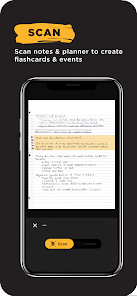
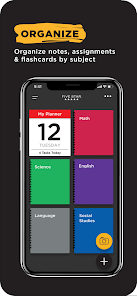
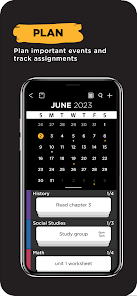
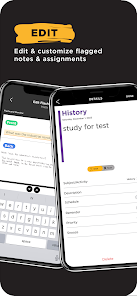
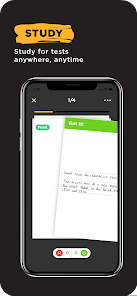
About this app
Safety starts with understanding how developers collect and share your data. Data privacy and security practices may vary based on your use, region, and age. The developer provided this information and may update it over time.


Ratings and reviews
2.7
218 reviews

Karl Thornton
- Flag inappropriate
December 28, 2023
Still trying it out, but there are problems. The biggest one is that it won't shift into Landscape mode, which means the writing on my flashcards are really hard to make out. When I try to make the image in the flashcard bigger, I can only make a portion of the image bigger but I can't move it because the app thinks I'm swiping on it to mark it as Correct or Need to Learn. The scanning ability isn't great as well, and the Marking function should be updated to tell difference between Q and A.
31 people found this review helpful
ACCO Brands
January 2, 2024
Thank you for your feedback! Landscape mode was just launched on 12/29/23 so please try it again and let us know what you think. Thanks!

Mike Sozick Gaming 101
- Flag inappropriate
December 24, 2023
I really like this app. It helps me save my notes and study anytime, anywhere. However, I would like more study options. Maybe like a quiz option or something. Not just flashcards. Also, there should be an option if you want the flashcard part of your notes to be the front or back. This could be good for vocab words in science and history. Other than that, I really recommend this app.
18 people found this review helpful
ACCO Brands
January 2, 2024
Thanks for your feedback! We are continuing to make improvements so keep checking back.

Zach W.
- Flag inappropriate
August 27, 2023
Pretty much since I started using the application, I've been having this bug where every time I try to add pages to a folder, like notes from my physics notebook, it'll take the screenshot automatically as it usually does. Then I'll press Save button and then "Looks Good!" only for it to not save it in the folder. It's done this many times and I can't find a reason for it doing that. It's also odd that the scans are so incredibly low quality sometimes, as if it's blurry.
59 people found this review helpful
ACCO Brands
September 15, 2023
Thanks for bringing this to our attention. We found a fix to the bug and will be releasing a new version soon. Please check back and let us know your thoughts.
What's new
- Bug fixes


