

Lightroom Photo & Video Editor
應用程式內購

4.6star
264萬 則評論
1億+
次下載
編輯精選

適合所有人
info

關於這個應用程式
MAKE YOUR PHOTOS AND VIDEOS STAND OUT WITH EASE
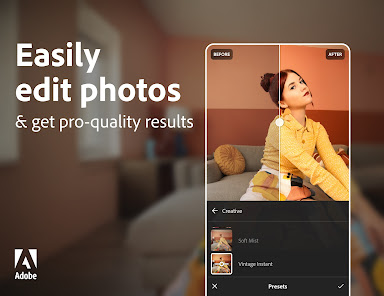
Join millions of users who trust Adobe Photoshop Lightroom to create stunning photos and videos with professional results. Start with one-tap presets or filters for pictures, videos and reels. Then, fine-tune the details with powerful tools to retouch, remove objects, blur backgrounds, and make more precise edits to bring your vision to life.
Whether you’re a budding photographer, a seasoned pro, or just love capturing life’s moments, Lightroom’s Video & Photo Editor helps you instantly transform any photo or video in just a few taps to share with the world. Get started with a free account.
SAVE TIME WITH AI-POWERED ENHANCEMENTS
• Instantly boost your photo in one tap with Auto
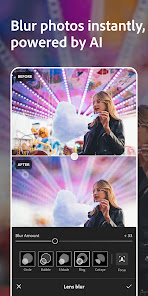
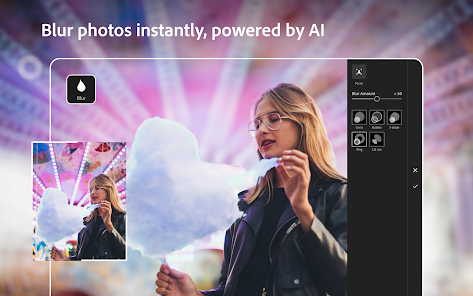
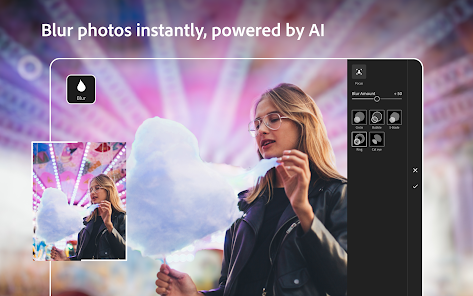
• Add an aesthetic bokeh effect or blur photos using Lens Blur
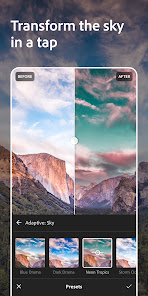
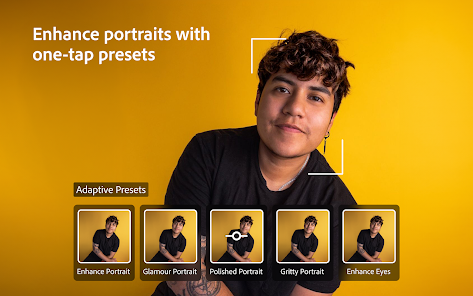
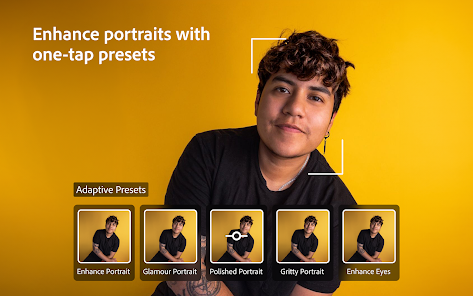
• Quickly retouch portraits, make subjects pop or transform skies with Adaptive presets
• Find the perfect filters for pictures using AI with Recommended presets
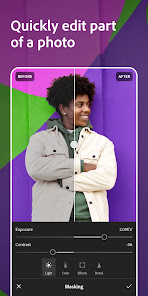
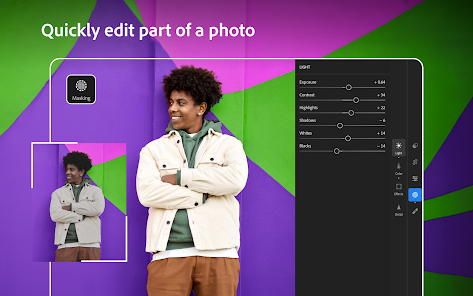
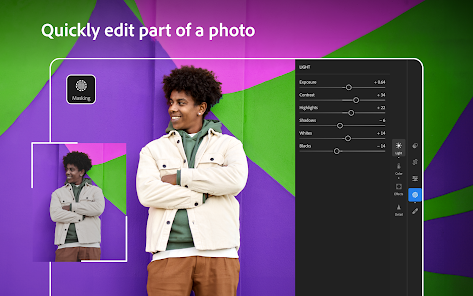
• Easily select your subject or sky in a photo to make precise edits via masking
• Find the best photos in a group or simply search for what’s in them before going into editor mode
EASY-TO-USE AND POWERFUL PHOTO EDITOR
• Instantly find a photo and video to edit from your Android Gallery
• Get in your editing groove with a fast and intuitive photo editor and video editor interface
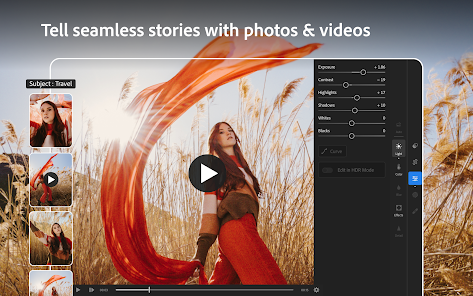
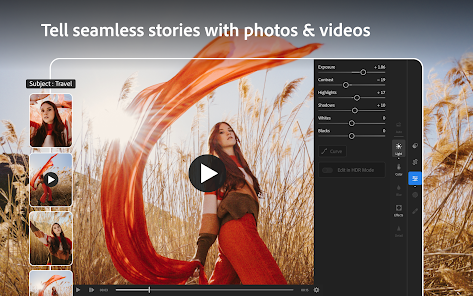
• Fix the lighting in any photo or video by editing exposure, highlights, shadows, contrast, color, curves and more with precision sliders
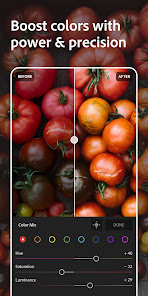
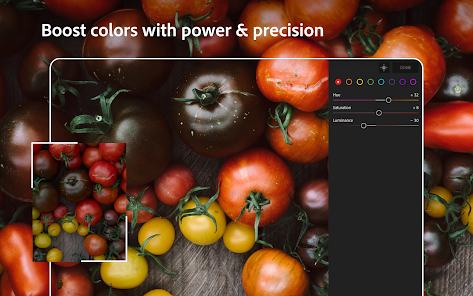
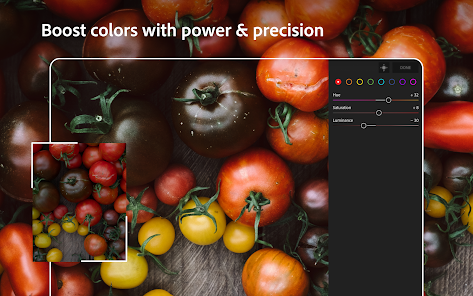
• Take full control of the color palette in your photo or video by editing hue, saturation, luminance, and color grading
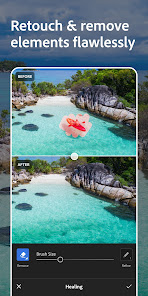
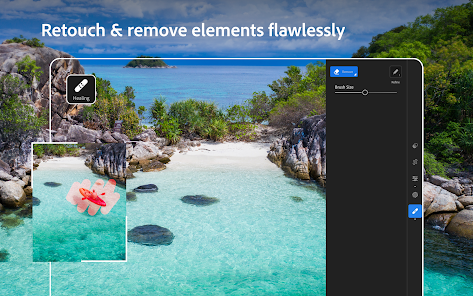
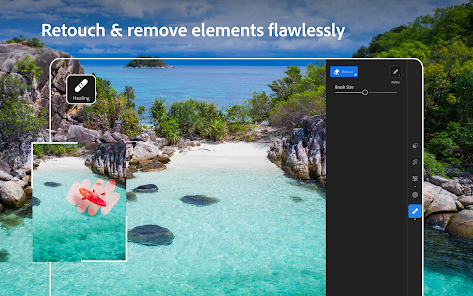
• Brush away, retouch and remove objects in pictures with healing
• Add video or photo effects by editing the clarity, texture, dehaze, grain and vignette sliders
• Crop or rotate your photo before sharing to social
• Edit and export photos in HDR
CURATED PRESETS AND FILTERS FOR PICTURES, VIDEOS AND REELS
• Make quick and easy edits with free presets and camera filters
• Create and save your own presets or filters for future edits
• Explore 200+ exclusive Premium Presets created by professional photographers and influencers
QUICK VIDEO EDITOR AND REELS MAKER
• Share your creative process using Lightroom’s editor by creating short before-and-after reels, made for social, with an edit replay
• Apply presets to instantly enhance videos or reels and create the same look and feel across your collection
• Edit and retouch any video with precision sliders for contrast, highlights, vibrance, video effects and more
• Quickly trim and rotate your video
PRO-GRADE CAMERA
• Capture flawless photos with Lightroom’s built-in camera, offering full manual controls, RAW capture, and HDR
• Apply presets or filters for pictures as you take your shot
GO PREMIUM TO ELEVATE YOUR PHOTOS AND VIDEOS
Achieve next-level photography with Lightroom Premium’s intuitive photo editor and video editor. Upgrade to unlock more easy-to-use and advanced tools including:
• AI-powered tools to make searching for photos and videos faster and editing easier
• Access 200+ exclusive premium preset filters created by professional photographers
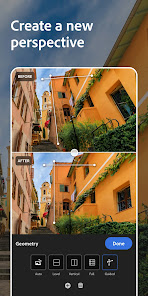
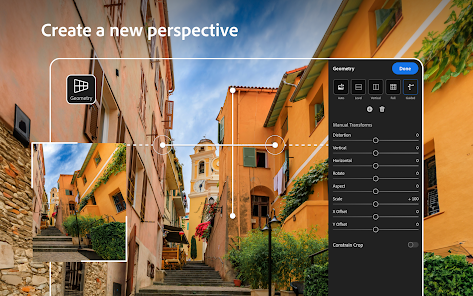
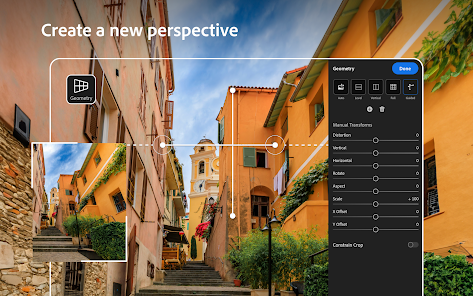
• Precision tools like healing, masking and geometry
• Edit photos and retouch in RAW
• Easily apply the same edits across multiple pictures
• Find the same top-quality features in the photo editor that users love for video editing
• Get editing tips and tricks, save new presets, showcase your photos online, and connect with photographers in Lightroom’s Community
• Photo and video edits sync seamlessly, so start editing on your phone and effortlessly continue on your tablet or online on your laptop
• 100GB of cloud storage
Terms & Conditions:
Your use of this application is governed by the Adobe General Terms of Use http://www.adobe.com/go/terms_en and the Adobe Privacy Policy http://www.adobe.com/go/privacy_policy_en
Do not sell or share my personal information www.adobe.com/go/ca-rights
Join millions of users who trust Adobe Photoshop Lightroom to create stunning photos and videos with professional results. Start with one-tap presets or filters for pictures, videos and reels. Then, fine-tune the details with powerful tools to retouch, remove objects, blur backgrounds, and make more precise edits to bring your vision to life.
Whether you’re a budding photographer, a seasoned pro, or just love capturing life’s moments, Lightroom’s Video & Photo Editor helps you instantly transform any photo or video in just a few taps to share with the world. Get started with a free account.
SAVE TIME WITH AI-POWERED ENHANCEMENTS
• Instantly boost your photo in one tap with Auto
• Add an aesthetic bokeh effect or blur photos using Lens Blur
• Quickly retouch portraits, make subjects pop or transform skies with Adaptive presets
• Find the perfect filters for pictures using AI with Recommended presets
• Easily select your subject or sky in a photo to make precise edits via masking
• Find the best photos in a group or simply search for what’s in them before going into editor mode
EASY-TO-USE AND POWERFUL PHOTO EDITOR
• Instantly find a photo and video to edit from your Android Gallery
• Get in your editing groove with a fast and intuitive photo editor and video editor interface
• Fix the lighting in any photo or video by editing exposure, highlights, shadows, contrast, color, curves and more with precision sliders
• Take full control of the color palette in your photo or video by editing hue, saturation, luminance, and color grading
• Brush away, retouch and remove objects in pictures with healing
• Add video or photo effects by editing the clarity, texture, dehaze, grain and vignette sliders
• Crop or rotate your photo before sharing to social
• Edit and export photos in HDR
CURATED PRESETS AND FILTERS FOR PICTURES, VIDEOS AND REELS
• Make quick and easy edits with free presets and camera filters
• Create and save your own presets or filters for future edits
• Explore 200+ exclusive Premium Presets created by professional photographers and influencers
QUICK VIDEO EDITOR AND REELS MAKER
• Share your creative process using Lightroom’s editor by creating short before-and-after reels, made for social, with an edit replay
• Apply presets to instantly enhance videos or reels and create the same look and feel across your collection
• Edit and retouch any video with precision sliders for contrast, highlights, vibrance, video effects and more
• Quickly trim and rotate your video
PRO-GRADE CAMERA
• Capture flawless photos with Lightroom’s built-in camera, offering full manual controls, RAW capture, and HDR
• Apply presets or filters for pictures as you take your shot
GO PREMIUM TO ELEVATE YOUR PHOTOS AND VIDEOS
Achieve next-level photography with Lightroom Premium’s intuitive photo editor and video editor. Upgrade to unlock more easy-to-use and advanced tools including:
• AI-powered tools to make searching for photos and videos faster and editing easier
• Access 200+ exclusive premium preset filters created by professional photographers
• Precision tools like healing, masking and geometry
• Edit photos and retouch in RAW
• Easily apply the same edits across multiple pictures
• Find the same top-quality features in the photo editor that users love for video editing
• Get editing tips and tricks, save new presets, showcase your photos online, and connect with photographers in Lightroom’s Community
• Photo and video edits sync seamlessly, so start editing on your phone and effortlessly continue on your tablet or online on your laptop
• 100GB of cloud storage
Terms & Conditions:
Your use of this application is governed by the Adobe General Terms of Use http://www.adobe.com/go/terms_en and the Adobe Privacy Policy http://www.adobe.com/go/privacy_policy_en
Do not sell or share my personal information www.adobe.com/go/ca-rights
更新日期
想確保安全,就從瞭解開發人員如何收集與分享資料開始!根據你的使用情形、所在地區及年齡,資料的隱私權和安全性措施可能會有所不同。這項資訊由開發人員提供,可能會隨時間更新。


評分和評論
4.6
260萬 則評論

王景平(詮興行油封)
- 檢舉不當評論
2024年4月29日
DCP描述檔電腦版在應用程式中無法確實刪除,僅能仰賴資料夾清空來達到重置描述檔效果,手機版更爛,連刪除描述檔或隱藏描述檔的選項都沒有,描述檔無法做到確實同步刪除或同步更新,手機版描述檔只會越塞越多
2 位使用者認為這則評論有幫助
Adobe
2024年5月2日
非常抱歉給您帶來了不好的體驗,如果方便的話,請通過 adobe.ly/lrmcommunity具體描述問題和 發送問題的螢幕錄影,讓我們來瞭解更多,以便改進產品,在未來能更好的滿足您的期待。

鹤川
- 檢舉不當評論
2024年3月26日
更新后非常难用,为什么多了二级菜单?每次更改数值要打开两次真的很麻烦!还有以前只是偶尔提示一下更新,现在好了,搞一张图片就直接跳转两次Google play叫我更新,神经病吧。然后返回APP后没更新就强制退出。无语...
3 位使用者認為這則評論有幫助
Adobe
2024年3月28日
非常抱歉给您带来了不好的体验,为了改善用户体验,可否劳烦您通过 adobe.ly/lrmcommunity 发送问题的屏幕录像,Adobe将继续努力改善产品。

吳昶毅
- 檢舉不當評論
- 顯示評論記錄
2024年1月20日
使用體驗越來越差 照片載入速度越來越慢 剛打開而已就燙的跟什麼一樣 以前完全沒這問題 裝置間的同步也幾乎沒在動 一組照片好幾天前讀入到現在根本沒在同步 希望Adobe 能好好改善這些問題 不斷推出新功能 基本問題還是沒解決 不要讓消費者花冤枉錢
11 位使用者認為這則評論有幫助
Adobe
2024年1月23日
非常感謝您的建議,我們會將您對應用程序的功能需求回饋給工程師,希望未來產品的功能可以達到您的期望。
關於此應用程式
- 全新支援最新相機和鏡頭 (adobe.com/go/supported_cameras_tw)
- 錯誤修正及穩定度提升,包括縮圖載入時間更短、遮色片的主體選擇及影像匯出等方面。
- 錯誤修正及穩定度提升,包括縮圖載入時間更短、遮色片的主體選擇及影像匯出等方面。


