
AirPoint: Presentation Remote
Contains ads


Everyone
info
50+
Downloads

Everyone
Learn more


About this app
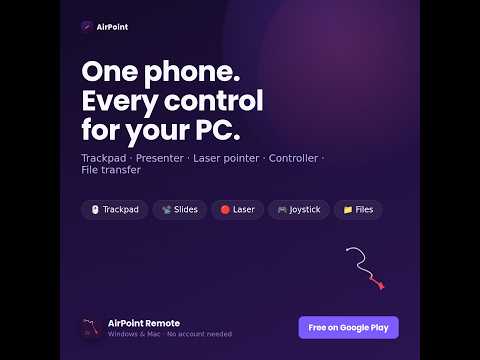
Turn your Android phone into an all-in-one wireless trackpad, presentation clicker, gyro air mouse laser pointer, game controller, and PC remote control for your Win or Mac!
Whether you are delivering a PowerPoint presentation on a stage, streaming media on your TV, browsing the web from your couch, or transferring files between devices, AirPoint gives you effortless, low-latency control over your local Wi-Fi network.
🌟 KEY FEATURES
🖱️ WIRELESS TRACKPAD
• Ultra-smooth cursor control with adjustable speed presets (Slow, Normal, Fast, Turbo).
• Tap to left click, 2-finger tap for right click.
• Natural 2-finger vertical and horizontal scrolling.
• Hold-to-drag and dedicated Drag Lock for easy window moving and file selecting.
• Physical Left & Right click buttons.
📽️ PRESENTATION REMOTE & LIVE SLIDE DECK
• 100% synchronized slide advance (Next / Previous) with swipe gestures.
• Instant Auto Slide Pre-Fetch: Extracts and loads PowerPoint slide thumbnails in < 0.5s.
• Live Filmstrip Carousel: Browse real-time slide thumbnails with auto-centering.
• 1-Tap Slide Jump: Jump instantly to any slide in your presentation.
• Start Slideshow (F5) & Exit (Esc).
• Blank Screen (B) / Restore Screen to black out projector displays on demand.
• Live Desktop View: Mirror your PC screen directly to your phone while presenting with multi-monitor support.
🔴 GYROSCOPE & TOUCH LASER POINTER
• Tilt your phone in the air to guide a virtual laser pointer or spotlight on your PC and projector screen.
• Touch Aiming Mode for ultra-precise fingertip control.
• Vibrant color palette: Red, Green, Blue, Yellow, and Violet.
• Pointer styles: Laser Dot, Spotlight focus, and Glow Ring.
• 1-Tap Recenter calibration and axis inversion options.
⌨️ KEYBOARD & SHORTCUT KEYS
• Built-in interactive mini touchpad with gesture scrolling and tap-to-click.
• Full on-screen typing with real-time text input.
• Dedicated modifier keys: Win, Command (⌘), Ctrl, Alt, Shift, Tab, Esc, Backspace, Delete.
• Quick access to Function Keys (F1–F12) and navigation arrows.
📁 INSTANT FILE TRANSFER
• Wirelessly share photos, videos, documents, and archives up to 1 GB between phone and PC.
• High-speed local transfer with real-time progress indicators.
• Files are automatically organized and saved in your PC's Downloads/AirPoint folder.
📺 TV & DISPLAY PROJECTION (CAST)
• Beam photos, slideshow assets, and videos to smart TVs and external displays.
• Multi-protocol support including Google Cast (Chromecast / Android TV) and Apple AirPlay.
🎮 VIRTUAL GAME CONTROLLER (JOYSTICK)
• Full virtual gamepad emulation for PC games and simulators.
• Dual analog clickable thumbsticks with dynamic deadzone tuning.
• 8-Way D-Pad, ABXY buttons, L1/R1 bumpers, and L2/R2 analog triggers.
• Rotate horizontally for a full-screen handheld gaming layout.
⚡ OS PRODUCTIVITY SHORTCUTS
• 1-Tap App Switcher: Open Windows Task View (Win+Tab) or Mac App Switcher (⌘Tab).
• 1-Tap Search PC (Win+S / ⌘Space) and instant Calculator launch.
• Quick access to File Explorer / Finder, Show Desktop, and Lock PC.
• Media controls: Play, Pause, Next, Prev, Volume Up/Down, and Mute.
🧭 QUICK ACTIONS ARC DRAWER
• Pull out the edge dial from any screen to access shortcuts without switching tabs.
🔒 SECURITY & PRIVACY
• Zero Account Required: No sign-ups, logins, or cloud accounts needed.
• 100% Local Peer-to-Peer: All gestures, keystrokes, and files travel strictly over your local Wi-Fi network.
• Single-Use 6-Digit PIN: Pairing codes expire automatically for maximum security.
• Camera Permission: Used exclusively to scan the desktop pairing QR code.
🚀 QUICK SETUP GUIDE
1. Download and open the free desktop companion app on your computer:
https://github.com/pkhokhali/airpoint-privacy/releases/
2. Open AirPoint on your phone and tap "Scan QR Code".
3. Point your phone at the QR code on your PC screen — you're connected in seconds!
(Both devices must be connected to the same Wi-Fi network or mobile hotspot).
Whether you are delivering a PowerPoint presentation on a stage, streaming media on your TV, browsing the web from your couch, or transferring files between devices, AirPoint gives you effortless, low-latency control over your local Wi-Fi network.
🌟 KEY FEATURES
🖱️ WIRELESS TRACKPAD
• Ultra-smooth cursor control with adjustable speed presets (Slow, Normal, Fast, Turbo).
• Tap to left click, 2-finger tap for right click.
• Natural 2-finger vertical and horizontal scrolling.
• Hold-to-drag and dedicated Drag Lock for easy window moving and file selecting.
• Physical Left & Right click buttons.
📽️ PRESENTATION REMOTE & LIVE SLIDE DECK
• 100% synchronized slide advance (Next / Previous) with swipe gestures.
• Instant Auto Slide Pre-Fetch: Extracts and loads PowerPoint slide thumbnails in < 0.5s.
• Live Filmstrip Carousel: Browse real-time slide thumbnails with auto-centering.
• 1-Tap Slide Jump: Jump instantly to any slide in your presentation.
• Start Slideshow (F5) & Exit (Esc).
• Blank Screen (B) / Restore Screen to black out projector displays on demand.
• Live Desktop View: Mirror your PC screen directly to your phone while presenting with multi-monitor support.
🔴 GYROSCOPE & TOUCH LASER POINTER
• Tilt your phone in the air to guide a virtual laser pointer or spotlight on your PC and projector screen.
• Touch Aiming Mode for ultra-precise fingertip control.
• Vibrant color palette: Red, Green, Blue, Yellow, and Violet.
• Pointer styles: Laser Dot, Spotlight focus, and Glow Ring.
• 1-Tap Recenter calibration and axis inversion options.
⌨️ KEYBOARD & SHORTCUT KEYS
• Built-in interactive mini touchpad with gesture scrolling and tap-to-click.
• Full on-screen typing with real-time text input.
• Dedicated modifier keys: Win, Command (⌘), Ctrl, Alt, Shift, Tab, Esc, Backspace, Delete.
• Quick access to Function Keys (F1–F12) and navigation arrows.
📁 INSTANT FILE TRANSFER
• Wirelessly share photos, videos, documents, and archives up to 1 GB between phone and PC.
• High-speed local transfer with real-time progress indicators.
• Files are automatically organized and saved in your PC's Downloads/AirPoint folder.
📺 TV & DISPLAY PROJECTION (CAST)
• Beam photos, slideshow assets, and videos to smart TVs and external displays.
• Multi-protocol support including Google Cast (Chromecast / Android TV) and Apple AirPlay.
🎮 VIRTUAL GAME CONTROLLER (JOYSTICK)
• Full virtual gamepad emulation for PC games and simulators.
• Dual analog clickable thumbsticks with dynamic deadzone tuning.
• 8-Way D-Pad, ABXY buttons, L1/R1 bumpers, and L2/R2 analog triggers.
• Rotate horizontally for a full-screen handheld gaming layout.
⚡ OS PRODUCTIVITY SHORTCUTS
• 1-Tap App Switcher: Open Windows Task View (Win+Tab) or Mac App Switcher (⌘Tab).
• 1-Tap Search PC (Win+S / ⌘Space) and instant Calculator launch.
• Quick access to File Explorer / Finder, Show Desktop, and Lock PC.
• Media controls: Play, Pause, Next, Prev, Volume Up/Down, and Mute.
🧭 QUICK ACTIONS ARC DRAWER
• Pull out the edge dial from any screen to access shortcuts without switching tabs.
🔒 SECURITY & PRIVACY
• Zero Account Required: No sign-ups, logins, or cloud accounts needed.
• 100% Local Peer-to-Peer: All gestures, keystrokes, and files travel strictly over your local Wi-Fi network.
• Single-Use 6-Digit PIN: Pairing codes expire automatically for maximum security.
• Camera Permission: Used exclusively to scan the desktop pairing QR code.
🚀 QUICK SETUP GUIDE
1. Download and open the free desktop companion app on your computer:
https://github.com/pkhokhali/airpoint-privacy/releases/
2. Open AirPoint on your phone and tap "Scan QR Code".
3. Point your phone at the QR code on your PC screen — you're connected in seconds!
(Both devices must be connected to the same Wi-Fi network or mobile hotspot).
Wireless trackpad, Presentation Slides, Gyro Laser pointer, Transfer Files, etc
Updated on
Safety starts with understanding how developers collect and share your data. Data privacy and security practices may vary based on your use, region, and age. The developer provided this information and may update it over time.
- No data shared with third partiesLearn more about how developers declare sharing
- No data collectedLearn more about how developers declare collection


What’s new
• Multi-Language Support: Added 8 international languages including Russian, German, Spanish, French, Czech, Hungarian, and Arabic, with automatic device language detection.
• In-App Language Selector:
• Full Navigation & Menu Preview:
• Interactive Feature Cheat Sheets:
• Quickstart Tour & Video Tutorial:
• Performance optimizations and smooth connection handling.
• In-App Language Selector:
• Full Navigation & Menu Preview:
• Interactive Feature Cheat Sheets:
• Quickstart Tour & Video Tutorial:
• Performance optimizations and smooth connection handling.
Everyone
Learn moreApp support
phone
Phone number
+9779801158809
About the developer
PRABIN KHOKHALI
prabinkhokhali89@gmail.com
Nepal


