
Insta360 Control
In-app purchases

2.6star
140 reviews
10K+
Downloads

Everyone
info
About this app
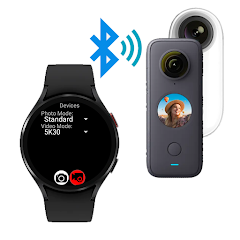
Remote control your Insta 360 camera,
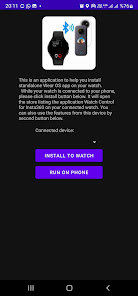
either from your Wear OS watch or from your Android phone.
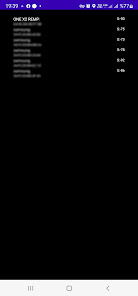
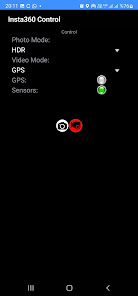
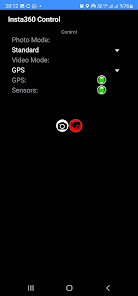
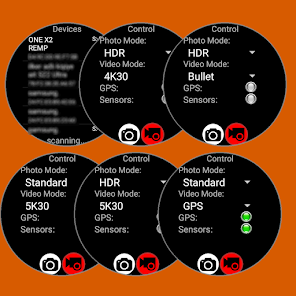
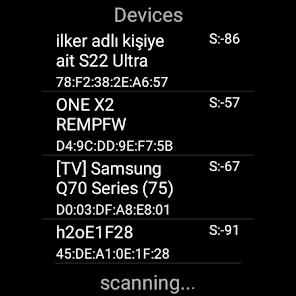
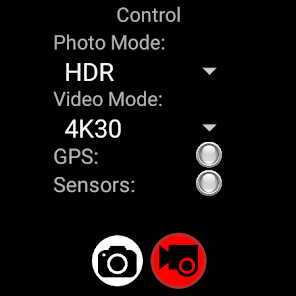
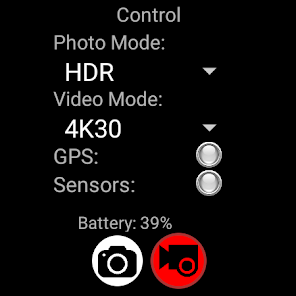
This application connects to your Insta 360 camera through bluetooth connection and lets you capture photos or videos using your Wear OS watch as a remote control.
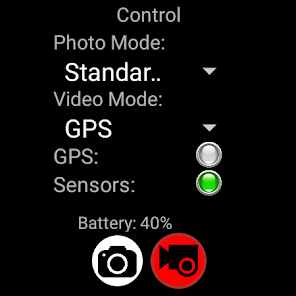
It also supports sending GPS data (location, elevation, speed, heading) to the camera for stats recording.
Features:
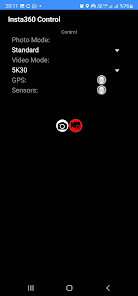
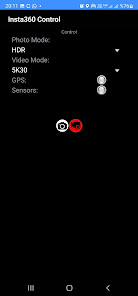
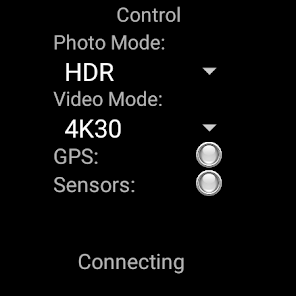
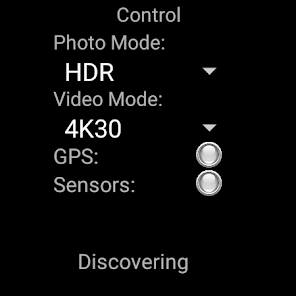
- Photo Capture (Standard / HDR)
- Video Capture (5K/4K/Bullet Time/HDR/GPS)
- GPS Stats feeding to camera for video recording
Comparison with my other Insta 360 remote control app:
Insta 360 Control (this app):
+ Controls over Bluetooth , easy & quick
+ GPS (Stats) data feeding to video recording
+ Various recording modes (4K, 5K, HDR, Bullet Time, GPS)
+ Runs both on watch (standalone) or phone
- No Liveview
Watch Control Pro for Insta360 (other app):
- Controls over wifi, not as easy as bluetooth and disables internet connection while using
- incompatibility issues coming from different watch/camera pairs
+ Liveview while recording/capturing
Insta360 models supported:
- Insta360 ONE X
- Insta360 ONE X2
- Insta360 ONE X3
- Insta360 OneR
- Insta360 OneRS
App is tested on following Wear OS watches:
- Samsung Galaxy Watch 4
- Oppo Watch 46mm
- Tag Heuer Connected 2021
- Suunto 7
- Huawei Watch 2
- Fossil Gen 5 fossil Q Explorist HR
- Ticwatch Watch Pro 3
IMPORTANT: It is only useful with a Wear OS watches. (not compatible with other watches using Tizen or other operating systems)
Here are videos showing full functionality this app:
https://www.youtube.com/watch?v=ntjqfpKJ4sM
IMPORTANT:
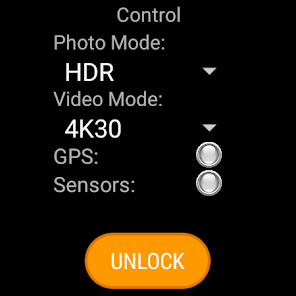
You can use the app on your phone and/or on your watch. The app itself is free but for full access you have to make a payment. If you pay on your phone, it will be detected after a few minutes when you reopen the app on your watch. You don't have to pay twice for using on both phone and watch.
FOR GPS RECORDING:
GPS Recording requires the app to be open on screen or have permission to do background activity.
You can either enable background activity on Wearable app for this application (and then you can turn of the screen manually) OR our update (4.56) will keep the screen on (dimmed) while recording with GPS data.
either from your Wear OS watch or from your Android phone.
This application connects to your Insta 360 camera through bluetooth connection and lets you capture photos or videos using your Wear OS watch as a remote control.
It also supports sending GPS data (location, elevation, speed, heading) to the camera for stats recording.
Features:
- Photo Capture (Standard / HDR)
- Video Capture (5K/4K/Bullet Time/HDR/GPS)
- GPS Stats feeding to camera for video recording
Comparison with my other Insta 360 remote control app:
Insta 360 Control (this app):
+ Controls over Bluetooth , easy & quick
+ GPS (Stats) data feeding to video recording
+ Various recording modes (4K, 5K, HDR, Bullet Time, GPS)
+ Runs both on watch (standalone) or phone
- No Liveview
Watch Control Pro for Insta360 (other app):
- Controls over wifi, not as easy as bluetooth and disables internet connection while using
- incompatibility issues coming from different watch/camera pairs
+ Liveview while recording/capturing
Insta360 models supported:
- Insta360 ONE X
- Insta360 ONE X2
- Insta360 ONE X3
- Insta360 OneR
- Insta360 OneRS
App is tested on following Wear OS watches:
- Samsung Galaxy Watch 4
- Oppo Watch 46mm
- Tag Heuer Connected 2021
- Suunto 7
- Huawei Watch 2
- Fossil Gen 5 fossil Q Explorist HR
- Ticwatch Watch Pro 3
IMPORTANT: It is only useful with a Wear OS watches. (not compatible with other watches using Tizen or other operating systems)
Here are videos showing full functionality this app:
https://www.youtube.com/watch?v=ntjqfpKJ4sM
IMPORTANT:
You can use the app on your phone and/or on your watch. The app itself is free but for full access you have to make a payment. If you pay on your phone, it will be detected after a few minutes when you reopen the app on your watch. You don't have to pay twice for using on both phone and watch.
FOR GPS RECORDING:
GPS Recording requires the app to be open on screen or have permission to do background activity.
You can either enable background activity on Wearable app for this application (and then you can turn of the screen manually) OR our update (4.56) will keep the screen on (dimmed) while recording with GPS data.
Updated on
Safety starts with understanding how developers collect and share your data. Data privacy and security practices may vary based on your use, region, and age. The developer provided this information and may update it over time.

No data shared with third parties
Learn more about how developers declare sharing

This app may collect these data types
App activity, App info and performance, and Device or other IDs

Data is encrypted in transit

Data can’t be deleted
Ratings and reviews
2.9
87 reviews

Viktar Karpach
- Flag inappropriate
May 1, 2023
The free version is not very useful, so I bought Pro version. I mainly needed the app for recording GPS stats in the video. The app can do that and can trigger photo and start stop recording. It can not wake up Insata 360 like the official Bluetooth remote does. Unfortunately, the phone app can't capture GPS stats with turned off screen. The watch app can capture GPS for about 5 min then it sends stale coordinates to Insta360 (I enabled background access and didn't turn off screen).
1 person found this review helpful
DiF Aktuna
May 1, 2023
Thanks for the review& feedback. I had thought that nobody is interested in the phone app so I did not focus on that. If you want to vapture gps dara on phone, please let me know. I can add that feature. For stale coordinates after 5 minute we can also check whats wrong. Please contact me.

Oleg K
- Flag inappropriate
October 5, 2025
This app is confusing and is pure garbage that doesn't work, tried it with my 360 x5 but it didn't do anything, won't even connect, also, to take a photo you have to buy the app, otherwise you're limited to "demo photo", which takes 10 seconds to... Do nothing at all! Because this garbage app doesn't connect. Will delete it with pleasure.
DiF Aktuna
October 5, 2025
I think there is a big misunderstanding. But I won't bother helping you. You are just rude.

Michael Champagne
- Flag inappropriate
- Show review history
November 9, 2022
Edit: after having some more time with it, it seems to work a bit better but I can't always stop a gps recording via watch. Updated to 4 stars. Works perfectly on Samsung watch 4, but I do have a serious problem. The app seems to lose its paid status when separated from the phone, after starting a gokart race and trying to start a new video after staging, it disabled all pro features and I was unable to record GPS data on my race video.
5 people found this review helpful
DiF Aktuna
November 5, 2022
Works perfectly but 1 star ? Just for an issue ? Isnt this inconsistent ? You should have contacted developer through email for that issue.
What’s new
New features:
CamSelected video mode: uses the mode selected on camera (8K on X4 possible)
Highlight button: Marks the video section
Track button: starts GPS and stats recording on CamSelected mode
X3/X4 support: Just select either video or photo mode on the camera before taking a photo or starting video capture.
GPS Recording requires the app to be open on screen or have permission to do background activity.
CamSelected video mode: uses the mode selected on camera (8K on X4 possible)
Highlight button: Marks the video section
Track button: starts GPS and stats recording on CamSelected mode
X3/X4 support: Just select either video or photo mode on the camera before taking a photo or starting video capture.
GPS Recording requires the app to be open on screen or have permission to do background activity.
App support
About the developer
Filiz Aktuna
ilkeraktuna.info@gmail.com
Kozyatağı Mah. H Blok Daire 6 Hacı Muhtar Sokak
H Blok Daire 6
34742 Kadıköy/İstanbul
Türkiye


