
Camera Scanner: PDF Doc Scan
Contains ads


Everyone
info
1+
Downloads

Everyone
Learn more


About this app
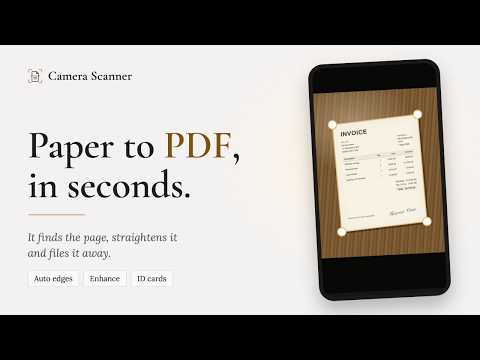
Turn your phone into a pocket document scanner. Camera Scanner finds the page for you, takes the shot itself, straightens it to A4 and enhances it so paper reads white and ink reads sharp — then stores the result as a PDF, right on your phone.
No account. No sign-up. Your documents never leave your device unless you choose to share them.
KEY FEATURES
Smart document scanning: Point the camera at a page. The edges are detected live, the shutter fires once the page is steady, and the perspective is flattened so a photo taken at an angle comes out square. Prefer to press the button yourself? Switch to manual capture.
Review, then save: Every page is shown at A4 before you approve it. Re-crop, rotate or adjust any page, then choose a folder and the PDF is stored in the app.
Enhancement that reads well: Seven filters — Original, Color, Magic, Sharp, Gray, Black & White and Lighten — with live previews, plus brightness and contrast sliders. Every edit is non-destructive: the original capture is kept, so you can change your mind later without stacking up compression damage.
ID card & passport mode: Capture the front and back of an ID card, a driving licence or a passport spread, and both sides are laid onto one printable A4 sheet.
Book mode: Photograph a two-page spread and it is split down the gutter into two clean pages.
Scan to text: Pull the words off a page and copy, share or save them as a text file. Recognition runs on the device.
QR codes & barcodes: Read them from the camera or from a saved image, open links, copy text — and generate a QR code of your own.
Sign your documents: Draw a signature with your finger, or photograph one written on paper and it is lifted off the page. Drag it into place, resize it, and keep your signatures to reuse on any page.
Real PDF control: Page sizes from A1 to A6 plus Letter, Legal, Note, Postcard and Business card — or fit each page to its own image. A quality slider shows the actual file size as you drag, so you can meet an email limit first time. Add a tiled watermark in your own text and colour.
Organise & share: Folders, search across everything, reorder and rotate pages, share as PDF or JPEG, print to any printer your phone can see. Arrange several pages on one sheet with collage layouts.
Cloud backup: Back up every document as a PDF into a folder you choose — on the device, an SD card, or a cloud service that appears in the Android file picker, such as Google Drive or OneDrive. Your cloud sign-in stays with that app.
WHY CAMERA SCANNER?
Fast: Auto capture means a page is scanned in the time it takes to hold the phone still.
Sharp: Edge detection, perspective correction and adaptive thresholding keep text readable even on unevenly lit pages.
Private: Scans are stored in the app's own private storage. There is no account, no analytics profile and no upload — a document leaves your phone only when you share, print or back it up.
Camera Scanner is free and supported by ads. Ads never see your documents.
Download Camera Scanner and turn any piece of paper into a clean, sharp PDF in seconds.
No account. No sign-up. Your documents never leave your device unless you choose to share them.
KEY FEATURES
Smart document scanning: Point the camera at a page. The edges are detected live, the shutter fires once the page is steady, and the perspective is flattened so a photo taken at an angle comes out square. Prefer to press the button yourself? Switch to manual capture.
Review, then save: Every page is shown at A4 before you approve it. Re-crop, rotate or adjust any page, then choose a folder and the PDF is stored in the app.
Enhancement that reads well: Seven filters — Original, Color, Magic, Sharp, Gray, Black & White and Lighten — with live previews, plus brightness and contrast sliders. Every edit is non-destructive: the original capture is kept, so you can change your mind later without stacking up compression damage.
ID card & passport mode: Capture the front and back of an ID card, a driving licence or a passport spread, and both sides are laid onto one printable A4 sheet.
Book mode: Photograph a two-page spread and it is split down the gutter into two clean pages.
Scan to text: Pull the words off a page and copy, share or save them as a text file. Recognition runs on the device.
QR codes & barcodes: Read them from the camera or from a saved image, open links, copy text — and generate a QR code of your own.
Sign your documents: Draw a signature with your finger, or photograph one written on paper and it is lifted off the page. Drag it into place, resize it, and keep your signatures to reuse on any page.
Real PDF control: Page sizes from A1 to A6 plus Letter, Legal, Note, Postcard and Business card — or fit each page to its own image. A quality slider shows the actual file size as you drag, so you can meet an email limit first time. Add a tiled watermark in your own text and colour.
Organise & share: Folders, search across everything, reorder and rotate pages, share as PDF or JPEG, print to any printer your phone can see. Arrange several pages on one sheet with collage layouts.
Cloud backup: Back up every document as a PDF into a folder you choose — on the device, an SD card, or a cloud service that appears in the Android file picker, such as Google Drive or OneDrive. Your cloud sign-in stays with that app.
WHY CAMERA SCANNER?
Fast: Auto capture means a page is scanned in the time it takes to hold the phone still.
Sharp: Edge detection, perspective correction and adaptive thresholding keep text readable even on unevenly lit pages.
Private: Scans are stored in the app's own private storage. There is no account, no analytics profile and no upload — a document leaves your phone only when you share, print or back it up.
Camera Scanner is free and supported by ads. Ads never see your documents.
Download Camera Scanner and turn any piece of paper into a clean, sharp PDF in seconds.
Scan paper to sharp PDFs. Auto edges, ID cards to A4, OCR, QR codes, signatures.
Updated on
Safety starts with understanding how developers collect and share your data. Data privacy and security practices may vary based on your use, region, and age. The developer provided this information and may update it over time.
- No data shared with third partiesLearn more about how developers declare sharing
- No data collectedLearn more about how developers declare collection


Everyone
Learn moreApp support
About the developer
Shubham Goel
auspoapps@gmail.com
Flat No 201, 373
25th Main, Sector 2 HSR Layout
Bangalore, Karnataka 560102
India


