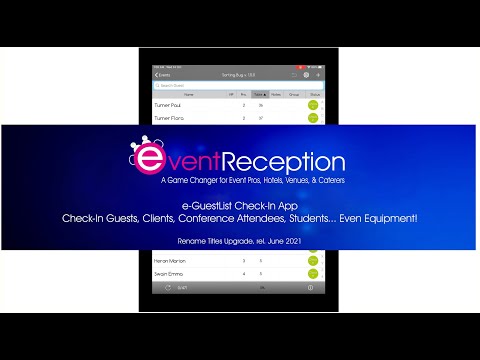

e-GuestList Check-In App


Everyone
info
1K+
Downloads

Everyone
Learn more


About this app
Check-in guests, attendees, clients or even equipment fast and professionally.
Customize the app's titles & columns as needed.
Upload your list from excel easily and fast.
Replace your whole list with subsequent excel uploads, or upload more excel files to add more entries.
Add/modify individual entries over the web or your tablets.
Check for double-entries.
Track check-in progress, check-in times, last-minute changes, and more.
Need Table-Seating (aka assigned-seating)?
e-GuestList has four different settings to track table/free-seat availability.
Select to:
a. Move guests between tables freely
b. Move guests freely, but show availability warnings
c. Prohibit changes/seating when there are no free seats
d. Do not use tables at all
Tap on a table name/number to see all same-table-guests and who has already checked-in.
Rename the Table column and use its unique features to help you with Hotel Breakfast/Board check-ins, or an Equipment Bundle Check-List etc.
Main Features
• Easy, fast & professional
• Unprecedented reliability
• Rename titles & variables
• Four Table-Seating options (No Tables, Free, Warnings, Strict)
• Great Statistics and Reports (in real-time over internet)
• Works in Android tablets and iPads
• Works Offline/Online
• Auto-detects Internet connection and adjusts accordingly
• Auto-syncs devices in Real Time (over internet)
• Auto-saves device data in the cloud for max reliability (over internet)
• Up to three person-categories (eg. number of Adults, Children, Babies)
• Notes, VIPs, Groups/Categories, Company Information and more.
• Up to three standard sub-categories per entry/guest (eg. Sponsor/Member/Invitee or Bride/Groom/Others etc.)
• Guest attendance graphs & reports
• Easy & fast guestlist uploads from Excel
• SSL connection
Main Tablet Features
• Find Guests/Entries via the Search Bar or the Alphabetical Index
• One-tap check-ins
• Add New Guests on the fly
• Edit guest details
• Checked-in guests/entries go to the end of the list (optional)
• Guest notes pop-up automatically after check-in (optional)
• Assign tables to walk-in guests according to free seats (optional)
• Full table-status reports with Seated Guests & Free Seats per Table (according to your selected Table-Seating Option) (optional)
• Show/hide columns for greater simplicity/detail (optional)
• Shorter guestlist after each check-in (optional)
• Real-time statistics
• Undo latest check-in: especially useful when checked-in guests are set to go to the bottom of the list
TRY DEMO
From the Login Screen select 'TRY DEMO' to upload a few Demo Events.
The Demo Accounts have no web access and tablets don't sync among them.
PRICING
The app is free to download and try.
To upload your events you need to purchase a plan: Per Event, Unlimited Events for 30-days, or Unlimited Events for 365 days.
Check https://eventreception.com/guest-list-app/#pricelist
CREATE YOUR EVENTS, UPLOAD YOUR DATA/GUEST LISTS
After purchasing your package, we email your access codes asap, within 24hrs max.
Use them to login from the Web (https://guestlistapp.eventreception.com/) and:
1. Give a Name & Date to your upcoming event(s)
2. Upload your Excel file with your Guest List or Insert Guests individually over the Web
3 Rename the app's titles (optional)
4. Login to e-GuestList from your tablet(s) with your codes
5. That's it!
Your Events and associated details are now in your tablet(s).
If you make further changes from the Web, simply move your finger from top to bottom to synchronise the data in your tablet(s).
WE'D LOVE TO HEAR FROM YOU
Send us your comments, feedback & suggestions at info@eventreception.com.
Customize the app's titles & columns as needed.
Upload your list from excel easily and fast.
Replace your whole list with subsequent excel uploads, or upload more excel files to add more entries.
Add/modify individual entries over the web or your tablets.
Check for double-entries.
Track check-in progress, check-in times, last-minute changes, and more.
Need Table-Seating (aka assigned-seating)?
e-GuestList has four different settings to track table/free-seat availability.
Select to:
a. Move guests between tables freely
b. Move guests freely, but show availability warnings
c. Prohibit changes/seating when there are no free seats
d. Do not use tables at all
Tap on a table name/number to see all same-table-guests and who has already checked-in.
Rename the Table column and use its unique features to help you with Hotel Breakfast/Board check-ins, or an Equipment Bundle Check-List etc.
Main Features
• Easy, fast & professional
• Unprecedented reliability
• Rename titles & variables
• Four Table-Seating options (No Tables, Free, Warnings, Strict)
• Great Statistics and Reports (in real-time over internet)
• Works in Android tablets and iPads
• Works Offline/Online
• Auto-detects Internet connection and adjusts accordingly
• Auto-syncs devices in Real Time (over internet)
• Auto-saves device data in the cloud for max reliability (over internet)
• Up to three person-categories (eg. number of Adults, Children, Babies)
• Notes, VIPs, Groups/Categories, Company Information and more.
• Up to three standard sub-categories per entry/guest (eg. Sponsor/Member/Invitee or Bride/Groom/Others etc.)
• Guest attendance graphs & reports
• Easy & fast guestlist uploads from Excel
• SSL connection
Main Tablet Features
• Find Guests/Entries via the Search Bar or the Alphabetical Index
• One-tap check-ins
• Add New Guests on the fly
• Edit guest details
• Checked-in guests/entries go to the end of the list (optional)
• Guest notes pop-up automatically after check-in (optional)
• Assign tables to walk-in guests according to free seats (optional)
• Full table-status reports with Seated Guests & Free Seats per Table (according to your selected Table-Seating Option) (optional)
• Show/hide columns for greater simplicity/detail (optional)
• Shorter guestlist after each check-in (optional)
• Real-time statistics
• Undo latest check-in: especially useful when checked-in guests are set to go to the bottom of the list
TRY DEMO
From the Login Screen select 'TRY DEMO' to upload a few Demo Events.
The Demo Accounts have no web access and tablets don't sync among them.
PRICING
The app is free to download and try.
To upload your events you need to purchase a plan: Per Event, Unlimited Events for 30-days, or Unlimited Events for 365 days.
Check https://eventreception.com/guest-list-app/#pricelist
CREATE YOUR EVENTS, UPLOAD YOUR DATA/GUEST LISTS
After purchasing your package, we email your access codes asap, within 24hrs max.
Use them to login from the Web (https://guestlistapp.eventreception.com/) and:
1. Give a Name & Date to your upcoming event(s)
2. Upload your Excel file with your Guest List or Insert Guests individually over the Web
3 Rename the app's titles (optional)
4. Login to e-GuestList from your tablet(s) with your codes
5. That's it!
Your Events and associated details are now in your tablet(s).
If you make further changes from the Web, simply move your finger from top to bottom to synchronise the data in your tablet(s).
WE'D LOVE TO HEAR FROM YOU
Send us your comments, feedback & suggestions at info@eventreception.com.
Check-in guests, attendees, clients, equipment. For Event Pros, Hotels, Clubs...
Updated on
Featured stories

Safety starts with understanding how developers collect and share your data. Data privacy and security practices may vary based on your use, region, and age. The developer provided this information and may update it over time.
- No data shared with third partiesLearn more about how developers declare sharing
- This app may collect these data typesApp activity, App info and performance, and Device or other IDs
- Data is encrypted in transit
- You can request that data be deleted


What’s new
- Bug fixes
Everyone
Learn moreApp support
phone
Phone number
+302392024644
About the developer
EVENTRECEPTION L.P.
athan@eventreception.com
33 Smyrnis
Kalamaria 55132
Greece
+30 693 666 4808


