Sync for iCloud
Contains ads
4.3star
21.4K reviews
1M+
Downloads

Everyone
info


About this app
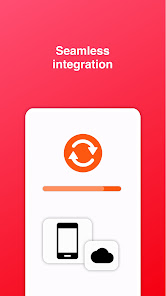
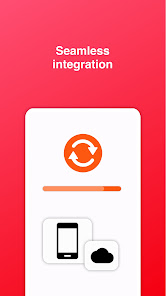
With Sync, you can manage your iCloud contacts and calendars on your Android device for free.
Features include:
* 2 way synchronization
* Connects directly to iCloud servers - no third party servers are used.
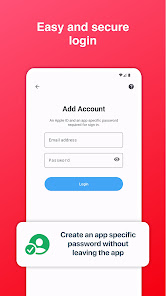
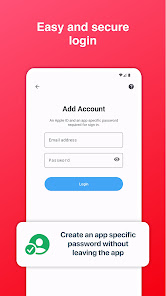
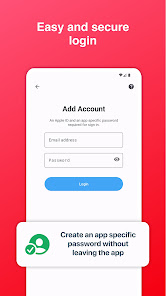
* Tutorial to log in with 2 step verification.
* App specific password can be generated without leaving the app.
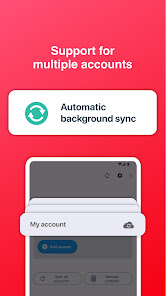
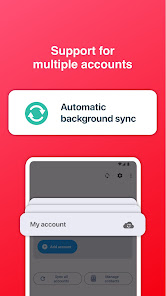
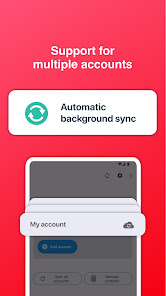
* Background synchronization
* Multiple accounts
* Use your default calendar app to manage events
Setup only takes few steps. Calendars are synced to your default calendar on your phone / tablet. Contacts are synced to your default contacts app.
Data safety
The app transfers data directly between your device and Apple servers. We do not have access to your username/password.
---------------
iCloud is a trademark of Apple Inc., registered in the U.S. and other countries.
Features include:
* 2 way synchronization
* Connects directly to iCloud servers - no third party servers are used.
* Tutorial to log in with 2 step verification.
* App specific password can be generated without leaving the app.
* Background synchronization
* Multiple accounts
* Use your default calendar app to manage events
Setup only takes few steps. Calendars are synced to your default calendar on your phone / tablet. Contacts are synced to your default contacts app.
Data safety
The app transfers data directly between your device and Apple servers. We do not have access to your username/password.
---------------
iCloud is a trademark of Apple Inc., registered in the U.S. and other countries.
Updated on
Safety starts with understanding how developers collect and share your data. Data privacy and security practices may vary based on your use, region, and age. The developer provided this information and may update it over time.


Ratings and reviews
4.3
19.9K reviews

James Forward
- Flag inappropriate
- Show review history
January 15, 2026
Good when it works but recently, it seems like it keeps signing out/the data gets deleted update or so? I'm *hoping* this isn't the devs pushing breaking changes to the app storage thinking this is fine because it is just a case of logging in again 😞 It is extremely annoying!

Derek Harris
- Flag inappropriate
January 26, 2026
it works but I hate it. This is one of a number of Apps which won't shut up. Yes I did not give it permission to sync contacts because I don't want it to sync contacts EVER. Yet it reminds me several times a day that I haven't given it all permissions.....F off.

Iain Croll
- Flag inappropriate
September 15, 2025
After upgrade you need to follow these steps: The app upgrade (30/08) deletes your account data and also resets app permissions. In order to sync again you need to first make sure the app has permissions for calendar and contacts in android settings (otherwise you will get an error that there is no URL or other CALDAV error when adding your account). Then you should add your icloud account using an app specific password. It will not work with your regular password.
9 people found this review helpful
What’s new
Thank you for using Sync!
You can now sync iCloud contacts and calendars from one app.
This update contains the following fixes and improvements:
- Further fixes for login issues. Please use an app specific password to log in.
- Update to latest libraries
- Support for newer Android versions
You can now sync iCloud contacts and calendars from one app.
This update contains the following fixes and improvements:
- Further fixes for login issues. Please use an app specific password to log in.
- Update to latest libraries
- Support for newer Android versions
App support
About the developer
DT INVESTMENTS LIMITED
io.mt@outlook.com
8, TRIQ IL-KACCATURI,
SAFI
Malta
+356 9934 4939


