

Kids Place Parental Control
Contains adsIn-app purchases

4.1star
46.2K reviews
5M+
Downloads

Everyone
info
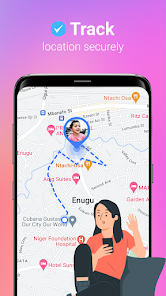
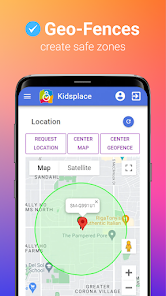
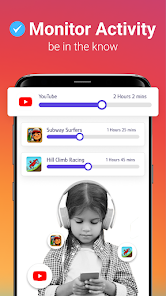
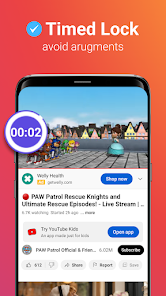
About this app
Kids Place is one of the best Free Parental Control App: Trusted by Millions of Parents world wide!
Kids Place Free Parental Controls App is a screen time limit & parental control app created for parents who want to control their children's activity & screen time control on phones & tablets.
Kids Mode, Screen Time Control & Child Lock & parental control app features give parents a lot of flexibility on how to configure their phone/tablets to for screen time control, block ads & inappropriate content.
Parental Controls App & Screen Time Control allows you to digital ground rules for your children while guiding them as they learn, play, & explore online.
Child Security App - full-featured, free parental control app on Google Play to secure kids zone for a safe family.
This kids mode app & screen time control app creates a special kid area for your child where parents can manage your kids' screen time, lock on samsung, pixel, realme, oppo, motorola, oneplus, lg & other android devices, set time limit on app usage, & website control. Use this kids mode app free to limit phone usage via child lock & screen time control.
🔒CREATE A SAFE ENVIRONMENT FOR YOUR KID with Kids Space on their device
You decide which app can be accessed by your children to secure kids in the safest & most convenient way. This versatile free parental control app enables the easiest & most efficient Kids Space, Kids zone, Child Lock & Screen Time controls.
Have you set a limit on your kids' phone usage, but they still ask to use yours?
✓ You can launch the app in kids space / kids lock mode on your device when you hand it over to them or it can be installed directly on their phone.
Do you want to limit access to certain apps, which you don't find suitable for their age?
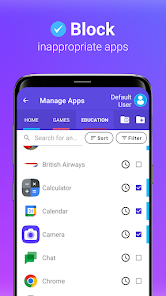
✓ This screen time control & free parental control app allows you to select all apps they can use & restrict access to these apps only when you lend your phone
Are you worried that your children can accidentally download paid apps or buy credits for a game?
✓ Activate blocking options for purchases from Google Play & don't allow new apps download while you let your kids play
Want to disable internet access for your kids?
✓ Use Safe Browser plugin for internet safety for kids!
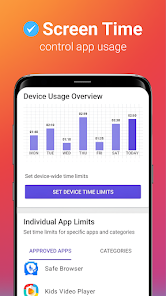
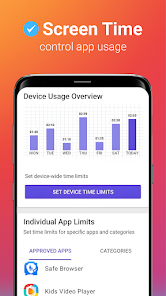
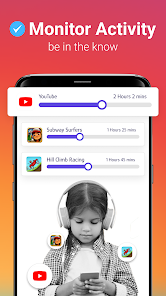
✓ Set a screen time control to limit the use of the phone or just some apps by children & control their screen time.
✓ Works seamlessly on Samsung, Huawei, Pixel, LG, OnePlus, Oppo, Vivo, Motorola and other Android devices along with google family link app
Kids Place Parental Control App Free Features:
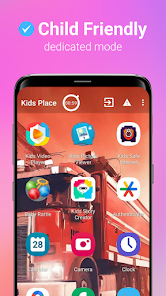
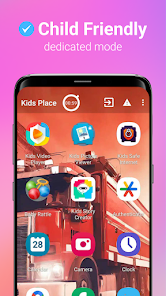
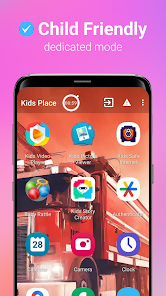
✓ Child Friendly Launcher with child lock and Kids Space
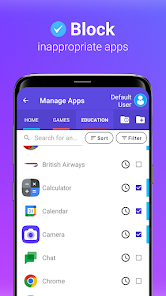
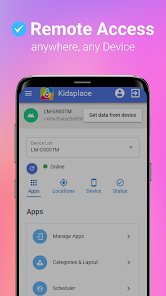
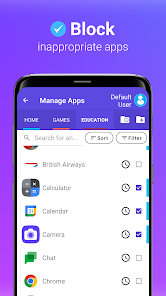
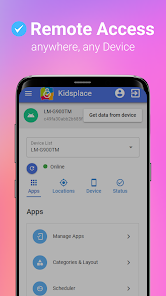
✓ Control what apps are visible and accessible by kids
✓ Block unapproved apps
✓ Create and Approve Tasks for Kids and offer Rewards for chores.
Kids Place Parental Control App Premium Features:
✓ Create custom user profiles
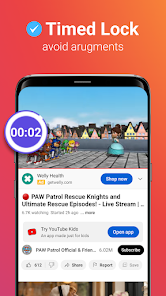
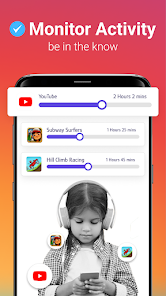
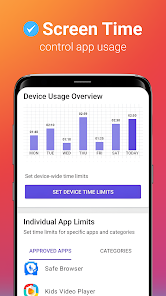
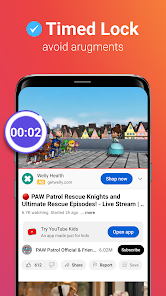
✓ Set a daily timer for the phone or for single apps for screen time control.
✓ Change the name of the app & run it in the background
✓ Automatically restart it every time the phone is turned on
✓ Block app uninstall & protect your PIN
Kids Place Premium is suitable when it is installed directly on your children's phones to create a safe kids space.
★This kids launcher application uses the Device Administrator permission. This is completely optional but is requested in case parents want to tamper proof the app for kids.
★This application uses Accessibility Service API permission. This is optional and is requested when user wants additional parental controls app security, specially to lock notification bar to prevent access to settings & uninstall by kids.
Thanks to complementary products, which can be easily integrated with Kids Place, this free Parental Control app can also be extended to safe search web browsing & online video viewing.
Keywords: Parental Control App, Screen Time Control, Child Lock, Kids Lock, Kids Mode, Kids Space, Family Time, Safe Kids Zone, Android Parental Control, Free Parental Control App
Kids Place Free Parental Controls App is a screen time limit & parental control app created for parents who want to control their children's activity & screen time control on phones & tablets.
Kids Mode, Screen Time Control & Child Lock & parental control app features give parents a lot of flexibility on how to configure their phone/tablets to for screen time control, block ads & inappropriate content.
Parental Controls App & Screen Time Control allows you to digital ground rules for your children while guiding them as they learn, play, & explore online.
Child Security App - full-featured, free parental control app on Google Play to secure kids zone for a safe family.
This kids mode app & screen time control app creates a special kid area for your child where parents can manage your kids' screen time, lock on samsung, pixel, realme, oppo, motorola, oneplus, lg & other android devices, set time limit on app usage, & website control. Use this kids mode app free to limit phone usage via child lock & screen time control.
🔒CREATE A SAFE ENVIRONMENT FOR YOUR KID with Kids Space on their device
You decide which app can be accessed by your children to secure kids in the safest & most convenient way. This versatile free parental control app enables the easiest & most efficient Kids Space, Kids zone, Child Lock & Screen Time controls.
Have you set a limit on your kids' phone usage, but they still ask to use yours?
✓ You can launch the app in kids space / kids lock mode on your device when you hand it over to them or it can be installed directly on their phone.
Do you want to limit access to certain apps, which you don't find suitable for their age?
✓ This screen time control & free parental control app allows you to select all apps they can use & restrict access to these apps only when you lend your phone
Are you worried that your children can accidentally download paid apps or buy credits for a game?
✓ Activate blocking options for purchases from Google Play & don't allow new apps download while you let your kids play
Want to disable internet access for your kids?
✓ Use Safe Browser plugin for internet safety for kids!
✓ Set a screen time control to limit the use of the phone or just some apps by children & control their screen time.
✓ Works seamlessly on Samsung, Huawei, Pixel, LG, OnePlus, Oppo, Vivo, Motorola and other Android devices along with google family link app
Kids Place Parental Control App Free Features:
✓ Child Friendly Launcher with child lock and Kids Space
✓ Control what apps are visible and accessible by kids
✓ Block unapproved apps
✓ Create and Approve Tasks for Kids and offer Rewards for chores.
Kids Place Parental Control App Premium Features:
✓ Create custom user profiles
✓ Set a daily timer for the phone or for single apps for screen time control.
✓ Change the name of the app & run it in the background
✓ Automatically restart it every time the phone is turned on
✓ Block app uninstall & protect your PIN
Kids Place Premium is suitable when it is installed directly on your children's phones to create a safe kids space.
★This kids launcher application uses the Device Administrator permission. This is completely optional but is requested in case parents want to tamper proof the app for kids.
★This application uses Accessibility Service API permission. This is optional and is requested when user wants additional parental controls app security, specially to lock notification bar to prevent access to settings & uninstall by kids.
Thanks to complementary products, which can be easily integrated with Kids Place, this free Parental Control app can also be extended to safe search web browsing & online video viewing.
Keywords: Parental Control App, Screen Time Control, Child Lock, Kids Lock, Kids Mode, Kids Space, Family Time, Safe Kids Zone, Android Parental Control, Free Parental Control App
Updated on
Safety starts with understanding how developers collect and share your data. Data privacy and security practices may vary based on your use, region, and age. The developer provided this information and may update it over time.

No data shared with third parties
Learn more about how developers declare sharing

This app may collect these data types
Location, Personal info and 3 others

Data is encrypted in transit

You can request that data be deleted
Ratings and reviews
4.2
34K reviews

Emily Gieseke
- Flag inappropriate
- Show review history
February 9, 2024
Used to be better. I have used this for years. It takes just a few seconds to change which apps they're allowed to access, so I use that to only allow certain games at certain times. there is no junk with this app. My main problem is that it frequently randomly goes off the app altogether, which completely negates usefulness, or it will freeze or crash when trying to use a timer. I have factory reset the phone, updated the app, etc. This just keeps happening randomly. Looking for a different app
114 people found this review helpful
Kiddoware - Parental Control App Provider
March 22, 2024
Hi, Our latest update of parental control app has resolved the issue. Can you please try and contact us at support@kiddoware.com if you still see the issue. Thanks

A Google user
- Flag inappropriate
January 4, 2020
We've used this app off and on over the last 5+ years. When it works, it works pretty well. With my youngest, I have only used it with the (paid) picture viewer add on (no other apps). It was working only intermittently, with the picture viewer often failed to open without repeatedly trying and exiting or partially exiting Kids Place. After a recent phone reset, I downloaded both apps again and now the picture viewer usually won't open at all - if it does, it's only by accident. Frustrating.
14 people found this review helpful
Kiddoware - Parental Control App Provider
January 4, 2020
We are really sorry for the trouble and we appreciate you bringing this issue to our attention. Recent updates of android has caused an issue with publishing an update for picture viewer. We will be updating soon. Thanks
A Google user
- Flag inappropriate
March 26, 2020
Pros: I really like that my 3yo can't click ads and is not allowed to be redirected to other sites constantly. I can control volume, and control what apps she uses. Love this! Cons: By clicking the square button, she can still close any tabs I have open. The lock screen keeps popping up, and if you have emergency contacts accessoble from that, she can call people which is one of the reasons I got this app. She keeps getting stuck on my lock screen and calling my emergency contacts.
50 people found this review helpful
Kiddoware - Parental Control App Provider
March 27, 2020
Hi, There is setting under parental controls to lock recent app/app switcher. Please enable that and that will fix. You can also enable keep home screen on option to avoid getting lock screen. Please contact us at support@kiddoware.com and we will assist you. Thanks
What's new
Kids Place - Kids Mode & Parental Control App Updates :
1. Fixed screen time out issue.
1. Fixed screen time out issue.


