

Shift Work Calendar
Contains adsIn-app purchases

4.4star
4.06K reviews
1M+
Downloads

Everyone
info



About this app
Do you work shifts?
Fed up of trying to work out what shift you will be working when asked about a future date?
Wouldn't it be nice to have an App close at hand to tell you!
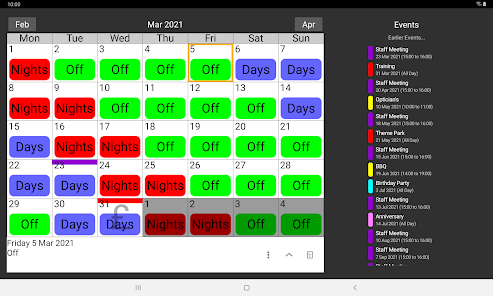
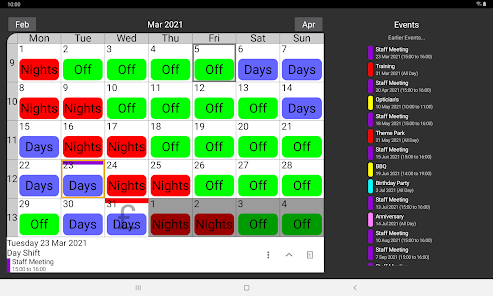
Shift Work Calendar can be used to plan and organise your life around your work commitments.
Keep track of your life with this Shift Work Calendar, designed to make planning easier for people who work shifts.
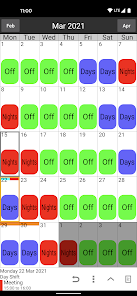
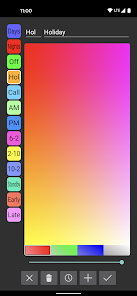
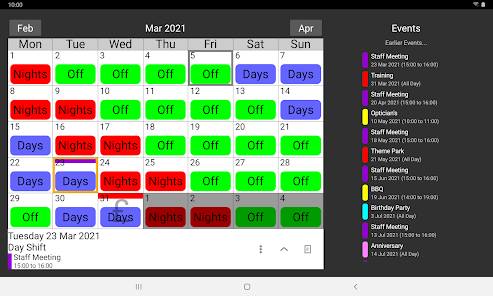
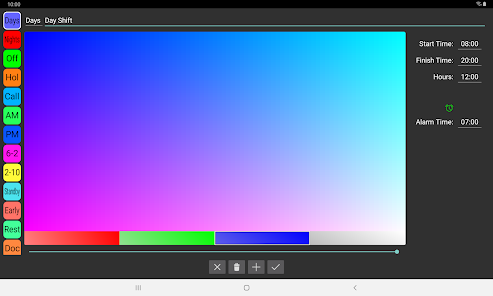
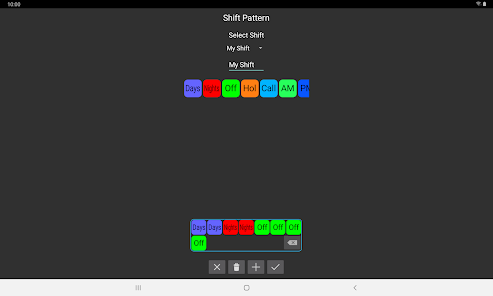
Shift Work Calendar allows you to easily build different shift patterns by choosing your own colours and names which can be speedily added to the calendar and visible at a quick glance.
Features:
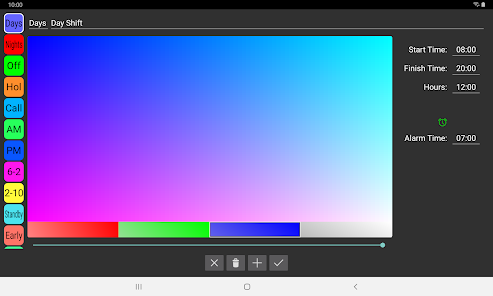
Custom labels can be created with unique colours and names.
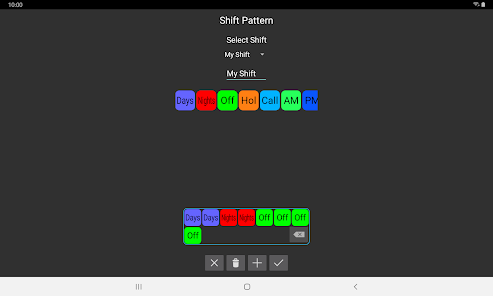
Custom shift patterns can be created.
Shift patterns can be quickly added to the calendar automatically repeating for years if required.
Pay days can be quickly added to the calendar.
Calendar Colours can be changed for a personalised appearance.
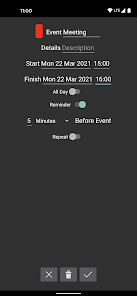
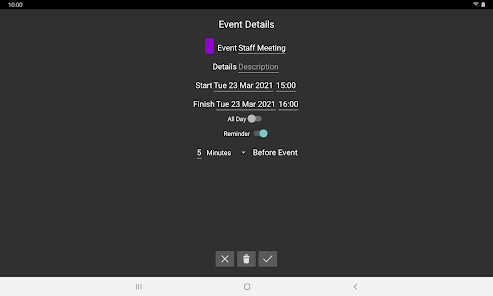
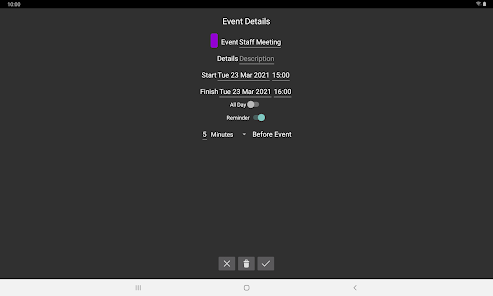
Events can be added to the calendar to show appointments, meetings etc.
Events can have a notification / alarm reminder.
Calendars can be stored in the cloud for easy transfer between your devices.
Calendars can be shared with friends / family / colleagues using cloud share.
Multiple calendars can be stored.
A lock option can be enabled to stop accidental changes of the calendar.
Undo button allows mistakes to be rectified when adding labels to the calendar.
Search device option to easily import calendar files.
Pro Features:
Remove adverts.
Compare 2 calendars at the same time and find matching days.
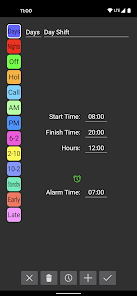
Times can be added to labels to calculate hours worked.
Hours can be adjusted by date to calculate extra / lower hours.
Alarms based on shift pattern.
Send Shift Pattern by email.
Home screen Widget.
Email support@shifts.tech for support. Feedback and suggestions are most welcome.
Fed up of trying to work out what shift you will be working when asked about a future date?
Wouldn't it be nice to have an App close at hand to tell you!
Shift Work Calendar can be used to plan and organise your life around your work commitments.
Keep track of your life with this Shift Work Calendar, designed to make planning easier for people who work shifts.
Shift Work Calendar allows you to easily build different shift patterns by choosing your own colours and names which can be speedily added to the calendar and visible at a quick glance.
Features:
Custom labels can be created with unique colours and names.
Custom shift patterns can be created.
Shift patterns can be quickly added to the calendar automatically repeating for years if required.
Pay days can be quickly added to the calendar.
Calendar Colours can be changed for a personalised appearance.
Events can be added to the calendar to show appointments, meetings etc.
Events can have a notification / alarm reminder.
Calendars can be stored in the cloud for easy transfer between your devices.
Calendars can be shared with friends / family / colleagues using cloud share.
Multiple calendars can be stored.
A lock option can be enabled to stop accidental changes of the calendar.
Undo button allows mistakes to be rectified when adding labels to the calendar.
Search device option to easily import calendar files.
Pro Features:
Remove adverts.
Compare 2 calendars at the same time and find matching days.
Times can be added to labels to calculate hours worked.
Hours can be adjusted by date to calculate extra / lower hours.
Alarms based on shift pattern.
Send Shift Pattern by email.
Home screen Widget.
Email support@shifts.tech for support. Feedback and suggestions are most welcome.
Updated on
Safety starts with understanding how developers collect and share your data. Data privacy and security practices may vary based on your use, region, and age. The developer provided this information and may update it over time.

No data shared with third parties
Learn more about how developers declare sharing

This app may collect these data types
Personal info, App info and performance, and Device or other IDs

Data is encrypted in transit

You can request that data be deleted
Ratings and reviews
4.5
3.84K reviews

A Google user
- Flag inappropriate
January 25, 2019
This really is a fantastic App. I've been using it for a few years. Once you input your shift calendar, as long as it remains constant, you can go years in advance and know what you'll be doing for an appointment or what shift you'll be on 2 years from now. The only problem is that once I get a new phone I have to redo the schedule. I will purchase the full version to see if that solves my problem. Overall a great app. Well thought out and concise. thanks Dev.
42 people found this review helpful

Levi Ferrero
- Flag inappropriate
October 20, 2020
Calendar works great, I've been using it for a long time! The one and only time I had an issue I sent an email in to their support and they got back with me super fast and their suggestion fixed the problem on the first try. Them being so helpful is what prompted me to leave this review because this just happened and I'm so happy to have my calendar on both phones. Great customer service and great app! :)
19 people found this review helpful
A Google user
- Flag inappropriate
August 9, 2023
Unfortunately I had used this app for years and had everything planned in here and repeated for years. I used this and thought the cloud back up gave me peace of mind. However after I experienced a rare issue with the app loading I contacted the developer for assistance. Whilst they were quick to respond they were ultimately unable to recover any events and only had 6 months of calender saved. Obviously this is incredibly frustrating as the cloud back up seems to be worth nothing 😡
10 people found this review helpful
Shwoca Technologies Ltd
August 9, 2023
Sorry to hear about your poor experience using this app. Your frustration is completely understandable and we apologise for any inconvenience caused. Following your feedback, we’re working to improve our cloud storage system. This will include a recovery system where any data will be able to be rolled back to any point in the previous 7 days.
What's new
Bug fixes


