
Flight Dark Pro - Icon Pack
In-app purchases

star
194 reviews

Everyone
info
10K+
Downloads


About this app
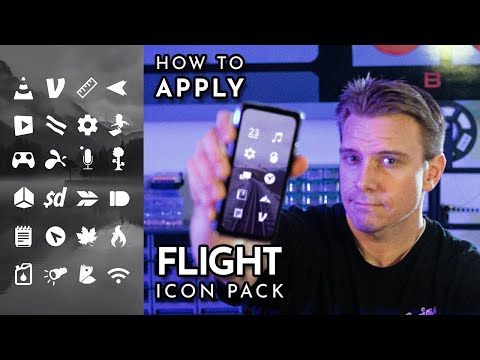
Flight Dark Pro is a clean, minimalist icon pack with 6,000+ hand-crafted flat black icons for your Android home screen. Icons feature subtle transparency that blends beautifully into your wallpaper, perfect for light and pastel setups. Complete the look with 200+ scenic sky and cloud wallpapers, plus clock, battery and weather widgets.
KEY FEATURES
• 6,000+ flat, clean and simple black icons, with new icons added regularly
• Icon masking: apps that aren't themed yet are automatically styled to match the icon pack, so your home screen always looks consistent
• Icon request tool built in: missing an icon? Request it right from the app
• Dynamic calendar icons that update with today's date
• 200+ custom sky, cloud and landscape wallpapers, downloadable from the cloud
• Muzei live wallpaper support for auto-rotating backgrounds
• Icon browser with search and A-Z categories, plus launcher icon picker support
• Crisp, high-quality HD icons that stay sharp on any screen
• The best way to customize and personalize your Android phone: a full home screen makeover in one tap
• No ads. A one-time purchase
WIDGETS
System widgets are included, no extra apps needed:
• Analog and digital clock widgets
• Battery widgets
• Weather widget
Bonus KWGT widget pack also included (requires the KWGT app). Widgets offer color, size and font customization.
SAMSUNG & ONE UI
You can apply this icon pack on Samsung's stock launcher:
Install the free Theme Park app (Good Lock) from the Galaxy Store
Open Theme Park and tap "Icon"
Tap "Create new", select Flight Dark Pro, save and apply
SUPPORTED LAUNCHERS
This icon pack works with all major Android launchers:
Smart Launcher (recommended) • Lawnchair (recommended) • Nova Launcher • Nothing Launcher • Niagara Launcher • Microsoft Launcher • Hyperion Launcher • Action Launcher • Apex Launcher • OnePlus Launcher • Moto Launcher • Posidon Launcher • AIO Launcher • Projectivy Launcher (Android TV) • Square Home • Total Launcher • Smart Launcher Pro • LineageOS Theme Engine • Samsung One UI (via Theme Park) • and most other launchers that support icon packs
Note: Google's Pixel Launcher doesn't support icon packs. On Pixel devices, I recommend Lawnchair or Smart Launcher.
HOW TO APPLY
Open the app and go to the "Apply" tab
Pick your launcher and confirm
You can also apply from your launcher's settings: long-press the home screen, open settings, and choose the icon pack.
If your launcher isn't listed, any launcher with icon pack or theme support will work.
No separate icon changer app needed: your launcher applies all the custom icons in this icon pack at once.
Full guide: https://natewren.com/apply
QUICK TIPS
• Change any single app icon by long-pressing it on your home screen (works best in Lawnchair and Nova Launcher)
• Black icons look best on light wallpapers
• If a widget stops updating, exempt the app from battery optimization: https://dontkillmyapp.com/
FREE VERSION
Try the Flight Dark free icon pack first: https://play.google.com/store/apps/details?id=com.natewren.darkflightfree
THE FLIGHT DARK AESTHETIC
Flat black icons with subtle transparency give Flight Dark its bold, minimalist look, made for light wallpapers. Every app icon follows the same design language, so the icon pack stays consistent across your launcher, from the app drawer to the home screen. Pair the icons with the included wallpapers for a complete minimalist theme, or mix this icon pack into your own launcher setup for an aesthetic that is all yours.
QUESTIONS & SUPPORT
Email: natewren@gmail.com
Web: https://natewren.com
Bluesky: https://bsky.app/profile/natewren.com
X (Twitter): https://x.com/natewren
KEY FEATURES
• 6,000+ flat, clean and simple black icons, with new icons added regularly
• Icon masking: apps that aren't themed yet are automatically styled to match the icon pack, so your home screen always looks consistent
• Icon request tool built in: missing an icon? Request it right from the app
• Dynamic calendar icons that update with today's date
• 200+ custom sky, cloud and landscape wallpapers, downloadable from the cloud
• Muzei live wallpaper support for auto-rotating backgrounds
• Icon browser with search and A-Z categories, plus launcher icon picker support
• Crisp, high-quality HD icons that stay sharp on any screen
• The best way to customize and personalize your Android phone: a full home screen makeover in one tap
• No ads. A one-time purchase
WIDGETS
System widgets are included, no extra apps needed:
• Analog and digital clock widgets
• Battery widgets
• Weather widget
Bonus KWGT widget pack also included (requires the KWGT app). Widgets offer color, size and font customization.
SAMSUNG & ONE UI
You can apply this icon pack on Samsung's stock launcher:
Install the free Theme Park app (Good Lock) from the Galaxy Store
Open Theme Park and tap "Icon"
Tap "Create new", select Flight Dark Pro, save and apply
SUPPORTED LAUNCHERS
This icon pack works with all major Android launchers:
Smart Launcher (recommended) • Lawnchair (recommended) • Nova Launcher • Nothing Launcher • Niagara Launcher • Microsoft Launcher • Hyperion Launcher • Action Launcher • Apex Launcher • OnePlus Launcher • Moto Launcher • Posidon Launcher • AIO Launcher • Projectivy Launcher (Android TV) • Square Home • Total Launcher • Smart Launcher Pro • LineageOS Theme Engine • Samsung One UI (via Theme Park) • and most other launchers that support icon packs
Note: Google's Pixel Launcher doesn't support icon packs. On Pixel devices, I recommend Lawnchair or Smart Launcher.
HOW TO APPLY
Open the app and go to the "Apply" tab
Pick your launcher and confirm
You can also apply from your launcher's settings: long-press the home screen, open settings, and choose the icon pack.
If your launcher isn't listed, any launcher with icon pack or theme support will work.
No separate icon changer app needed: your launcher applies all the custom icons in this icon pack at once.
Full guide: https://natewren.com/apply
QUICK TIPS
• Change any single app icon by long-pressing it on your home screen (works best in Lawnchair and Nova Launcher)
• Black icons look best on light wallpapers
• If a widget stops updating, exempt the app from battery optimization: https://dontkillmyapp.com/
FREE VERSION
Try the Flight Dark free icon pack first: https://play.google.com/store/apps/details?id=com.natewren.darkflightfree
THE FLIGHT DARK AESTHETIC
Flat black icons with subtle transparency give Flight Dark its bold, minimalist look, made for light wallpapers. Every app icon follows the same design language, so the icon pack stays consistent across your launcher, from the app drawer to the home screen. Pair the icons with the included wallpapers for a complete minimalist theme, or mix this icon pack into your own launcher setup for an aesthetic that is all yours.
QUESTIONS & SUPPORT
Email: natewren@gmail.com
Web: https://natewren.com
Bluesky: https://bsky.app/profile/natewren.com
X (Twitter): https://x.com/natewren
6,000+ flat black minimalist icons, scenic wallpapers & full widget suite
Updated on
Safety starts with understanding how developers collect and share your data. Data privacy and security practices may vary based on your use, region, and age. The developer provided this information and may update it over time.


Ratings and reviews
186 reviews

Mitchell
- Flag inappropriate
- Show review history
June 10, 2022
This has been my default icon pack for about 4 years now. I love how it looks and the icons are awesome... when they're supported. About 1/3 of my apps don't have a custom icon so they just turn into black boxes. Fortunately it's only annoying when I go to my app drawer, and my most frequent apps are supported. You can request icons and send an email but they don't seem to be updated all that often.
15 people found this review helpful

A Google user
- Flag inappropriate
May 16, 2019
I love all of your icon apps, I cant believe how impatient people are about requested icons. do they not know there are so many to choose from that a simple placeholder is sufficient? I have found icons that look so similar to the original if not better. you provide a great set of icons....almost too many :)
26 people found this review helpful
A Google user
- Flag inappropriate
April 19, 2020
Minimalist and fantastic. High volume of icons and many extras. A must have for customization lovers.
10 people found this review helpful
What’s new
New digital clock widget with customizable fonts, colors, and sizes. The original is now labeled Classic.
App support
About the developer
Nathan Wren
natewren@gmail.com
35482 Date Palm St
Winchester, CA 92596-8716
United States


