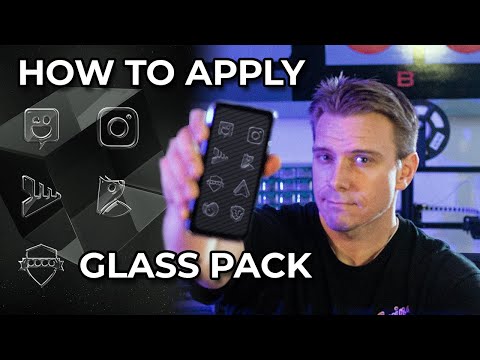

Glass Pack - Transparent Theme
Contains ads

3.8star
1.88K reviews
500K+
Downloads

Everyone
info
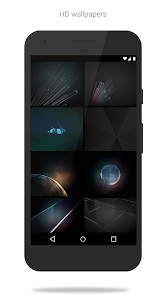
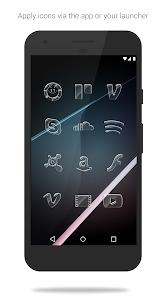
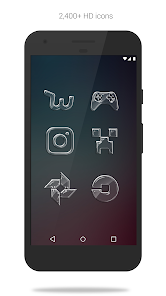
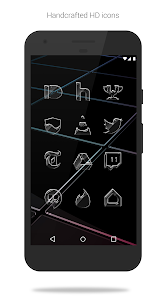
About this app
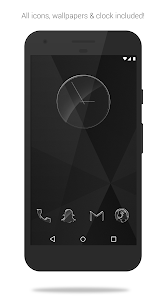
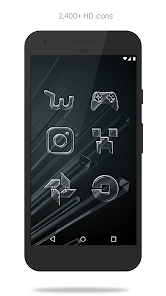
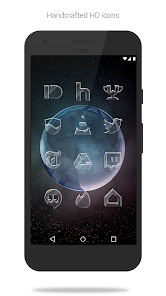
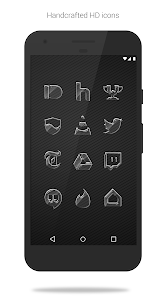
Glass Pack (Free Version) is an icon pack with translucent, glossy and glass-ified shapes of the most popular apps. Included with the hand-crafted glass icons are matching wallpapers, and a matching analog clock widget. Over 200 dark themed wallpapers are included. The icons are also transparent, letting you show off your wallpaper beneath the icons. The glossy glass icons are xxxhdpi which means they're HD or high enough resolution to get cool looking glass icons on any device out there.
QUICK TIPS
You can manually edit icons in most launchers by long-pressing the icon you'd like to edit.
Widgets: If your widget stops updating, check your system or battery settings to make sure the app is exempt from battery optimization.
FREE VERSION
This is the free version of the app. Get the pro version here: https://play.google.com/store/apps/details?id=com.natewren.glasspack
HOW-TO GUIDE
http://natewren.com/apply
FEATURES
• 2,500+ hand crafted glossy, clean & simple glass flat HD Icons. Full version has 3,800 icons
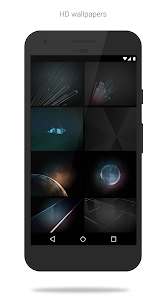
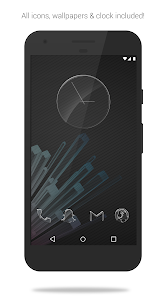
• 100+ modern dark glass themed wallpapers that show off the glass icons nicely. All wallpapers shown are included!
• XXXHDPI high definition glass icons included for super large HD screens. All Icons are 192x192.
• Analog Clock Widget
• Customized glass themed wallpapers created and included to go along with the pack. Wallpapers have been edited to show off the glossy icons nicely
• Some parts of the flat glass icons are transparent letting each show the provided scenic/landscape backgrounds or to your own backgrounds.
• Contains over 2,500 different clean, flat and simple glossy icons with many variations of default glass icons such as phone, contacts, camera, etc.
• Wallpaper chooser comes installed
• Clean, glossy icons work best with dark wallpapers.
• Muzei support for rotating wallpapers
• New glass icons added regularly
DISCLAIMER
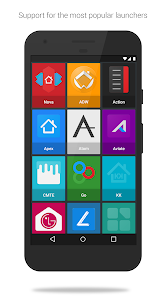
You may need a 3rd party launcher to apply the icon pack. Please download a launcher (Nova, Evie, Microsoft, etc.) before installing.
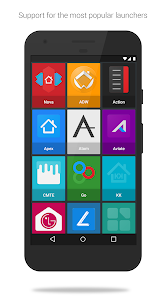
COMPATIBLE LAUNCHERS
• Nova Launcher (Recommended)
• Microsoft Launcher (Apply via launcher settings)
• Evie Launcher (Apply via launcher settings)
• Poco Launcher
• ADW Launcher
• Yandex Launcher (Apply via launcher settings)
• Action Launcher
• Apex Launcher
• Atom Launcher
• Aviate Launcher
• Go Launcher
• Holo Launcher
• Inspire Launcher
• KK Launcher
• Lucid Launcher
• Next Launcher
• Nine Launcher
• Solo Launcher
• Smart Launcher
• Themer
• TSF
Nova is recommended for the best experience and supports icon name search when manually applying icons. For more info on searching while manually applying icons please visit https://natewren.com/manually-edit-icons/.
HOW TO APPLY ICONS VIA ICON PACK
1. Open the app after installing
2. Navigate to "Apply" tab
3. Select your Launcher
HOW TO APPLY ICONS VIA LAUNCHER
1. Open Launcher settings by tapping + holding on an empty area of home screen
2. Select personalization options
3. Select icon pack
FOLLOW ME
Twitter: https://twitter.com/natewren
QUESTIONS/COMMENTS ABOUT GLASS PACK
natewren@gmail.com
http://www.natewren.com
QUICK TIPS
You can manually edit icons in most launchers by long-pressing the icon you'd like to edit.
Widgets: If your widget stops updating, check your system or battery settings to make sure the app is exempt from battery optimization.
FREE VERSION
This is the free version of the app. Get the pro version here: https://play.google.com/store/apps/details?id=com.natewren.glasspack
HOW-TO GUIDE
http://natewren.com/apply
FEATURES
• 2,500+ hand crafted glossy, clean & simple glass flat HD Icons. Full version has 3,800 icons
• 100+ modern dark glass themed wallpapers that show off the glass icons nicely. All wallpapers shown are included!
• XXXHDPI high definition glass icons included for super large HD screens. All Icons are 192x192.
• Analog Clock Widget
• Customized glass themed wallpapers created and included to go along with the pack. Wallpapers have been edited to show off the glossy icons nicely
• Some parts of the flat glass icons are transparent letting each show the provided scenic/landscape backgrounds or to your own backgrounds.
• Contains over 2,500 different clean, flat and simple glossy icons with many variations of default glass icons such as phone, contacts, camera, etc.
• Wallpaper chooser comes installed
• Clean, glossy icons work best with dark wallpapers.
• Muzei support for rotating wallpapers
• New glass icons added regularly
DISCLAIMER
You may need a 3rd party launcher to apply the icon pack. Please download a launcher (Nova, Evie, Microsoft, etc.) before installing.
COMPATIBLE LAUNCHERS
• Nova Launcher (Recommended)
• Microsoft Launcher (Apply via launcher settings)
• Evie Launcher (Apply via launcher settings)
• Poco Launcher
• ADW Launcher
• Yandex Launcher (Apply via launcher settings)
• Action Launcher
• Apex Launcher
• Atom Launcher
• Aviate Launcher
• Go Launcher
• Holo Launcher
• Inspire Launcher
• KK Launcher
• Lucid Launcher
• Next Launcher
• Nine Launcher
• Solo Launcher
• Smart Launcher
• Themer
• TSF
Nova is recommended for the best experience and supports icon name search when manually applying icons. For more info on searching while manually applying icons please visit https://natewren.com/manually-edit-icons/.
HOW TO APPLY ICONS VIA ICON PACK
1. Open the app after installing
2. Navigate to "Apply" tab
3. Select your Launcher
HOW TO APPLY ICONS VIA LAUNCHER
1. Open Launcher settings by tapping + holding on an empty area of home screen
2. Select personalization options
3. Select icon pack
FOLLOW ME
Twitter: https://twitter.com/natewren
QUESTIONS/COMMENTS ABOUT GLASS PACK
natewren@gmail.com
http://www.natewren.com
Updated on
Safety starts with understanding how developers collect and share your data. Data privacy and security practices may vary based on your use, region, and age. The developer provided this information and may update it over time.


Ratings and reviews
3.8
1.8K reviews

LINUX XUNIL
- Flag inappropriate
- Show review history
April 14, 2021
Used the free version for an hour, or so. I definitely see more stars, and a more thorough review coming. Extremely well done. Update. This Glass Pack is phenomenal. I quickly upgraded to the Pro version. Mainly, to give you guys some kind of compensation for your excellent work. I personally would have paid $5.00 for it. (Don't get any ideas.) LOL. It will take me hours to look through all the additional icons. They are well crafted, and tastefully done. I can't really say enough....
15 people found this review helpful

Betsy Moss (General2528342)
- Flag inappropriate
December 28, 2020
Works great. Good variety to pick out a matching icon for apps that don't have auto included options. Have 1 app that doesn't work, icon always changes back, but it's probably a problem with that app, not the icon changer, so I don't mind fixing it again every so often. Love how sleek and pretty they look! Much less distracting!! I use them with Nova launcher, and both work great!
43 people found this review helpful

Maggie Harper
- Flag inappropriate
March 6, 2024
I'm not sure if the problem is the app or me. Unless I did something wrong, the phone still wakes up to the ugly icons until I open a launcher. I just wanted to change icons/widgets to a dif look rather than the stock ones. If there was anything in the description saying it needed a launcher, I didn't see it before i bought it. I'll take the hit for not understanding before I tried, I guess🤦🏼♀️ but I wonder if there's anything that will do what I'm actually looking for🤷🏼♀️
1 person found this review helpful
What’s new
Fixed some display issues
App support
About the developer
Nathan Wren
natewren@gmail.com
35482 Date Palm St
Winchester, CA 92596-8716
United States


