

BP Journal: Blood Pressure Log
Contains adsIn-app purchases

4.7star
13.2K reviews
100K+
Downloads

Everyone
info








About this app
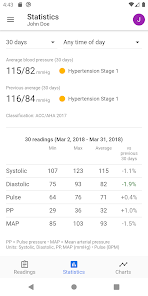
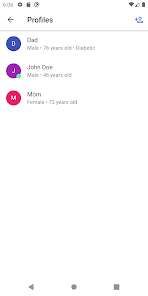
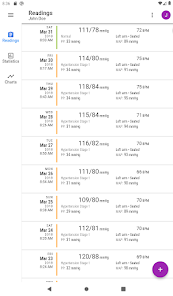
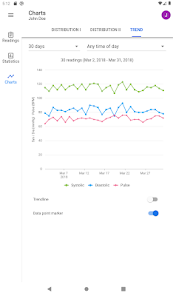
BP Journal app serves as a companion app to your home blood pressure monitor. The app lets you log your blood pressure readings, view trends, and send reports to your physician or professional healthcare provider. With multi-profile support, track blood pressure of other members of your family too.
Note: This app DOES NOT measure blood pressure. To measure blood pressure reliably, use a clinically-validated blood pressure monitor (with an inflatable cuff).
Features
● Log blood pressure and pulse readings using fast keyboard data entry
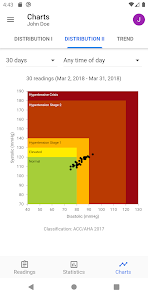
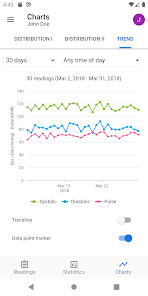
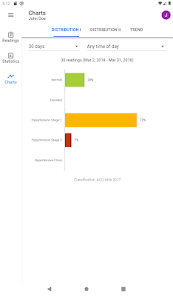
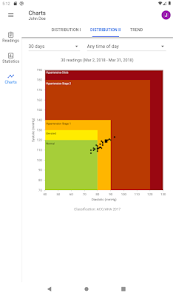
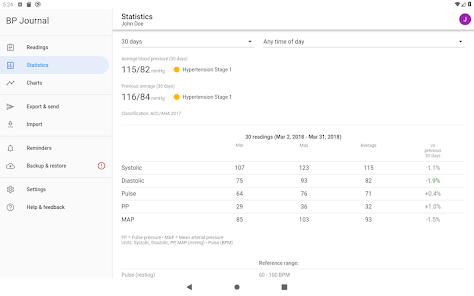
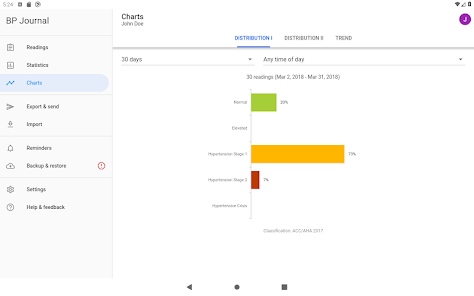
● Understand what the numbers mean and monitor blood pressure trends with statistics and interactive charts
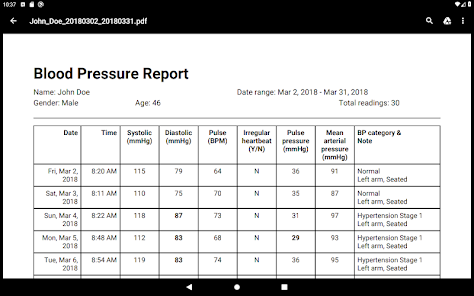
● Send blood pressure PDF reports to your physician/doctor
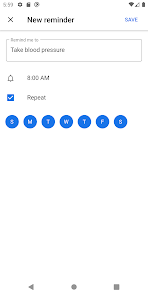
● Set up reminders to take blood pressure measurements or medication
● Export or import blood pressure data in CSV format for easy data interchange with other applications e.g. Microsoft Excel
● Manage blood pressure records of multiple profiles (great for caregivers)
● Support for common blood pressure classification guidelines (ACC/AHA, ESC/ESH, JNC7, Hypertension Canada, WHO/ISH, NICE, and more)
● Keep your data safe with automatic backups to Google Drive
● Configurable measurement units
● Dark theme option
● Comprehensive online user guide
Privacy note
Your privacy is important to us. Your health data is never shared outside of the app without your consent.
Note: This app DOES NOT measure blood pressure. To measure blood pressure reliably, use a clinically-validated blood pressure monitor (with an inflatable cuff).
Features
● Log blood pressure and pulse readings using fast keyboard data entry
● Understand what the numbers mean and monitor blood pressure trends with statistics and interactive charts
● Send blood pressure PDF reports to your physician/doctor
● Set up reminders to take blood pressure measurements or medication
● Export or import blood pressure data in CSV format for easy data interchange with other applications e.g. Microsoft Excel
● Manage blood pressure records of multiple profiles (great for caregivers)
● Support for common blood pressure classification guidelines (ACC/AHA, ESC/ESH, JNC7, Hypertension Canada, WHO/ISH, NICE, and more)
● Keep your data safe with automatic backups to Google Drive
● Configurable measurement units
● Dark theme option
● Comprehensive online user guide
Privacy note
Your privacy is important to us. Your health data is never shared outside of the app without your consent.
Updated on
Safety starts with understanding how developers collect and share your data. Data privacy and security practices may vary based on your use, region, and age. The developer provided this information and may update it over time.

No data shared with third parties
Learn more about how developers declare sharing

No data collected
Learn more about how developers declare collection

Data is encrypted in transit

You can request that data be deleted
Ratings and reviews
4.7
12.7K reviews

Gregory Stone
- Flag inappropriate
December 28, 2025
it records the blood pressure, pulse and time of day. However, power is in the way it crunches the data into easy to read, colorful charts and graphs so that your doctor can see in an instant what's been going on with your blood pressure. Very helpful!😀👍 In fact this app is so good that I don't mind having to put up with watching an ad after each entry. I'm glad that the ads are paying for this app, because I probably couldn't afford to buy an app this good 👍😊
3 people found this review helpful

Lois Fitzpatrick
- Flag inappropriate
October 23, 2025
A simple, straightforward app for recording B/P readings. *Optional secondary readings (weight, oxygen, etc.) are supposed. *Allows for multiple users. *Data can be exposed easily. Reports can be customized with date range, charts, trends, etc., and printed or emailed. **One of the few apps I am actually willing to spend monet for!**
6 people found this review helpful

Steve Niemoeller
- Flag inappropriate
- Show review history
September 28, 2025
It's a perfect app for keeping track of blood pressure. The only issue I have is when I reboot my phone, it comes up with like 10 straight reminders to take my blood pressure. I do have reminders set for 9:45 am, 3 pm and 7 pm. Problem fixed! An amazing app! Doctor loved the report I printed for him! Update: I wish it had support for health connect. I like to keep stats and there are multiple apps that access health connect to track my health. It would be nice to just enter it only here.
25 people found this review helpful
Jason O
November 14, 2020
Hi Steve, thank you for your review. Glad to hear the latest app update fixes the reminders issue. :)
What’s new
Version 4.2.0:
• Switched to app bundle (for smaller downloads and faster installs).
• Added x86 (64-bit) platform support.
• Improved backup integrity.
• Updated dependencies; minimum Android 7.0 is now required.
• Switched to app bundle (for smaller downloads and faster installs).
• Added x86 (64-bit) platform support.
• Improved backup integrity.
• Updated dependencies; minimum Android 7.0 is now required.
App support
About the developer
PORTALGROOVE SOLUTIONS
support@portalgroove.com
80 Jalan Limau Kasturi
59000 Kuala Lumpur
Malaysia
+60 11-1301 9668


