
Noonlight: Feel Protected 24/7
In-app purchases
4.5star
4.62K reviews
1M+
Downloads

Everyone
info

About this app
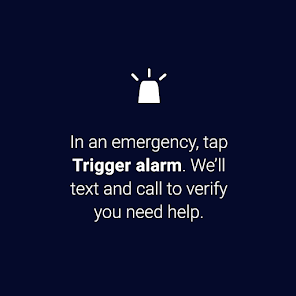
Have you ever been in a situation where you question whether it’s dangerous enough to call 911? Instead of worrying yourself with indecision, use Noonlight. Noonlight uses advanced technology to get emergency help to your exact location with just the release of a button. It can be used in moments where you simply feel unsafe, as well as moments where you need immediate emergency help.
Here’s how simple it is:
1. Press and hold the button whenever you feel uneasy.
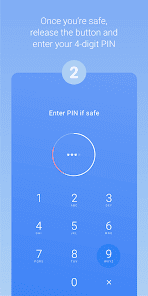
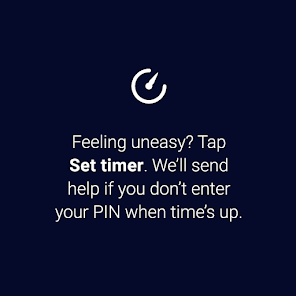
2. Release the button when you have reached your home, car, or a safe destination and enter your 4-digit pin.
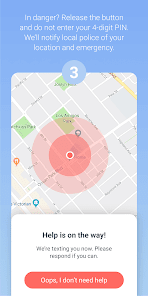
3. In danger? Simply release the button and do not enter your pin. Your local police will be notified of your location and emergency.
Be prepared for any situation:
• Prefer texting? If you can’t talk in an emergency, you can still communicate with us via text.
• Can’t text or talk? No worries, we’re still sending help to your exact location.
• On the move? We update your location even if you’re in a taxi, bus, running, or walking.
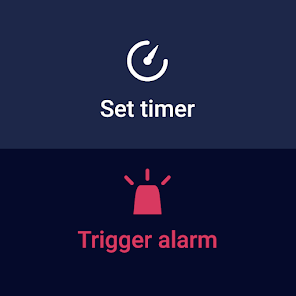
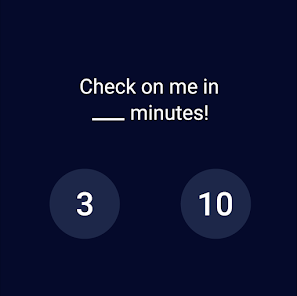
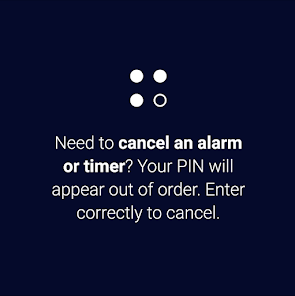
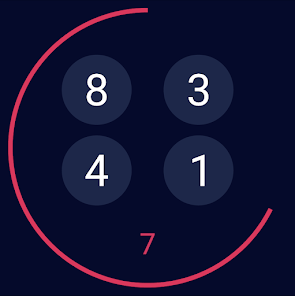
• Phone not easily accessible? Noonlight also has a Wear OS app to get you help from your wrist.
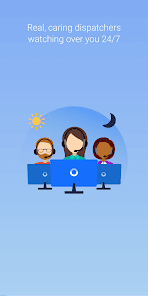
• On-call team of friendly, certified dispatchers ready 24/7/365 to get you help, asap.
We take the satisfaction and safety of our customers very seriously. Please check out our reviews to see how Noonlight is helping people just like you!
Noonlight's Terms of Use: https://noonlight.com/terms
Noonlight's Privacy Policy: https://noonlight.com/privacy
Note: Continued use of GPS running in the background can dramatically decrease battery life. Noonlight will only use your GPS location in the background if you have an active alert.
Here’s how simple it is:
1. Press and hold the button whenever you feel uneasy.
2. Release the button when you have reached your home, car, or a safe destination and enter your 4-digit pin.
3. In danger? Simply release the button and do not enter your pin. Your local police will be notified of your location and emergency.
Be prepared for any situation:
• Prefer texting? If you can’t talk in an emergency, you can still communicate with us via text.
• Can’t text or talk? No worries, we’re still sending help to your exact location.
• On the move? We update your location even if you’re in a taxi, bus, running, or walking.
• Phone not easily accessible? Noonlight also has a Wear OS app to get you help from your wrist.
• On-call team of friendly, certified dispatchers ready 24/7/365 to get you help, asap.
We take the satisfaction and safety of our customers very seriously. Please check out our reviews to see how Noonlight is helping people just like you!
Noonlight's Terms of Use: https://noonlight.com/terms
Noonlight's Privacy Policy: https://noonlight.com/privacy
Note: Continued use of GPS running in the background can dramatically decrease battery life. Noonlight will only use your GPS location in the background if you have an active alert.
Updated on
Safety starts with understanding how developers collect and share your data. Data privacy and security practices may vary based on your use, region, and age. The developer provided this information and may update it over time.

No data shared with third parties
Learn more about how developers declare sharing

This app may collect these data types
Location, Personal info and 3 others

Data is encrypted in transit

You can request that data be deleted
Ratings and reviews
4.5
4.54K reviews

Miranda Berry
- Flag inappropriate
December 27, 2023
Love the concept, but it only works if you're in a situation where you can safely hold down the button and have the screen open, which limits the potential use a lot. I couldn't use this while driving or moving much at all, or while someone was looking at my screen. Very easy to use and setup though, also completely free and has the right intentions from what I can tell, so I definitely have a lot more appreciation for this app than the other money-gimmicky ones out there!
25 people found this review helpful

Sophie Michael
- Flag inappropriate
September 22, 2022
This app is awesome but I am disappointed that my android doesn't have near as many features as the IOS version does. I can't add anyone to my list for important contacts or really put anything about myself. Would love to see this app grow as I've shared with all my friends, especially those in college and big cities. I'm just slightly disappointed on my end. On the other hand I did gave my phone open in my pocket and accidentally alerted that I was in danger and they responded immediately!
80 people found this review helpful
Noonlight, Inc.
September 26, 2022
Hi Sophie, while our Android app doesn't yet have all of the same features as our iOS app does (such as Safety Network), we plan to add those features in the future. In addition, you can add any info you'd want first responders to know in an emergency (such as emergency contact info) in the Other Info section of your Noonlight Profile.

Ariana Mae
- Flag inappropriate
- Show review history
November 17, 2021
This app is an absolutely incredible tool for all humans to have. There are so many terrible things that could occur at any time, & alerting the authorities is at the tip of your finger. Sometimes situations require silence & thats why I like it so much, you can alert the authorities without making a sound.. This app is essential. It would definitely be nice if the android app was on par with the ios.. im hoping there are some changes ahead!
177 people found this review helpful
Noonlight, Inc.
November 17, 2021
Thank you so much for leaving this positive review! We definitely plan to update the Android app in the near future and get it on par with our iOS app. Let us know at info@noonlight.com which features you want the most in our Android app!
What's new
Improvements under the hood for a better login experience.


