
File Transfer (Wear OS)
In-app purchases

star
1.64K reviews

Everyone
info
500K+
Downloads

Everyone
Learn more


About this app
The core functionality of the application is to manage files and folders in the shared memory of the smartwatch.
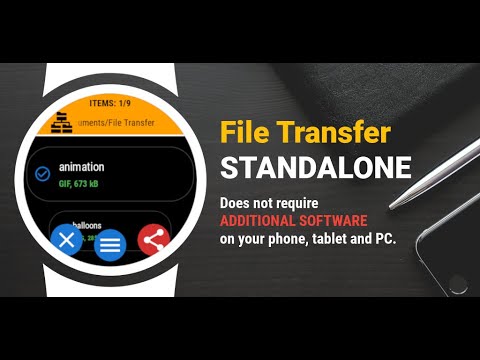
File Transfer is unique app working in the standalone mode.
It does not require any additional software in the smartphone to send and receive data from your smartwatch.
Key features:
✓ sending files to any Bluetooth device - smartwatch/smartphone/tablet/PC
✓ receiveing files from any Bluetooth device
✓ browsing folders and files
✓ viewing files content
✓ copy/paste/rename/sort/delete options
✓ displaying memory information
✓ searching files
✓ zip/unzip option
✓ intuitive menu
SENDING FILE FROM SMARTWATCH:
• (smartwatch) Go to the App Menu → Start edit (or long press file name on the list)
• (smartwatch) Click on the checkbox next to the file name
• (smartwatch) Go to the App Menu → Share
• (smartwatch) Select receiver from the list
• (smartphone) Accept data transfer
RECEIVING FILE IN SMARTWATCH:
METHOD 1:
• (smartphone) Install File Transfer app
• (smartphone) Use any file browser or gallery app → Share → File Transfer
• (smartwatch) Accept data transfer
METHOD 2:
Bluetooth connection configuration (first data transfer)
• (smartwatch) launch File Transfer application
• (smartwatch) App Menu → Set Visible
• (smartphone) open Bluetooth settings
• (smartphone) disconnect Bluetooth
• (smartphone) connect Bluetooth
Transferring data (for every data transfer)
• (smartwatch) Go to the App Menu → Set visible
• (smartphone) Use any file browser or gallery app → Share → Bluetooth
• (smartphone) Click on the smartwatch name. If smartwatch name is not visible on the list → click the Scan/Stop button (wait and/or retry 2-3 times)
• (smartwatch) Accept data transfer
☆ File Transfer is designed for Wear OS devices
File Transfer is unique app working in the standalone mode.
It does not require any additional software in the smartphone to send and receive data from your smartwatch.
Key features:
✓ sending files to any Bluetooth device - smartwatch/smartphone/tablet/PC
✓ receiveing files from any Bluetooth device
✓ browsing folders and files
✓ viewing files content
✓ copy/paste/rename/sort/delete options
✓ displaying memory information
✓ searching files
✓ zip/unzip option
✓ intuitive menu
SENDING FILE FROM SMARTWATCH:
• (smartwatch) Go to the App Menu → Start edit (or long press file name on the list)
• (smartwatch) Click on the checkbox next to the file name
• (smartwatch) Go to the App Menu → Share
• (smartwatch) Select receiver from the list
• (smartphone) Accept data transfer
RECEIVING FILE IN SMARTWATCH:
METHOD 1:
• (smartphone) Install File Transfer app
• (smartphone) Use any file browser or gallery app → Share → File Transfer
• (smartwatch) Accept data transfer
METHOD 2:
Bluetooth connection configuration (first data transfer)
• (smartwatch) launch File Transfer application
• (smartwatch) App Menu → Set Visible
• (smartphone) open Bluetooth settings
• (smartphone) disconnect Bluetooth
• (smartphone) connect Bluetooth
Transferring data (for every data transfer)
• (smartwatch) Go to the App Menu → Set visible
• (smartphone) Use any file browser or gallery app → Share → Bluetooth
• (smartphone) Click on the smartwatch name. If smartwatch name is not visible on the list → click the Scan/Stop button (wait and/or retry 2-3 times)
• (smartwatch) Accept data transfer
☆ File Transfer is designed for Wear OS devices
Send, receive and manage files in your smartwatch
Updated on
Safety starts with understanding how developers collect and share your data. Data privacy and security practices may vary based on your use, region, and age. The developer provided this information and may update it over time.
- No data shared with third partiesLearn more about how developers declare sharing
- No data collectedLearn more about how developers declare collection


Ratings and reviews
1.12K reviews

Guido
- Flag inappropriate
January 24, 2025
Google is showing a lot of less positive reviews, but I quite like the app! I lt allows me to transfer files to my watch via Bluetooth (by known share method) and does file managing as well. I would add to "about this app" though that you have a short trial and then need to pay for the app to continue using it. That's what I will do :)
71 people found this review helpful

Schyler Songcuan
- Flag inappropriate
- Show review history
November 29, 2024
Works well! Appreciate the information video it pointed to at setup; otherwise, I'd be like the others. I do like the design of the app. It's clean. Really not a fan that it takes a click and long scroll to activate the Core feature, especially on a small screen, but it works. I don't plan on transferring pdfs, but I can see why it's a pain point for others. I would also like more transparency about what it can and can't do on the store page, both with/without premium.
45 people found this review helpful

Rishab Raj
- Flag inappropriate
October 13, 2025
The app works great (pro version, specifying because of alot of negative reviews regarding the free version) but I have come across an issue while selecting multiple files. while selecting the desired files it selects multiple files at the same time that I didn't select. Please look into it.
19 people found this review helpful
Everyone
Learn moreApp support
About the developer
SOMYAC SŁAWOMIR BARANOWSKI
somyac@somyac.com
Ul. Sokołowska 13-11
01-142 Warszawa
Poland
+48 602 214 665


