
Screen Mirroring Cast to TV
Contains ads

star
442K reviews

Everyone
info
50M+
Downloads

Everyone
Learn more


About this app
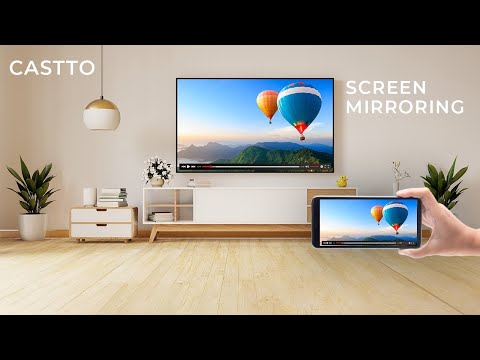
Screen Mirroring Cast to TV is a technique, which allows you to mirror your smartphone on the TV screen. You can easily access all of your games, photos, videos and other applications on a big screen using this screen mirroring - miracast App.
If your eyes are drained from looking at your small cellular phone, you will get a great big screen experience by connecting your phone to TV, Chromecast, Firestick, Roku stick & Anycast via this miracast - Castto app!
Mirroring your mobile screen on your TV can be useful when you're showing off photos from a recent trip, playing a game or giving a demonstration. With this Screen Mirroring App, you'll be able to duplicate your Android phone's screen on TV.
This Screen Mirroring App allows you to easily connect your phone/tablet and your TV. It provides you a secure connection to protect your data, files and applications. This miracast - Castto app is simple, easy to use and most importantly a free app!
With this screencast App, you can stream to TV from phone without limitations. It helps you instantly stream movies, music and photos to your TV! This is one of the best miracast app for android users.
Screen mirroring is useful for streaming movies, videos, access photos and apps on the TV screen. You can easily connect your smartphone with your TV wirelessly. You can search for your favorite TV shows and series and easily stream them anytime on your TV screen.
Watching videos on your phone or tablet is great, streaming them on your big TV screen? Better yet. This’s the best miracast app to view your phone on your TV. If you are searching for How to screencast Without Hdmi then this is the best app, you will find!
Little smartphone and tablet screens are good on the run, but when you’re in your family area then why not use your TV’s much larger screen instead? Sharing your phone screen With the Television now is easier with this screencast App.
If you are tired of searching the greatest Apps for casting your small screens into larger screens to get awesome experiences, here is the best and most user-friendly miracast App. All you need is to make sure that your smartphone/tablet and your TV are connected to the same WIFI network in order for this screen mirroring- Castto to work successfully.
Please follow the steps bellow to display your mobile screen on your TV:
1- Make sure your TV and your Phone are Connected to the same wifi network
2- Enable Miracast Display on your TV
3- Enable Wireless Dispaly option on your phone
4- Click Select button and choose your TV
5- Enjoy!
Screen Mirroring is supported by all Android devices and Android Versions. If you face any problems with your device, feel free to contact us!
PLEASE CONTACT US at contact@soomapps.com for any issue or feature request prior to leave a bad comment, we would be pleased to provide you any help!
Screen Mirroring Cast to TV, Miracast for Android to TV cast - Easy & Reliable!
Updated on
Safety starts with understanding how developers collect and share your data. Data privacy and security practices may vary based on your use, region, and age. The developer provided this information and may update it over time.
- No data shared with third partiesLearn more about how developers declare sharing
- No data collectedLearn more about how developers declare collection
- Data is encrypted in transit
- You can request that data be deleted


Ratings and reviews
423K reviews

Sumit G thakur
- Flag inappropriate
- Show review history
November 22, 2026
Very very useful app.Nice app. u have made. I loving it very much. Enjoying music th.music system. But After 3/4mins screen getting disconnected I think two devices distances matters,is it this? or case of app. purchasing?. Overall very much pleased. Can u say min.distances between two devices? My ph. Honor 200 5g,and TV PanasonicTV 4k GX750, amplifier Aiwa.. Again I editing review, still disconnecting after playing 3/4 musics cont. keeping two devices closely. It's happening again and again.
Softoria LLC
November 22, 2026
Thank you for your kind words, and we’re sorry the connection keeps dropping. Please check that your phone and TV are on the same Wi-Fi network. If it continues, email developer@softoria.com with your phone and TV models, and we’ll help investigate.

Nabenda Barman
- Flag inappropriate
October 29, 2026
This app is simple to use and works really well for screen mirroring. I was able to connect my phone to a larger screen and enjoy watching videos and viewing photos more comfortably. The connection experience was smooth, and I found the app very useful. Overall, I'm happy with it and would recommend it to anyone looking for an easy screen mirroring solution.
2 people found this review helpful
Softoria LLC
November 4, 2026
Thank you for the kind recommendation! We’re glad ScreenCast made it easy to mirror your screen and enjoy your videos and photos on a larger display.

Debika Banerjee
- Flag inappropriate
October 30, 2026
Its an excellent App. The mirroring process is very easy and fast. It quickly finds my TV and streams content from my phone in seconds. The best part is that It doesnot lag or stuck in between. Highly recommended.
Softoria LLC
November 4, 2026
Thank you for the lovely review! We’re glad mirroring is easy, fast, and smooth for you. We appreciate the recommendation!
Everyone
Learn moreApp support
About the developer
SOFTORIA LLC
developer@softoria.com
7901 4th St N Ste 300
Saint Petersburg, FL 33702
United States
+1 727-456-9904


