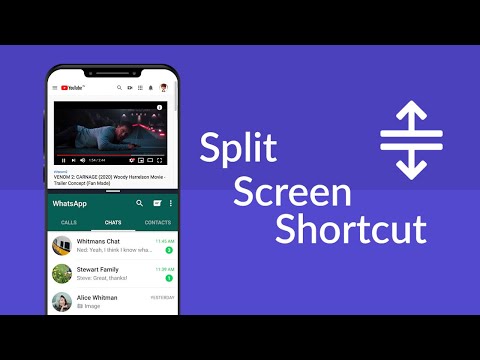

Split Screen - Dual Window
Contains adsIn-app purchases

star
18.6K reviews

Everyone
info
5M+
Downloads


About this app
Split Screen Shortcut: Revolutionize Your Device!
Have trouble using two apps at once? Say hello to the all-new Split Screen Shortcut – your ultimate mobile multitasking hack. Now, with our revolutionary mobile app, you can easily access and use many apps.Welcome to the future of device interaction with the Split Screen Dual Window! Here's why it's a game-changer!
📄 Key Features of Split Screen Dual Window: 📄
📊Dual Mode: A single Android screen runs and manages multiple tasks simultaneously;
🔘Floating Button: Access the Multitasking Screen with a need and requirement-powered option at a quick;
🌈Customizable Button: One can change the button's color to get it synchronized with the device's theme;
📳Vibration Alert: A vibration alert for every transition;
🌐User-Friendly Interface: The user interface is easy to operate and reach for every user;
🌐Offline Accessibility: It can work on Multitasking Screen features without an internet connection;
Multi Screen Splitter - Unleash the Power!
The Multitasking app will let you easily manage and run multiple apps simultaneously. Designed for those who need dual display that keeps up with their fast-paced life, the multiscreen splitter feature divides your display for effective multitasking.Experience Multitasking Like Never Before: 📲
Split Screen Dual Window is an excellent way to provide a fast process when using our app to view videos, type text messages, or work on documents. It assures users of a fluid experience in multitasking. This powerful tool is especially beneficial for professionals, students, and all those who want to maximize their productivity.
Customize Your Experience With The Multi Screen Splitter: 🎨
Our Picture In Picture: Multiple Screen App can be tailored to your needs, from a color adjustment of the floating button to set up vibration alerts, all the way to the accommodation of any feature for your good.
Anywhere, Staying Productive: 🌐
It means that you will remain productive no matter where you are because it provides offline accessibility of Split Screen Shortcut. No Internet? No Problem! You can continue using multi-screen splitter functionality with no hassle.
🌐 User-Friendly Interface:
Seamless navigation! Enjoy a user-friendly interface that makes multitasking view intuitive and accessible for all users. Stay connected seamlessly! Set up vibration alerts for actions, ensuring you know every transition.
Start Using Split Screen Dual Window Today:
Get Split Screen Shortcut to make a difference in your device's use. Our Multi Screen Splitter app offers the best solution for multitasking screens for work or leisure. Step into the future of multitasking with our innovative app. Embrace the convenience and efficiency of Picture In Picture: Multiple Screen App.
Start Using Split Screen Shortcut Now!
Get access to the ultimate in multitasking. Download Split Screen Shortcut today and experience how easy multitasking and split-screen viewing can make your device an efficient productivity powerhouse. Experience the future with our multi-screen splitter and Picture In Picture: Multiple Screen App.Do multitasking work, split the screen in dual-screen or two screens.
Updated on
Safety starts with understanding how developers collect and share your data. Data privacy and security practices may vary based on your use, region, and age. The developer provided this information and may update it over time.
- This app may share these data types with third partiesDevice or other IDs
- No data collectedLearn more about how developers declare collection
- Data is encrypted in transit
- Data can’t be deleted


Ratings and reviews
18K reviews

bluebubbles
- Flag inappropriate
June 26, 2026
more like a spyware. it ridiculously asks more permission to do a basic split screen such as access your files and photos, even accessing camera, after I done the steps without permissions it don't let me split, I was forced to and what it all do was some basic split screen features your phone already has a built in version. after that it seriously lags my phone like it is deploying spyware and I'm forced to restart the phone to prevent massive overheating.
21 people found this review helpful
GeniusTools Labs
June 26, 2026
Hi! We are sorry that you might be experiencing issues. Please, reach out to our Support Team by email so that we can advise you properly. Please, note that the App requires definite permissions to work properly. Please, rest assured that there is absolutely no spyware involved. Thank you!

Vijay Sharma
- Flag inappropriate
May 2, 2020
Really like the app, just one problem... If you restart your phone the floating button appears even if off before the restart. Almost flawless otherwise, although it could be easier to move the split up and down, and I wish you could close and change the app at the top as well as the bottom.
163 people found this review helpful

Ronald Tabosei
- Flag inappropriate
January 16, 2025
If there was a zero star rating, I would have happily rated this App. those less number of stars. It's supposed to split the screen only but instead gives you a lot of demands which can't even assist you in splitting the screen. And don't get me started on the amount of Ads. it got, and the rotten cherry on top is that it causes lags on your phone.😤Trash!!🚮
153 people found this review helpful
GeniusTools Labs
January 17, 2025
Hello, thank you for your review. We are sorry to hear that you might be experiencing issues. We will be happy to assist you further if you clarify your review. Here is our email address, please, reach out to our Support Team so that we can advise you properly: support.splitscreen@geniustoolslabs.com
App support
About the developer
ROUNDS AI LTD
support@geniustoolslabs.com
18/7 Yechezkel
TEL AVIV-JAFFA, 6259524
Israel
+1 740-754-0716


