
cTrader: Trading Forex, Stocks
4.5star
11.5K reviews
500K+
Downloads

Everyone
info

About this app
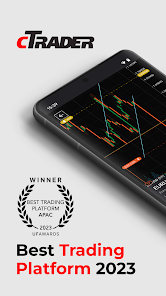
cTrader app provides a premium mobile trading experience: buy and sell global assets on forex, metals, oil, indices, stocks and ETFs.
Just log in with your Facebook and Google account or your cTrader ID and get access to a complete range of order types, advanced technical analysis tools, price alerts, trade statistics, advanced order management settings, symbol watchlists and a variety of other settings to customise the platform to your on-the-go trading requirements.
Straight-through processing (STP) and No Dealing Desk (NDD) trading platform:
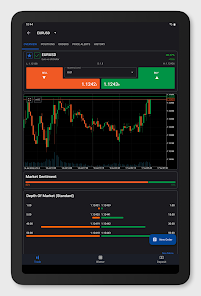
• Detailed symbol information helps you to understand the assets you are trading.
• Symbol trading schedules show you when the market is open or closed.
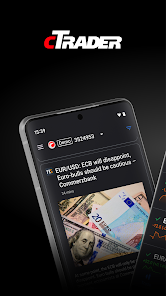
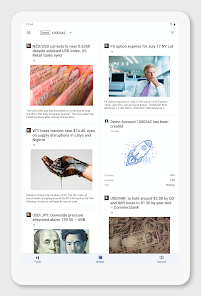
• Links to news sources inform you about events that may affect your trading.
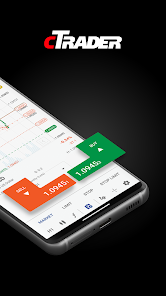
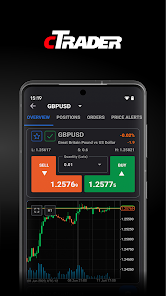
• Fluid and responsive charts and Quick Trade mode allow for one-click trading.
• Market sentiment indicator shows how other people are trading.
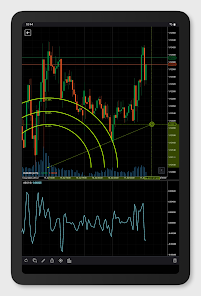
Sophisticated technical analysis tools with advanced settings for all indicators and drawings:
• 5 chart types: standard time frames, tick, Renko, range, Heikin Ashi
• 5 chart view options: candlestick, bar, line, dot, area
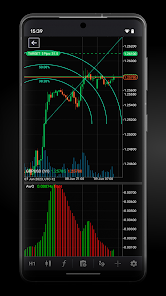
• 16 chart drawing tools: horizontal, vertical, arrow and trend lines, ray, Fibonacci retracement, Fibonacci fan, Fibonacci time zones, Fibonacci expansion, Fibonacci arc, equidistant price channel, rectangle, triangle, ellipse, text, pitchfork (three options)
• 65 popular technical indicators
Additional features:
• Push and email alert configuration: choose which events you want to know about.
• All accounts in one app: switch swiftly through your accounts with a simple click.
• Trade statistics: review your strategies and trade performance in detail.
• Price alerts: get notified when a price hits a specified level.
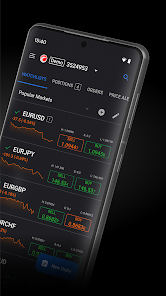
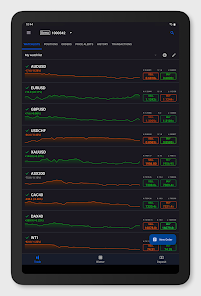
• Symbol watchlists: group and save your favourite symbols.
• Manage sessions: log off your other devices.
• Dark theme: trade on the platform's popular and eye-friendly dark interface.
• 23 languages: access all platform features translated into your native language.
Just log in with your Facebook and Google account or your cTrader ID and get access to a complete range of order types, advanced technical analysis tools, price alerts, trade statistics, advanced order management settings, symbol watchlists and a variety of other settings to customise the platform to your on-the-go trading requirements.
Straight-through processing (STP) and No Dealing Desk (NDD) trading platform:
• Detailed symbol information helps you to understand the assets you are trading.
• Symbol trading schedules show you when the market is open or closed.
• Links to news sources inform you about events that may affect your trading.
• Fluid and responsive charts and Quick Trade mode allow for one-click trading.
• Market sentiment indicator shows how other people are trading.
Sophisticated technical analysis tools with advanced settings for all indicators and drawings:
• 5 chart types: standard time frames, tick, Renko, range, Heikin Ashi
• 5 chart view options: candlestick, bar, line, dot, area
• 16 chart drawing tools: horizontal, vertical, arrow and trend lines, ray, Fibonacci retracement, Fibonacci fan, Fibonacci time zones, Fibonacci expansion, Fibonacci arc, equidistant price channel, rectangle, triangle, ellipse, text, pitchfork (three options)
• 65 popular technical indicators
Additional features:
• Push and email alert configuration: choose which events you want to know about.
• All accounts in one app: switch swiftly through your accounts with a simple click.
• Trade statistics: review your strategies and trade performance in detail.
• Price alerts: get notified when a price hits a specified level.
• Symbol watchlists: group and save your favourite symbols.
• Manage sessions: log off your other devices.
• Dark theme: trade on the platform's popular and eye-friendly dark interface.
• 23 languages: access all platform features translated into your native language.
Updated on
Safety starts with understanding how developers collect and share your data. Data privacy and security practices may vary based on your use, region, and age. The developer provided this information and may update it over time.


Ratings and reviews
4.6
11K reviews

J Ek
- Flag inappropriate
May 11, 2022
One of the best I've used. Clean interface. I Scalp a lot (1 to 5min charts) and find that it's easy to make entry. It's tough sometimes exiting due to too many buttons to get to options. Please implement hot keys to scale out of trades. Preferable options to sell postions in 1/2, 1/4, 1/3. You guys have the option to DOUBLE position size but nothing to scale OUT to take partial profits. This feature would greatly help me with my Scalp into a swing position. Keep up the good work!
36 people found this review helpful

Joseph Uneze
- Flag inappropriate
January 17, 2024
let it load fast. I put this app to run in the background, but it still takes 4+ seconds to load/refresh the watch list, which mt4 can do in 2 seconds without running in the background. secondly, give me the option to have a non-floating chart experience. that's to say i can decide to switch between the floating and non-floating chart. I know no mobile trading app has this feature yet, but it'd make sense to have it in mobile. if you can do this two, then there's no competition anywhere & you ..
17 people found this review helpful
Spotware
January 19, 2024
Dear trader, Thank you for posting your review. Your feedback has been forwarded to the product team. Best regards, cTrader Team

Gesling Bradshaw
- Flag inappropriate
July 10, 2024
Server or application takes too long to load up charts and assets. I suggest that prices for each lot size is shown when trying to place a buy or sell on any asset class, that would make it even better. All in all I like this app because it has great tools to use and is simple. It also allows more efficient trading due to its options of modifications to trades and wide range of tools to trade.
12 people found this review helpful
What's new
cTrader Mobile 5.0 delivers the new Algo app allowing users to run cBots in Cloud. Share algorithms (including the new type, plugins) via invite links and expand your referral base. Now, you can open .algo files from mobile.
Display indicators as you wish: on the trading chart or in panel(s) below. Scrolling the screen with the trading chart and panels is enabled, along with adjusting their size. Change the symbol directly on the chart.
Kindly leave us a review!
Display indicators as you wish: on the trading chart or in panel(s) below. Scrolling the screen with the trading chart and panels is enabled, along with adjusting their size. Change the symbol directly on the chart.
Kindly leave us a review!
App support
About the developer
SPOTWARE SYSTEMS LTD
dklets@spotware.com
3rd Floor, 19 Stratigou Timagia
Limassol 3107
Cyprus
+357 99 758633


