
Focus To-Do: Pomodoro & Tasks
In-app purchases
4.5star
250K reviews
5M+
Downloads

Everyone
info



About this app
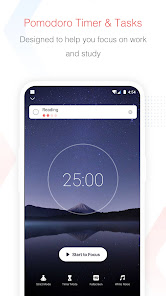
Focus To-Do combines Pomodoro Timer with Task Management, it is a science-based app that will motivate you to stay focused and get things done.
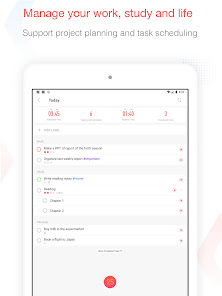
It brings Pomodoro Technique and To Do List into one place, you can capture and organize tasks into your todo lists, start focus timer and focus on work & study, set reminders for important tasks and errands, check the time spent at work.
It's the ultimate app for managing Tasks, Reminders, Lists, Calendar events, Grocery lists, checklist, helping you focus on work & study and tracking your working hours.
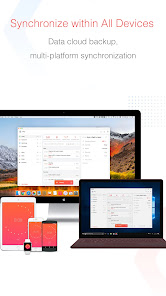
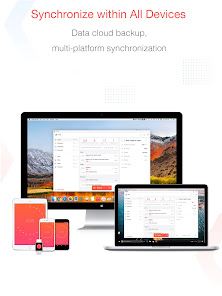
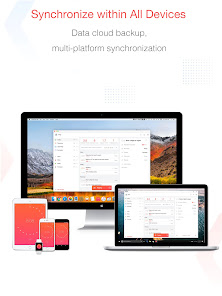
Focus To-Do syncs between your phone and computer, so you can access your lists from anywhere.
How it works:
1. Pick a task you need to accomplish.
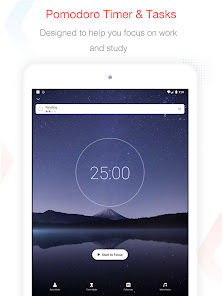
2. Set a timer for 25 minutes, keep focused and start working.
3. When the pomodoro timer rings, take a 5 minute break.
Key Features:
- ⏱ Pomodoro Timer:Stay focused and get more things done.
Pause and resume Pomodoro
Customizable pomodoro/breaks lengths
Notification before the end of a Pomodoro
Support for short and long breaks
Skip a break after the end of a Pomodoro
Continuous Mode
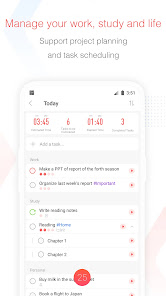
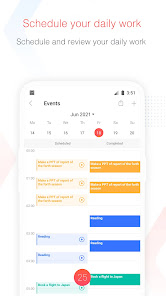
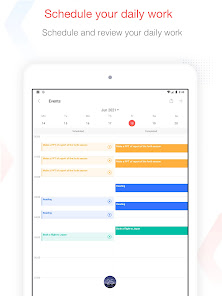
- ✅ Tasks Management: Task Organizer, Schedule Planner, Reminder, Habit Tracker, Time Tracker
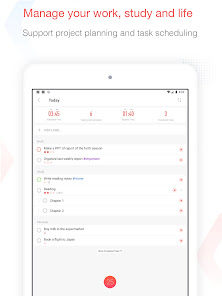
Tasks and projects: Organise your day with Focus To-Do and complete your to do, study, work, homework or housework you need to get done.
Recurring tasks: Build lasting habits with powerful recurring due dates like "Every Monday".
Reminders: Setting a Reminder ensures you never forget important things ever again, you can set up recurring due dates to remind you each and every time.
Sub-tasks: Break down your task into smaller, actionable items or add a checklist .
Task Priority: Highlight your day’s most important To-Do with color-coded priority levels.
Estimated Pomodoro Number: Estimate the workload or set a goal.
Note: Record more detailed about the task.
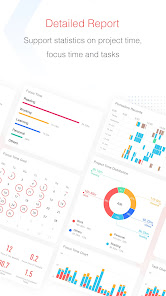
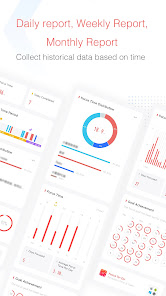
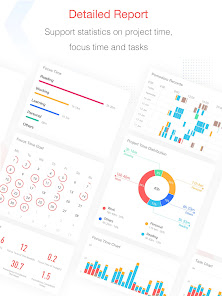
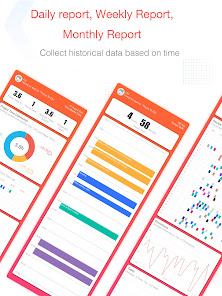
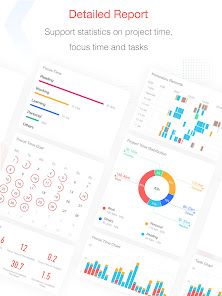
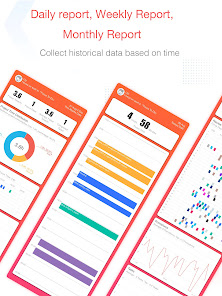
- 📊 Report: Detailed statistics of your time distribution, tasks completed.
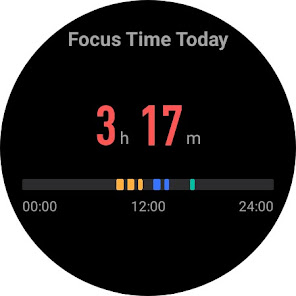
Support the calculation of the total time of Focus Time.
Gantt Chart of the Focus Time.
Statistics on completed To Do.
Statistics on time distribution of project.
Trend chart of the completed To Do and the focus time.
- 🖥📲 All-Platform synchronization: View and manage your goals wherever you are for better goal achieving.
Support seamless synchronization within iPhone、Mac、Android、Windows、iPad、Apple Watch.
- 🌲 Forest: Turn your focused moments into a lovely plant, a interesting way to build motivation and makes you productive
Focus on work and study, generate sunlight for the plant, and grow with the plant.
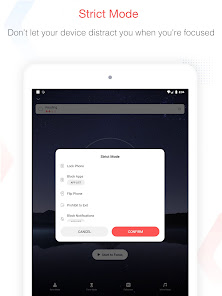
- 🚫 App Whitelist:
Stop getting distracted by apps when focusing and get more things done.
- 🎵 Various Reminding:
Focus Timer finished alarm, vibration reminding.
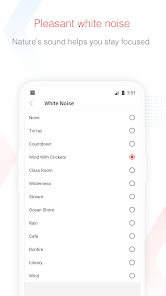
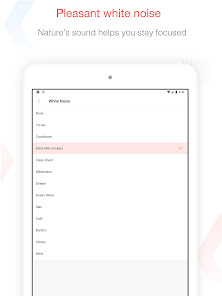
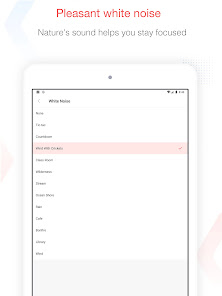
Various white noise to help you focus on work & study.
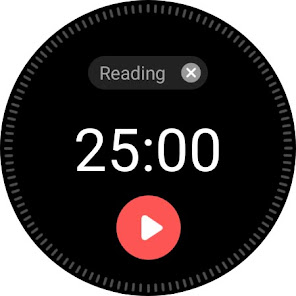
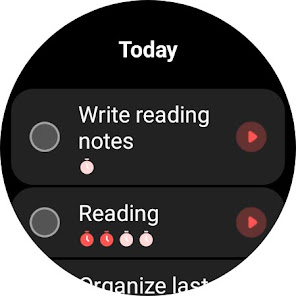
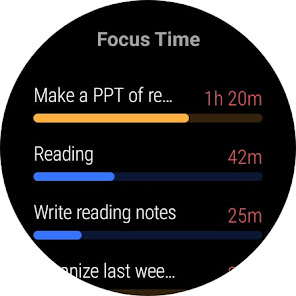
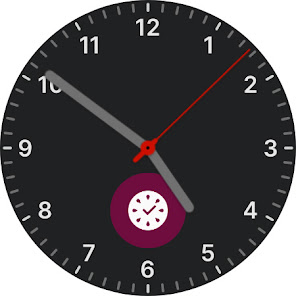
- ⌚️ Support Wear OS
Timing is more convenient with a watch. Support complication and tile for quick app launching.
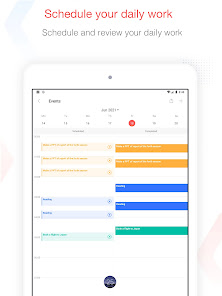
- Daily/Weekly/Monthly Report
View all of your tracked time in a calendar view.
- Support prevention of screen lock:
Check the pomodoro time left by keeping the screen on.
- Handy Widget:
Get easy access to your to do by adding a checklist widget to your home screen
Contact Us: focustodo@163.com, reply within 24 hours.
Website: http://www.focustodo.cn
Pomodoro ™ and Pomodoro Technique ® are registered trademarks of Francesco Cirillo. This app is not affiliated with Francesco Cirillo.
Users have been focused on our app for 200 million hours, join us and we help you to be focused and increase your productivity, reduce procrastination and anxiety.
It brings Pomodoro Technique and To Do List into one place, you can capture and organize tasks into your todo lists, start focus timer and focus on work & study, set reminders for important tasks and errands, check the time spent at work.
It's the ultimate app for managing Tasks, Reminders, Lists, Calendar events, Grocery lists, checklist, helping you focus on work & study and tracking your working hours.
Focus To-Do syncs between your phone and computer, so you can access your lists from anywhere.
How it works:
1. Pick a task you need to accomplish.
2. Set a timer for 25 minutes, keep focused and start working.
3. When the pomodoro timer rings, take a 5 minute break.
Key Features:
- ⏱ Pomodoro Timer:Stay focused and get more things done.
Pause and resume Pomodoro
Customizable pomodoro/breaks lengths
Notification before the end of a Pomodoro
Support for short and long breaks
Skip a break after the end of a Pomodoro
Continuous Mode
- ✅ Tasks Management: Task Organizer, Schedule Planner, Reminder, Habit Tracker, Time Tracker
Tasks and projects: Organise your day with Focus To-Do and complete your to do, study, work, homework or housework you need to get done.
Recurring tasks: Build lasting habits with powerful recurring due dates like "Every Monday".
Reminders: Setting a Reminder ensures you never forget important things ever again, you can set up recurring due dates to remind you each and every time.
Sub-tasks: Break down your task into smaller, actionable items or add a checklist .
Task Priority: Highlight your day’s most important To-Do with color-coded priority levels.
Estimated Pomodoro Number: Estimate the workload or set a goal.
Note: Record more detailed about the task.
- 📊 Report: Detailed statistics of your time distribution, tasks completed.
Support the calculation of the total time of Focus Time.
Gantt Chart of the Focus Time.
Statistics on completed To Do.
Statistics on time distribution of project.
Trend chart of the completed To Do and the focus time.
- 🖥📲 All-Platform synchronization: View and manage your goals wherever you are for better goal achieving.
Support seamless synchronization within iPhone、Mac、Android、Windows、iPad、Apple Watch.
- 🌲 Forest: Turn your focused moments into a lovely plant, a interesting way to build motivation and makes you productive
Focus on work and study, generate sunlight for the plant, and grow with the plant.
- 🚫 App Whitelist:
Stop getting distracted by apps when focusing and get more things done.
- 🎵 Various Reminding:
Focus Timer finished alarm, vibration reminding.
Various white noise to help you focus on work & study.
- ⌚️ Support Wear OS
Timing is more convenient with a watch. Support complication and tile for quick app launching.
- Daily/Weekly/Monthly Report
View all of your tracked time in a calendar view.
- Support prevention of screen lock:
Check the pomodoro time left by keeping the screen on.
- Handy Widget:
Get easy access to your to do by adding a checklist widget to your home screen
Contact Us: focustodo@163.com, reply within 24 hours.
Website: http://www.focustodo.cn
Pomodoro ™ and Pomodoro Technique ® are registered trademarks of Francesco Cirillo. This app is not affiliated with Francesco Cirillo.
Users have been focused on our app for 200 million hours, join us and we help you to be focused and increase your productivity, reduce procrastination and anxiety.
Updated on
Safety starts with understanding how developers collect and share your data. Data privacy and security practices may vary based on your use, region, and age. The developer provided this information and may update it over time.


Ratings and reviews
4.5
238K reviews

Lili S
- Flag inappropriate
December 8, 2024
I don't like how the task is partially cut off unless you go to the full task list. Also I tried to set start times for two tasks, and it refuses to save the times I set. After clicking done and clicking again, it's back to the wrong start time. I did like some of the sound effects, though most were grating on my ears.

Marcus
- Flag inappropriate
- Show review history
October 24, 2024
I knocked off a star from my original review because after paying for the upgrade, I realized you can not move task around. Very annoying for people who like to have a system in place and run down the list, checking items off. Easy to miss if it's at the bottom & something you do early. Another annoying feature is lacking a "Skip to current task" like Microsoft ToDo for recurring task. You will have to Remove & Reset the routine if it's something you do automatically & forget to check off.
11 people found this review helpful

Benjamin Williamson
- Flag inappropriate
- Show review history
December 8, 2024
Responding to another review; you can move tasks around by long tapping and rearranging the list however you'd like. I paid for the premium version and it's been great so far. I mainly use it for pomadoro time tracking but the todo list capabilities are great too. Everything is very customizable.
1 person found this review helpful
What’s new
1.Known issue fixes.
App support
About the developer
周明
focustodo@163.com
区朗山路2号之一1楼
南山区, 深圳市, 广东省
China
518000
undefined


