ConnectAlarm
3.8star
3.31K reviews
100K+
Downloads

PEGI 3
info



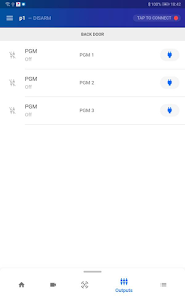
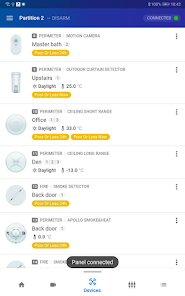


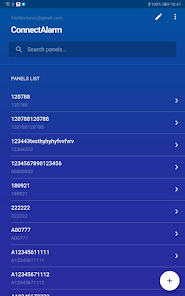

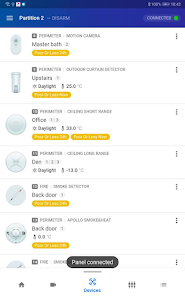


About this app
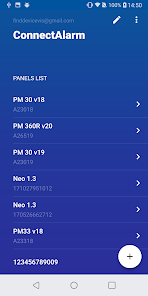
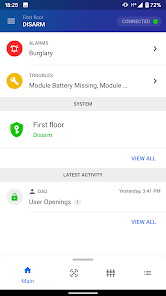
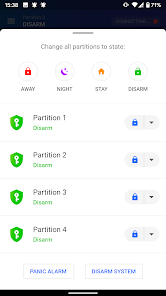
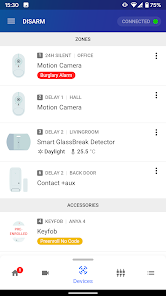
Control and monitor your PowerSeries Neo & PowerSeries Pro alarm security system anywhere, anytime. Whether you're at home, at work on a business trip or on vacation this app lets you control and monitor your alarm system locally and remotely.
With this app, you can:
- Arm & Disarm the alarm system
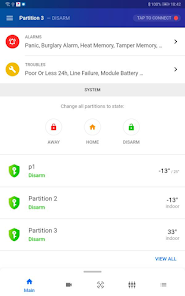
- View system alarms and troubles
- View status of various system devices
- Bypass system devices
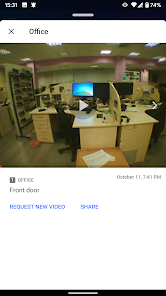
- View history of events with visual verification
- Configure and receive push notifications from the alarm system
- Add/Edit user aliases and PIN codes
- View information per partition
- Configure the date and time of the panel
- Control command outputs
- Customize app screens
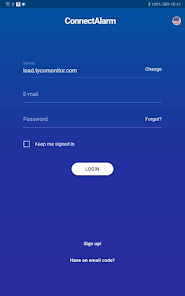
To connect to your panel, enter the following parameters provided by your installer:
- Host Address
- Panel ID
- User Code
With this app, you can:
- Arm & Disarm the alarm system
- View system alarms and troubles
- View status of various system devices
- Bypass system devices
- View history of events with visual verification
- Configure and receive push notifications from the alarm system
- Add/Edit user aliases and PIN codes
- View information per partition
- Configure the date and time of the panel
- Control command outputs
- Customize app screens
To connect to your panel, enter the following parameters provided by your installer:
- Host Address
- Panel ID
- User Code
Updated on
Safety starts with understanding how developers collect and share your data. Data privacy and security practices may vary based on your use, region, and age. The developer provided this information and may update it over time.


Ratings and reviews
3.8
3.26K reviews

Bernard Montgomery
- Flag inappropriate
- Show review history
October 8, 2024
The app does not work properly, push notifications when alarms go off do not work. Contacted by admin, who took the info but no resolution to date. Further to the response provided by Tyco, on repository synchronization. This cannot be possible as all other features of the app continue to work except for push notifications. Really? Tyco needs to do better.
2 people found this review helpful
Tyco Safety Products Canada Ltd.
October 7, 2024
Hello, PowerManage server experienced problems with repository synchronization. In case any problems still appear on your server, please contact your local service provider.

Prithi Rajaram
- Flag inappropriate
- Show review history
October 18, 2024
Awesome to work with, love the home automation side. Just wish the zones were grouped in their respective partitions.

Vincent Moola
- Flag inappropriate
September 17, 2024
Great App and system. I just do not know the interface and integration with cameras.
What's new
- Updated translations
- Bug fixes
- Bug fixes
App support
About the developer
Tyco Safety Products Canada Ltd
rajmy.1.sayavong@jci.com
3301 Langstaff Rd
Concord, ON L4K 4L2
Canada
+1 416-848-1802


