APECS: Body Posture Evaluation
In-app purchases
3.7star
1.36K reviews
500K+
Downloads

Everyone
info







About this app
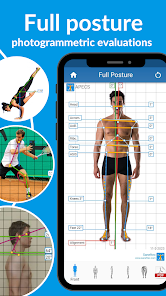
Track your posture regularly for healthy back and perfect body shape. Our precise photogrammetric algorithms help you to make accurate posture assessments. Stay motivated on your journey to correct posture and healthy you!
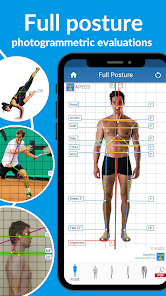
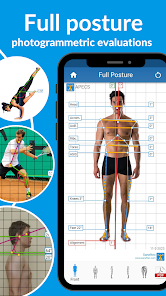
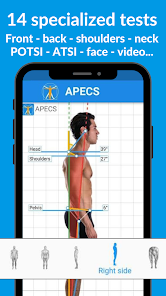
Fast and accurate: detection of postural defects, evaluation of the back, position of the head, neck and shoulders, leg and foot deviations!
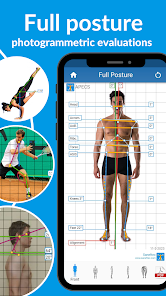
• APECS provides precise tools and features for whole body posture assessment:
- Front, back, left and right sides posture analysis;
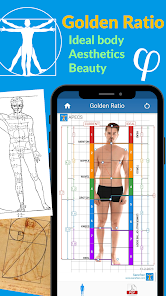
- Golden Ratio ideal body test;
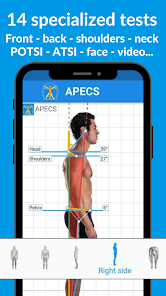
- Head, neck, and shoulder posture evaluation for detecting forward head posture (FHP), flat back and rounded shoulders;
- Bend test or Adam's forward bend test;
- Range of Motion evaluation;
- Valgus/varus knee deformity;
- Posture symmetry assessment;
- ATSI and POTSI (Anterior and Posterior Trunk Symmetry Index) for specific analysis of trunk asymmetries;
- Automatic ruler to measure lengths.
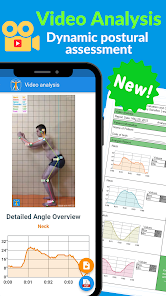
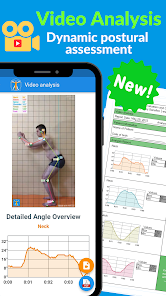
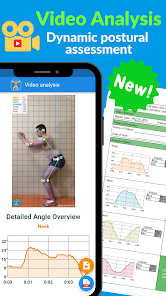
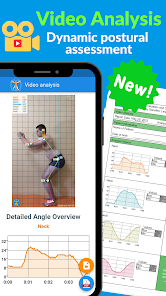
• Dynamic posture assessment:
- Lateral posture video analysis
- Angle and movement evaluation
- Video Result + PDF Report
- Automatic tracking & Green marker recognition
- New tool for health professionals, coaches, trainers, instructors and researchers.
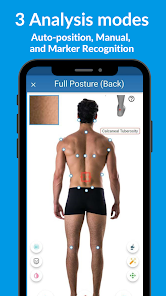
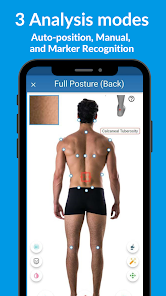
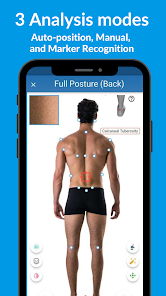
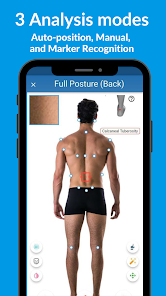
• Three analysis modes:
- Manual;
- Auto-position;
- Green Marker Recognition.
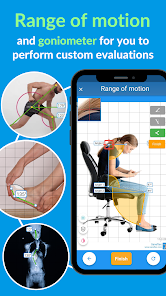
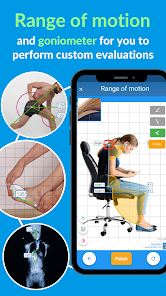
• Range of motion - Goniometer
- tool to create your own surveys.
- measure all desired angles on the human body,
- specifically designed for advanced users and researchers.
• Numerous features:
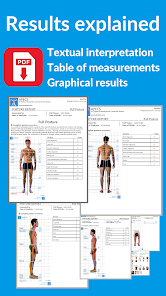
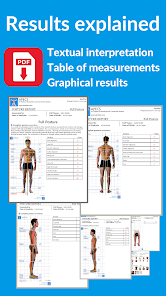
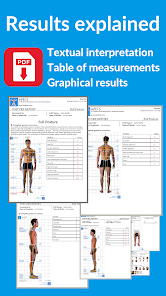
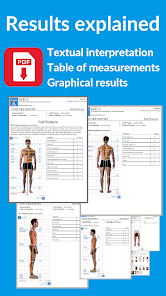
- Automatic generation of Posture report with text explanation.
- Hide the face with a "mask" function for privacy.
- Save, export and share your results in JPEG (graphs) or PDF (full report).
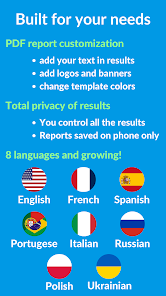
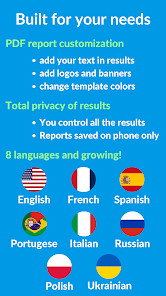
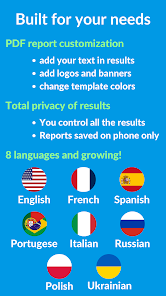
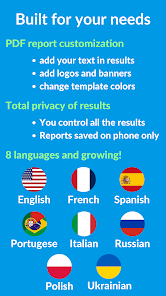
- Customize PDF report (logo, banner, contacts).
- Daily tips for posture improvement and pain relief.
- Best exercises for posture correction, muscles and core strengthening, pain relief.
Follow the APECS detailed guide and take corresponding photos, position the markers - and the results of assessment will be at your fingertips.
• Developed by doctors, APECS is adapted for work with:
- Wide range of posture issues like neck and spine issues, leg and foot problem, hunching, slouched shoulders, pelvic tilts, forward head etc.
- Physical rehabilitation programs (chiropractors, orthopedics, physiotherapists etc)
- Posture issues in athletic training (sports, weight lifting, endurance training etc)
- Well-being programs (masseurs, yoga and pilates instructors etc)
- Track results from using posture corrector tools like back brace for posture or shoulder posture brace.
Good posture is essential for your health, productivity and good mood. This is especially important for children, teenagers, girls and women, who are predisposed to posture problem.
• Created to help you
How effective are yoga or pilates exercises for your posture improvement, pain relief, core muscle strength and flexibility? Evaluating your massage sessions ? Bad posture decreases physical performance, provokes illnesses, pain and puts unwanted stress and fatigue in our life. Regular posture screening, coupled with a prescribed treatment by a doctor, could help to progress in correcting posture and maintaining motivation throughout the whole journey.
Designed for professional use, the app is a unique tool to quickly evaluate the anthropometric characteristics of posture, to check the state of the back, head, neck, legs and feet.
• What's more: it allows you to create your own examination protocols and customized conclusions!
• Is it free?
Main features for posture evaluation are FREE.
For more precision and control, you can subscribe inside the app to access advanced tools.
• Progress to go
We continuously improve APECS (support@saneftec.com)
Disclaimer: APECS is a helping evaluation tool. Results should be confirmed by a professional doctor. In no case should you use this app as a sole tool for treatment and assessment of your posture problems.
Fast and accurate: detection of postural defects, evaluation of the back, position of the head, neck and shoulders, leg and foot deviations!
• APECS provides precise tools and features for whole body posture assessment:
- Front, back, left and right sides posture analysis;
- Golden Ratio ideal body test;
- Head, neck, and shoulder posture evaluation for detecting forward head posture (FHP), flat back and rounded shoulders;
- Bend test or Adam's forward bend test;
- Range of Motion evaluation;
- Valgus/varus knee deformity;
- Posture symmetry assessment;
- ATSI and POTSI (Anterior and Posterior Trunk Symmetry Index) for specific analysis of trunk asymmetries;
- Automatic ruler to measure lengths.
• Dynamic posture assessment:
- Lateral posture video analysis
- Angle and movement evaluation
- Video Result + PDF Report
- Automatic tracking & Green marker recognition
- New tool for health professionals, coaches, trainers, instructors and researchers.
• Three analysis modes:
- Manual;
- Auto-position;
- Green Marker Recognition.
• Range of motion - Goniometer
- tool to create your own surveys.
- measure all desired angles on the human body,
- specifically designed for advanced users and researchers.
• Numerous features:
- Automatic generation of Posture report with text explanation.
- Hide the face with a "mask" function for privacy.
- Save, export and share your results in JPEG (graphs) or PDF (full report).
- Customize PDF report (logo, banner, contacts).
- Daily tips for posture improvement and pain relief.
- Best exercises for posture correction, muscles and core strengthening, pain relief.
Follow the APECS detailed guide and take corresponding photos, position the markers - and the results of assessment will be at your fingertips.
• Developed by doctors, APECS is adapted for work with:
- Wide range of posture issues like neck and spine issues, leg and foot problem, hunching, slouched shoulders, pelvic tilts, forward head etc.
- Physical rehabilitation programs (chiropractors, orthopedics, physiotherapists etc)
- Posture issues in athletic training (sports, weight lifting, endurance training etc)
- Well-being programs (masseurs, yoga and pilates instructors etc)
- Track results from using posture corrector tools like back brace for posture or shoulder posture brace.
Good posture is essential for your health, productivity and good mood. This is especially important for children, teenagers, girls and women, who are predisposed to posture problem.
• Created to help you
How effective are yoga or pilates exercises for your posture improvement, pain relief, core muscle strength and flexibility? Evaluating your massage sessions ? Bad posture decreases physical performance, provokes illnesses, pain and puts unwanted stress and fatigue in our life. Regular posture screening, coupled with a prescribed treatment by a doctor, could help to progress in correcting posture and maintaining motivation throughout the whole journey.
Designed for professional use, the app is a unique tool to quickly evaluate the anthropometric characteristics of posture, to check the state of the back, head, neck, legs and feet.
• What's more: it allows you to create your own examination protocols and customized conclusions!
• Is it free?
Main features for posture evaluation are FREE.
For more precision and control, you can subscribe inside the app to access advanced tools.
• Progress to go
We continuously improve APECS (support@saneftec.com)
Disclaimer: APECS is a helping evaluation tool. Results should be confirmed by a professional doctor. In no case should you use this app as a sole tool for treatment and assessment of your posture problems.
Updated on
Safety starts with understanding how developers collect and share your data. Data privacy and security practices may vary based on your use, region, and age. The developer provided this information and may update it over time.

No data shared with third parties
Learn more about how developers declare sharing

No data collected
Learn more about how developers declare collection
Ratings and reviews
3.8
1.31K reviews

A Google user
- Flag inappropriate
March 19, 2019
The app is easy to use and I like that it does not claim a position of absolute omniscience and tells you to seek further medical analysis. An improvement might be to initially take a series of photos and have the app find the average value for each angle. I knew that my posture was being evaluated so I most likely stood with better posture than my everyday, which probably skewed my results. Overall, it's a helpful app that can improve the musculoskeletal function and health of many.
37 people found this review helpful

Amy Lasse
- Flag inappropriate
May 17, 2020
Very useful app for posture evaluation. As a physio, I really appreciated the option to add my clinic's logo and other details in the report form. The app is very complete - posture photo tests, exercices... so you need some time to learn all the details, but when I had questions the support team reacted very quickly and in time! Nad no technical problems, the app is stable. Overall, the team has done a great job with the app. Thanks!
112 people found this review helpful
Saneftec
May 29, 2020
Thank you for your kind words! We did our best to help you navigate APECS with its tools and features. We love to hear feedback from healthcare professional users, so don't hesitate to contact us for any additional feedback (support@newbodytechnology.com). Especially as we introduce advanced pro-oriented features and improve existing ones.

Jennifer Bailey
- Flag inappropriate
November 21, 2020
These accurate photogrammetric algorithms help me make accurate position evaluations. Thanks to this application, I stay focused on exercising and improving my health. I have been practicing with this application for two weeks, and I finally see the first results on my figure. I recommend it to everyone who has a job without physical movement.Thumb up!☺️
40 people found this review helpful
What's new
- Better AI detection of anatomical landmarks
- Fixed inability to share photos
- Fixed PDF editing bugs
- Fixed inability to share photos
- Fixed PDF editing bugs
App support
About the developer
SANEFTEC
support@saneftec.com
93 COURS BERRIAT
38000 GRENOBLE
France
+33 7 49 94 06 52


