QR Scanner
In-app purchases
4.4star
15.9K reviews
100K+
Downloads

Everyone
info






About this app
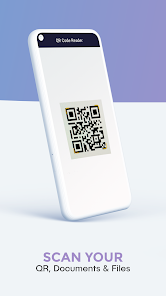
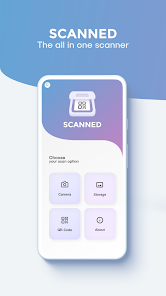
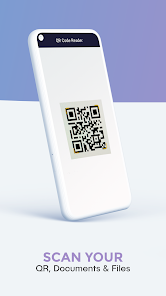
Switching between two apps to scan QR codes and documents? No need anymore! Just use the QR Scanner to do both with just one app.
Scan documents and save them as image or PDF files or scan QR codes with this 2 in 1 scanner app.
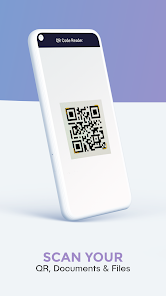
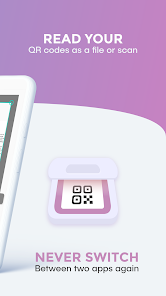
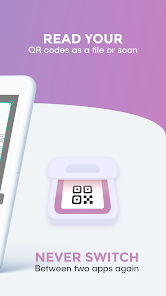
Someone send you a QR Code to your phone as a picture? No problem! Use the QR code reader included in the 2 in 1 document and QR code scanner app for codes in your phone’s storage.
*******************
✓ Scan QR Codes saved in your gallery
✓ Supports many different QR code types (for example URL, WiFi, MailTo, etc.)
✓ Scan by just holding your camera in front of the QR code without the need to press any buttons
✓ Scan barcodes and search for the product on the Internet
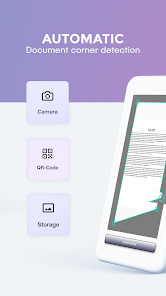
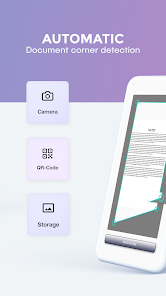
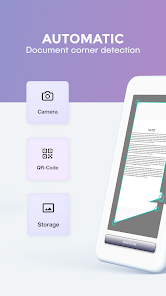
✓ Automatic edge detection
✓ Magnify your touches while manually cropping the image
✓ Scan to PNG
✓ Scan to PDF
✓ Scan multiple pages at once as a multi page PDF or separate image files
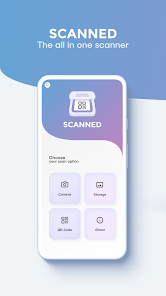
✓ Scan with the camera or from phone storage
✓ Different filter options
✓ Share your files via e-mail or social media services
Required Permissions:
• Contacts: write contact after scanning a corresponding QR code
• Location: necessary to connect to a local WiFi network after scanning a corresponding QR code
• Photos/Media/Files: read pictures from storage to scan them and save scanned documents
• Storage: read pictures from storage to scan them and save scanned documents
• Camera: Scan documents and QR codes and barcodes
• WiFi and network: to connect to a WiFi network after scanning a corresponding QR code
Download now and upgrade your phone with the functionality of two apps for the storage space of one!
For support or feedback, please contact us via e-mail to info@easy-scanner.app
This app is brought to you by the developers of VIDEO & TV CAST, the #1 video casting app in the world with more than 100.000.000 downloads across all platforms and devices.
Scan documents and save them as image or PDF files or scan QR codes with this 2 in 1 scanner app.
Someone send you a QR Code to your phone as a picture? No problem! Use the QR code reader included in the 2 in 1 document and QR code scanner app for codes in your phone’s storage.
*******************
APP FEATURES:
*******************
QR Code Scanner
:✓ Scan QR Codes saved in your gallery
✓ Supports many different QR code types (for example URL, WiFi, MailTo, etc.)
✓ Scan by just holding your camera in front of the QR code without the need to press any buttons
✓ Scan barcodes and search for the product on the Internet
Document Scanner
:✓ Automatic edge detection
✓ Magnify your touches while manually cropping the image
✓ Scan to PNG
✓ Scan to PDF
✓ Scan multiple pages at once as a multi page PDF or separate image files
✓ Scan with the camera or from phone storage
✓ Different filter options
✓ Share your files via e-mail or social media services
Required Permissions:
• Contacts: write contact after scanning a corresponding QR code
• Location: necessary to connect to a local WiFi network after scanning a corresponding QR code
• Photos/Media/Files: read pictures from storage to scan them and save scanned documents
• Storage: read pictures from storage to scan them and save scanned documents
• Camera: Scan documents and QR codes and barcodes
• WiFi and network: to connect to a WiFi network after scanning a corresponding QR code
Download now and upgrade your phone with the functionality of two apps for the storage space of one!
For support or feedback, please contact us via e-mail to info@easy-scanner.app
This app is brought to you by the developers of VIDEO & TV CAST, the #1 video casting app in the world with more than 100.000.000 downloads across all platforms and devices.
Updated on
Safety starts with understanding how developers collect and share your data. Data privacy and security practices may vary based on your use, region, and age. The developer provided this information and may update it over time.


Ratings and reviews
4.4
15.4K reviews

Easton Bodeux
- Flag inappropriate
January 1, 2023
not needed. was forced to download when I was trying to set up a screen share app..I used the QR scanner on my phone and was them brought to this to download. was like wow.. firstly I'm expecting to download a different app so I'm like who and where are u do u get off to just do that to a guy. seems like a scam to boost downloads of app however everyone was probably forced this QR scanner much like I was. Give me a thumbs if it this happened to you to. State where it occurred If u don't mind
33 people found this review helpful
2kit consulting
January 11, 2023
Thank you for taking time to review our app. We are sorry for the issue. A download of this scanner app is not required to use our screen mirroring apps. Our mirroring apps all have an in-app scan function to scan the QR code of the receiver app and establish a connection. If you still have issues with our apps, email us to info@screenmirroring.app

m
- Flag inappropriate
- Show review history
August 31, 2023
I don't like how I got to verify with my card. If given the option to give 0 stars, I would have. It says "in order to serve you better, enter your card information so we can assure the content is available for the country you're in." Its in The App.
15 people found this review helpful
2kit consulting
September 4, 2023
Thank you for taking time to update your review. This is NOT from our app. Could you send us a screenshot to info@easy-scanner.app so we can investigate where this is coming from? When exactly does it show up? When you open the app? Before you download it from the PlayStore? Or when you try to use one of the features (e.g. QR code/file scanning)?

Mico Mico
- Flag inappropriate
April 7, 2024
very easy to use , but I am hoping to reduce the amount of ads . They get a little bit annoying when they keep popping up
4 people found this review helpful
2kit consulting
April 12, 2024
Thank you for taking time to review our app. We are glad that you like our app.
What's new
- Bugfixes
- New Feature: QR Code Generator
- New Feature: QR Code Generator


