
Force Rotation: Auto-rotate
Contains adsIn-app purchases

star
2.93K reviews

Everyone
info
500K+
Downloads


About this app
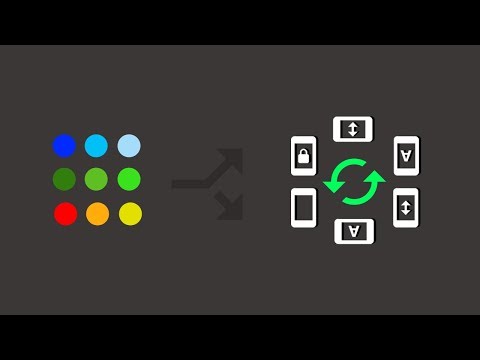
Add "Force Rotation" feature for other apps. It overrides system's settings, and allow you to change rotation setting for your apps.
You can define profile for each app, it will be applied when the corresponding app is running. There is also a default profile for all other apps which is not included.
Required permissions:
* Draw over other apps (apply rotation settings)
* Usage access (check current running app name, and find out the app profile for application)
You can define profile for each app, it will be applied when the corresponding app is running. There is also a default profile for all other apps which is not included.
Required permissions:
* Draw over other apps (apply rotation settings)
* Usage access (check current running app name, and find out the app profile for application)
Add "Force Rotation" feature for other apps
Updated on
Safety starts with understanding how developers collect and share your data. Data privacy and security practices may vary based on your use, region, and age. The developer provided this information and may update it over time.
- This app may share these data types with third partiesLocation, Personal info and 4 others
- No data collectedLearn more about how developers declare collection
- Data is encrypted in transit
- You can request that data be deleted


Ratings and reviews
2.2K reviews

Collin Brooks
- Flag inappropriate
March 16, 2024
It works as advertised, but it also drains your battery and heats up your phone. I don't know why it should be doing this. As a background app, it should just be checking to see if one of the apps from its list of apps to set a specific rotation for, is open and it's not already rotating said app. It doesn't need to continually force the rotation (for most apps). So, this app is doing something extra in the background that is really using up the CPU. Hopefully it's not mining bitcoin.
24 people found this review helpful

JohnnyJim J
- Flag inappropriate
May 10, 2025
An absolute necessity for true 360 degree rotation (Android still has no reverse portrait rotation!). Great for those of us who want to use our phones while connected to a charging cable to get it out of the way (up instead of down). Only caveat, on very rare occasions a message appears that a window must be closed to complete an operation, which may or may not be related to it.
24 people found this review helpful

Starr
- Flag inappropriate
September 14, 2026
Gets the job done though I wish there was a way to toggle between landscape and portrait. Also landscape experience sucks in many apps which they probably can't control.
What’s new
Bug fix
App support
About the developer
KF SOFTWARE HOUSE
paul@kfsoft.info
Rm 3409 FU SHIN EST SHIN NGA HSE
大埔
新界
Hong Kong
+852 3541 0320


