WiFi Map®: Internet, eSIM, VPN
Contains adsIn-app purchases
4.5star
2.84M reviews
100M+
Downloads

Everyone
info







About this app
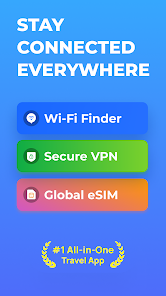
Connect to any WiFi for FREE! WiFi Map is the largest Wi-Fi community in the world!
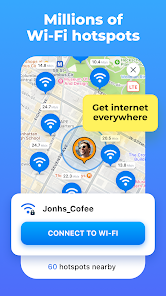
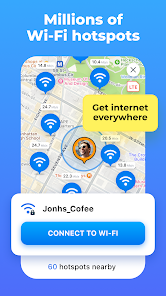
The largest WiFi hotspot database in the world
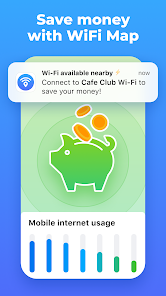
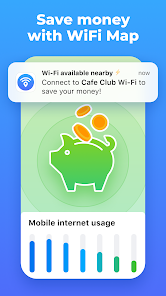
WiFi Map® has more than 150 million WiFi hotspots available worldwide and the number is growing daily thanks to our community. With the app, you can connect to WiFi hotspots for free, get actual passwords, and make updates together with millions of WiFi Map users!
Get our eSIM now and access the internet wherever you go
• Internet in 70+ countries
• 30 days validity
• 1GB, 3GB, 5GB and 10GB available packages
• fast refill
• High speed 4G and LTE networks
• no contract
• activation in a few taps
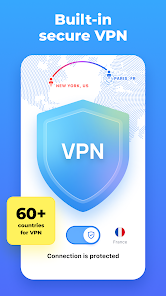
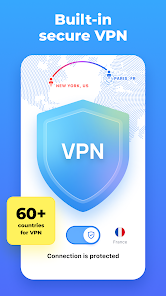
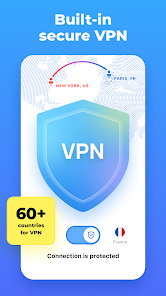
Fast and secure VPN for public WiFi networks
Use our built-in VPN for private internet access and to keep your connection secure. Use WiFi Map and the unlimited VPN to securely browse the internet, make and accept calls, text in messengers, and stay online with a single WiFi Map app. Also, you can get around some regional limitations and, for example, get access to your local services.
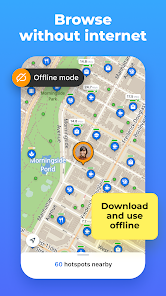
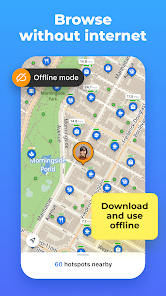
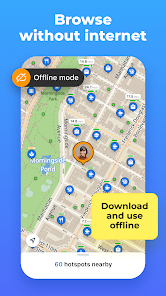
Detailed offline maps to find the internet everywhere
It’s always difficult to stay without an internet connection when you are traveling or simply out of carrier service. This is where the offline WiFi password map will help. Download the map of the whole region with the complete hotspot data to make sure you’re able to connect to the internet.
Benefit from a WiFi Map community and support it
Use a WiFi scanner to look for nearby Wi-Fi networks, speed test them, and connect to the fastest ones. At the same time, you’re contributing to the WiFi Map community by sharing hotspot data and performance details. Thanks to our users you will always get actual information on hotspots around.
Sneak peek of WiFi Map main features
- Find the internet all over the world
- Access internet for FREE when you connect to WiFi
- Millions of WiFi hotspots are available worldwide
- Genuine WiFi passwords and useful tips
- Use map navigation to find the local hotspots
- Apply filters to find out the nearest WiFi around you
- Smart search on the WiFi Map
- Add WiFi hotspots around you to the map
- Download offline maps when you travel
- Share WiFis on Facebook, Instagram, and Twitter with your friends
- Unlimited secure VPN
- Multiple reliable VPN servers worldwide
How to get connected?
1. Open the WiFi Map app.
2. Find an available WiFi hotspot around you.
3. Connect to the WiFi hotspot using the information in the app.
4. Enjoy fast, FREE and reliable internet access!
=====================
Help Center and FAQ: https://intercom.help/wifi-map-help-center/
Twitter: https://twitter.com/wifimapapp
Discord: https://discord.gg/pVyvsFbsD5
Facebook: https://www.facebook.com/wifimap.io
Instagram: https://www.instagram.com/wifimap/
Telegram: https://t.me/wifimap_io
Website: https://www.wifimap.io/
Email: support@wifimap.io
The largest WiFi hotspot database in the world
WiFi Map® has more than 150 million WiFi hotspots available worldwide and the number is growing daily thanks to our community. With the app, you can connect to WiFi hotspots for free, get actual passwords, and make updates together with millions of WiFi Map users!
Get our eSIM now and access the internet wherever you go
• Internet in 70+ countries
• 30 days validity
• 1GB, 3GB, 5GB and 10GB available packages
• fast refill
• High speed 4G and LTE networks
• no contract
• activation in a few taps
Fast and secure VPN for public WiFi networks
Use our built-in VPN for private internet access and to keep your connection secure. Use WiFi Map and the unlimited VPN to securely browse the internet, make and accept calls, text in messengers, and stay online with a single WiFi Map app. Also, you can get around some regional limitations and, for example, get access to your local services.
Detailed offline maps to find the internet everywhere
It’s always difficult to stay without an internet connection when you are traveling or simply out of carrier service. This is where the offline WiFi password map will help. Download the map of the whole region with the complete hotspot data to make sure you’re able to connect to the internet.
Benefit from a WiFi Map community and support it
Use a WiFi scanner to look for nearby Wi-Fi networks, speed test them, and connect to the fastest ones. At the same time, you’re contributing to the WiFi Map community by sharing hotspot data and performance details. Thanks to our users you will always get actual information on hotspots around.
Sneak peek of WiFi Map main features
- Find the internet all over the world
- Access internet for FREE when you connect to WiFi
- Millions of WiFi hotspots are available worldwide
- Genuine WiFi passwords and useful tips
- Use map navigation to find the local hotspots
- Apply filters to find out the nearest WiFi around you
- Smart search on the WiFi Map
- Add WiFi hotspots around you to the map
- Download offline maps when you travel
- Share WiFis on Facebook, Instagram, and Twitter with your friends
- Unlimited secure VPN
- Multiple reliable VPN servers worldwide
How to get connected?
1. Open the WiFi Map app.
2. Find an available WiFi hotspot around you.
3. Connect to the WiFi hotspot using the information in the app.
4. Enjoy fast, FREE and reliable internet access!
=====================
Help Center and FAQ: https://intercom.help/wifi-map-help-center/
Twitter: https://twitter.com/wifimapapp
Discord: https://discord.gg/pVyvsFbsD5
Facebook: https://www.facebook.com/wifimap.io
Instagram: https://www.instagram.com/wifimap/
Telegram: https://t.me/wifimap_io
Website: https://www.wifimap.io/
Email: support@wifimap.io
Updated on
Safety starts with understanding how developers collect and share your data. Data privacy and security practices may vary based on your use, region, and age. The developer provided this information and may update it over time.

No data shared with third parties
Learn more about how developers declare sharing

No data collected
Learn more about how developers declare collection

Data is encrypted in transit

You can request that data be deleted
Ratings and reviews
4.5
2.77M reviews

A Google user
- Flag inappropriate
- Show review history
November 4, 2018
The idea behind the app is great: offer a Wi-Fi database that is entirely created and maintained by the users. However, this is also the weakest point of the app because people keep moving and/or changing their Wi-Fi passwords and routers. Those Wi-Fi spots that are public have a better chance of working, but with many of the others, especially home Wi-Fi spots it is pretty much hit and miss. Sometimes they work, but I also found quite a number of spots listed in the app that don’t even exist any more. So, three stars for a great idea and good app, but minus two because it often doesn’t contain correct information and there is no easy way to make corrections as an app user. E.g. as I was walking though town I made a note of all the Wi-Fi-s that have either incorrect passwords or are simply non-existent. When I got back home where I had connection to the internet again, I was unable to edit those spots in the app. There should be an easier way for users to simply delete Wi-Fi spots from the map it they don’t exist any longer.
1,054 people found this review helpful
WiFi Map LLC
November 5, 2018
Thank you for sharing this feedback. Please try using 'The Filter' (top right corner) and choose 'Recently connected' in order to find the most relaible WiFis. Also please feel free to contact us at help@wifimap.io and we will gladly answer all your questions and do our best to improve your experience. Thanks!
WiFi Map Team
A Google user
- Flag inappropriate
- Show review history
February 5, 2020
I haven't found one wifi spot yet that gave me access other than normal open access. Everything with password needed I've been unable to access. *Believe it, developer. The app has done nothing to help me, ever. I am never able to connect to any wifi spots users have entered information on. I tried 2 years ago, gave up and decided to try again recently. No luck. What's amazing is that the developer takes the time to leave patronizing responses but has never once actually tried to help me.
1,709 people found this review helpful
WiFi Map LLC
February 5, 2020
We are really sorry to hear about your negative experience. It's hard to believe that in almost two years the application has never helped you. Millions of our users connect to WiFi via our app on a daily basis and we have developed AI mechanism which removes not valid hotspots and identifies users who share bad hotspots. Regards.
WiFi Map Team

ANDREA POSNER
- Flag inappropriate
- Show review history
October 9, 2022
App started using huge amounts of mobile data even though I'm at home on WiFi. My carrier, Google Fi, just notified me of unusually high usage. I checked and it was WiFi Map gone crazy. I paused it and then uninstalled it. I'm checking my usage every few minutes, but the bottom line is this app just forced me into a higher tier on my plan because of it's gone haywire. I live in an area impacted by Hurricane Ian, so maybe it's rebuilding its database (on my dime, which is unacceptable).
1,793 people found this review helpful
WiFi Map LLC
December 10, 2020
Andrea, this problem has been resolved long ago. The app now works fine on Android 11. Please update your review. In case of any questions, you can always reach out to us at help@wifimap.io. Thank you! -WiFi Map Team
What's new
We’ve made improvements and addressed bugs to bring you an enhanced WiFi Map experience.


