
AirStationアプリ (旧StationRadar)
3.0star
3.27K reviews
1M+
Downloads

Everyone
info





About this app
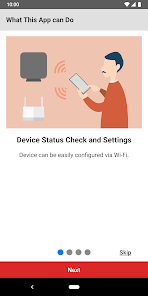
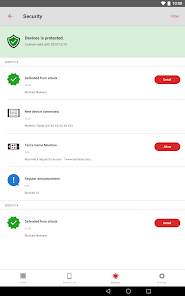
You can set up, configure, and adjust the settings of the AirStation* through this app.
• Make sure your mobile device is connected to the same Wi-Fi network as the AirStation when using this app. If your AirStation supports remote access, you can also use the app from outside your local network.
• Product features may vary depending on the AirStation model. For more details, refer to the product package or visit the product page on our website.
Version 3.4 Features:
○ Setup
The app allows you to set up the following:
• Wi-Fi router (setup guide provided)
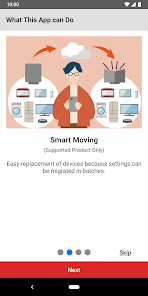
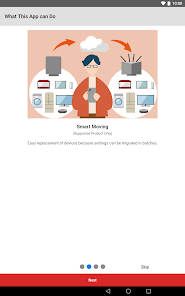
• Migration of Wi-Fi router settings through the settings backup function
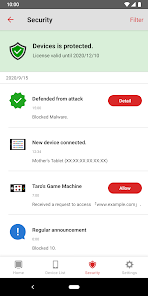
• Activation of Internet Security/Internet Security 2 feature
○ Administration
You can check the following through the app:
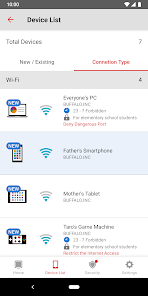
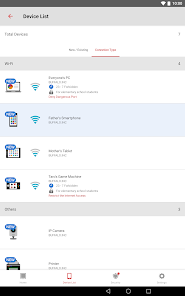
• Device status
• SSID, encryption key, or QR code for Wi-Fi connection
• Settings
You can use the following features through the app:
• Internet Security/Internet Security 2 feature
• Automatic login**
○ Settings
You can configure the following features or settings through the app:
• Internet Security 2 feature (or Internet Security feature)
• Settings backup function
• SSID name and encryption key
• Guest port on/off
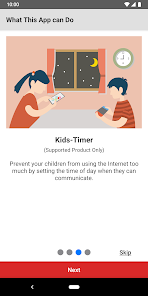
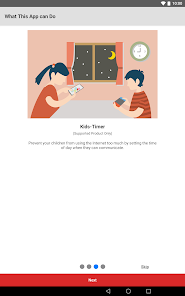
• Kids-Timer
• Internet connection settings
• Firmware update
• Administrator password
• etc
*Use the connect app for the AirStation connect series.
**You can log in automatically using the username and password previously entered and saved in the app.
• Make sure your mobile device is connected to the same Wi-Fi network as the AirStation when using this app. If your AirStation supports remote access, you can also use the app from outside your local network.
• Product features may vary depending on the AirStation model. For more details, refer to the product package or visit the product page on our website.
Version 3.4 Features:
○ Setup
The app allows you to set up the following:
• Wi-Fi router (setup guide provided)
• Migration of Wi-Fi router settings through the settings backup function
• Activation of Internet Security/Internet Security 2 feature
○ Administration
You can check the following through the app:
• Device status
• SSID, encryption key, or QR code for Wi-Fi connection
• Settings
You can use the following features through the app:
• Internet Security/Internet Security 2 feature
• Automatic login**
○ Settings
You can configure the following features or settings through the app:
• Internet Security 2 feature (or Internet Security feature)
• Settings backup function
• SSID name and encryption key
• Guest port on/off
• Kids-Timer
• Internet connection settings
• Firmware update
• Administrator password
• etc
*Use the connect app for the AirStation connect series.
**You can log in automatically using the username and password previously entered and saved in the app.
Updated on
Safety starts with understanding how developers collect and share your data. Data privacy and security practices may vary based on your use, region, and age. The developer provided this information and may update it over time.

No data shared with third parties
Learn more about how developers declare sharing

This app may collect these data types
App activity and Device or other IDs

Data is encrypted in transit

You can request that data be deleted
Ratings and reviews
3.0
3.13K reviews

Salvador D.
- Flag inappropriate
December 4, 2020
Awesome! I could easily access my Wi-Fi settings from this App, and do all the necessary tweaking! Loving it!
3 people found this review helpful

A Google user
- Flag inappropriate
September 1, 2019
Seems like the developers tossed it overboard. None of the apps works. Hey, guys, your products are still in use.
3 people found this review helpful
A Google user
- Flag inappropriate
- Show review history
September 17, 2018
Didn't work with my airstation.
8 people found this review helpful
App support
About the developer
BUFFALO INC.
support@melcoinc.co.jp
3-30-20, OSU, NAKA-KU
AKAMONTORIBLDG.
NAGOYA, 愛知県 460-0011
Japan
+81 3-6732-1497


