Toonita Video: Pop Art Filters
Contains adsIn-app purchases

4.2star
295 reviews
10K+
Downloads

Everyone
info
About this app
Unleash your inner filmmaker with Toonita Video: Pop Art Filters! Elevate your videos to mesmerizing art pieces effortlessly. This all-in-one video editor effects app empowers you to transform ordinary clips into extraordinary creations, all with a touch of artistic filters. Try Toonita Video: Pop Art Filters Today! 🎥🎨
🌟 Dive into the World of Art Video Maker 🌟
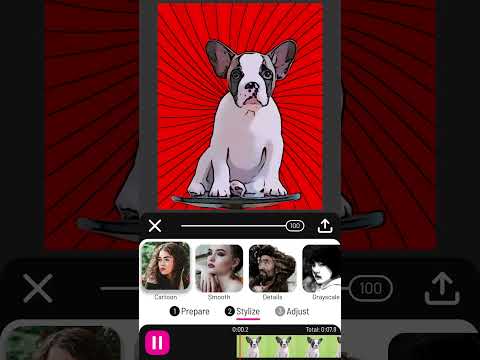
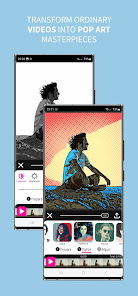
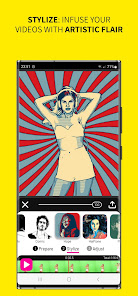
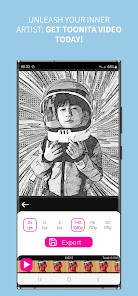
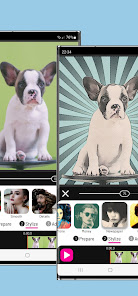
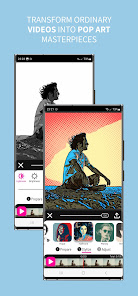
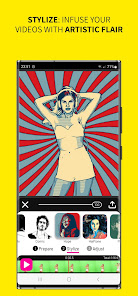
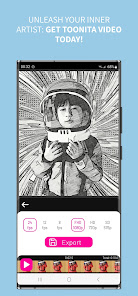
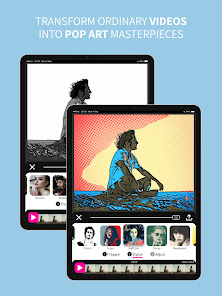
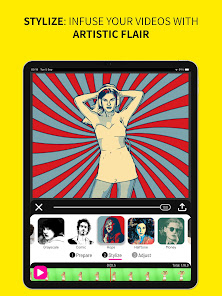
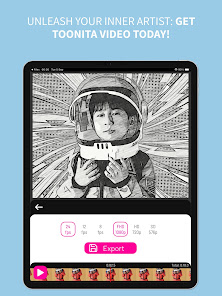
Bring your videos to life with 28 captivating pop art, comic, and cartoon effects that add an enchanting touch to every frame. Watch as your footage evolves into a vibrant canvas of creativity, all within the intuitive video filters app.
🎬 Masterful Video Editor Effects at Your Fingertips 🎬
Elevate your storytelling with our array of cartoon effects. From the nostalgic allure of comic book visuals to the captivating charm of anime-inspired filters, the video overlays app offers an extensive selection that turns every clip into a visual masterpiece.
📸 Your Camera, Your Rules 📸
Capture cinematic moments directly from the video filters app's built-in camera. With real-time filter previews, you can see the magic unfold before your eyes. Take complete control over your shots, ensuring your artistic vision shines through.
🎨 Craft Your Own Pop Art Wonders 🎨
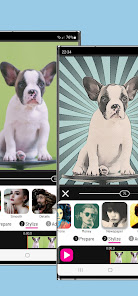
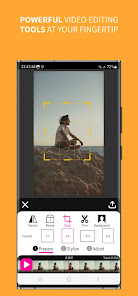
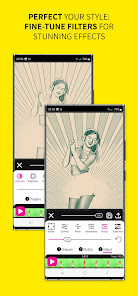
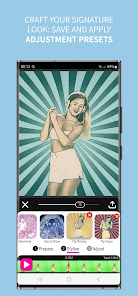
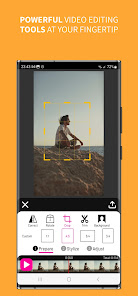
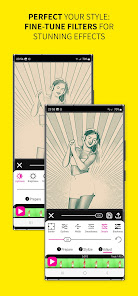
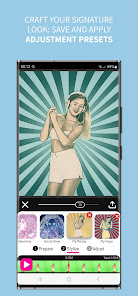
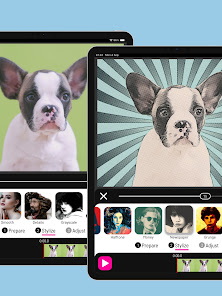
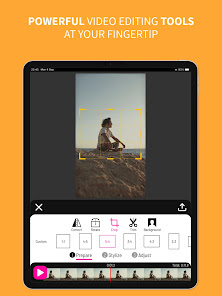
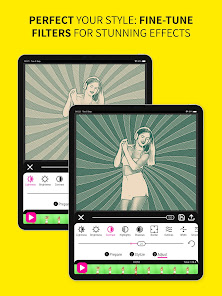
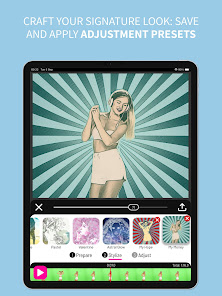
Become the director of your own creative journey! The cartoon filter app's three-stage processing – Prepare, Stylize, and Adjust – allows you to meticulously tailor your videos. Refine filter parameters in the Adjust stage to achieve stunning results that suit your unique style.
🌈 Green Screen Magic for Seamless Stories 🌈
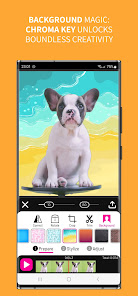
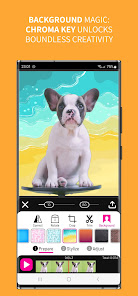
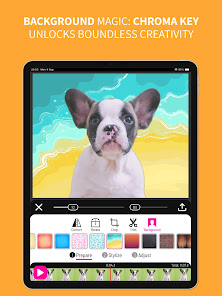
Change backgrounds effortlessly using the advanced chroma key (green screen) technique. Transport your cartoon video maker videos to any location imaginable, adding depth and excitement to your narrative.
🎞️ Elevate Every Frame of Your Film 🎞️
Transform mere footage into cinematic brilliance. Whether it's a short flick or a full-length motion picture, the artistic filters and cartoon effects will make every cut shine with artistic flair.
🖌️ Custom Presets: Your Signature Editing Style 🖌️
Why stop at default video editor filters? Toonita Video empowers you to save your custom-made presets, allowing you to consistently apply your unique style to future projects. Your creativity knows no bounds!
🎉 Share Your Cartoon Animations with the World 🎉
Once you've perfected your masterpiece, share cartoon animations with friends, family, and followers. Watch as your artistic videos make waves across social media platforms, leaving a lasting impact.
With this cartoon video effects app, every video becomes a canvas, every frame an artwork. Whether you're a seasoned filmmaker or just starting on your creative journey, our art video maker app is designed to enhance your storytelling with unparalleled ease. Embrace the world of video filters, transform reality into your own cartoon, and let your videos take center stage like never before. Download Toonita Video: Pop Art Filters now and redefine video editing!
Credits are listed on http://toonita.app/toonita-video/.
🌟 Dive into the World of Art Video Maker 🌟
Bring your videos to life with 28 captivating pop art, comic, and cartoon effects that add an enchanting touch to every frame. Watch as your footage evolves into a vibrant canvas of creativity, all within the intuitive video filters app.
🎬 Masterful Video Editor Effects at Your Fingertips 🎬
Elevate your storytelling with our array of cartoon effects. From the nostalgic allure of comic book visuals to the captivating charm of anime-inspired filters, the video overlays app offers an extensive selection that turns every clip into a visual masterpiece.
📸 Your Camera, Your Rules 📸
Capture cinematic moments directly from the video filters app's built-in camera. With real-time filter previews, you can see the magic unfold before your eyes. Take complete control over your shots, ensuring your artistic vision shines through.
🎨 Craft Your Own Pop Art Wonders 🎨
Become the director of your own creative journey! The cartoon filter app's three-stage processing – Prepare, Stylize, and Adjust – allows you to meticulously tailor your videos. Refine filter parameters in the Adjust stage to achieve stunning results that suit your unique style.
🌈 Green Screen Magic for Seamless Stories 🌈
Change backgrounds effortlessly using the advanced chroma key (green screen) technique. Transport your cartoon video maker videos to any location imaginable, adding depth and excitement to your narrative.
🎞️ Elevate Every Frame of Your Film 🎞️
Transform mere footage into cinematic brilliance. Whether it's a short flick or a full-length motion picture, the artistic filters and cartoon effects will make every cut shine with artistic flair.
🖌️ Custom Presets: Your Signature Editing Style 🖌️
Why stop at default video editor filters? Toonita Video empowers you to save your custom-made presets, allowing you to consistently apply your unique style to future projects. Your creativity knows no bounds!
🎉 Share Your Cartoon Animations with the World 🎉
Once you've perfected your masterpiece, share cartoon animations with friends, family, and followers. Watch as your artistic videos make waves across social media platforms, leaving a lasting impact.
With this cartoon video effects app, every video becomes a canvas, every frame an artwork. Whether you're a seasoned filmmaker or just starting on your creative journey, our art video maker app is designed to enhance your storytelling with unparalleled ease. Embrace the world of video filters, transform reality into your own cartoon, and let your videos take center stage like never before. Download Toonita Video: Pop Art Filters now and redefine video editing!
Credits are listed on http://toonita.app/toonita-video/.
Updated on
Safety starts with understanding how developers collect and share your data. Data privacy and security practices may vary based on your use, region, and age. The developer provided this information and may update it over time.


Ratings and reviews
4.2
287 reviews

Michelle Gomes
- Flag inappropriate
July 5, 2024
A HUGE complaint is that it takes nearly 15 minutes just to create a video that's 60s or less. Other apps...create a short in just a couple of minutes.
Ignite.rs
July 5, 2024
Thanks for the feedback! We prefer quality over speed, and the filters that are implemented are demanding. Video frames are processed on the device, so newer, faster devices perform better. You can also speed things up by reducing the output resolution and frame rate.

Hiten Puri
- Flag inappropriate
April 23, 2024
Superb app, even the free filters are superb , it did my job in emergency when I was failing from every site , cause I could not pay for the premium. Thank you very much
9 people found this review helpful
Ignite.rs
April 23, 2024
Thank you for your support.

Linda Martin
- Flag inappropriate
May 1, 2024
Great app .I got some free goes .not subscribed .May do at a later date . amazing art effects to videos if you love art .give this app a go.
7 people found this review helpful
Ignite.rs
May 2, 2024
Thank you very much for your support!
What's new
Minor improvements and bug fixes


