
Toonita - Cartoon Photo Editor
Contains adsIn-app purchases

4.5star
966 reviews
50K+
Downloads

Everyone
info
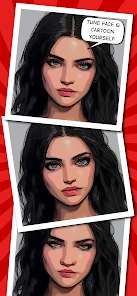
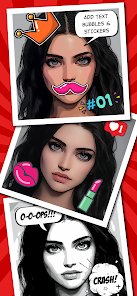
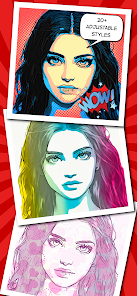

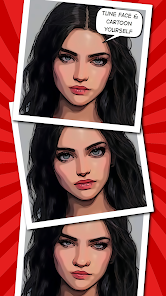
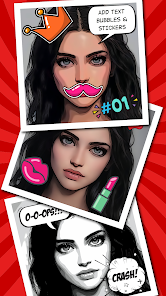
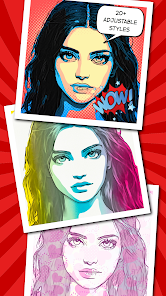
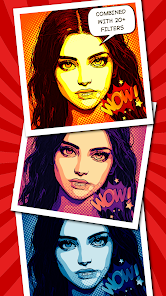


About this app
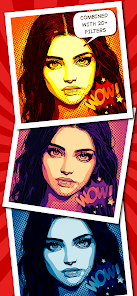
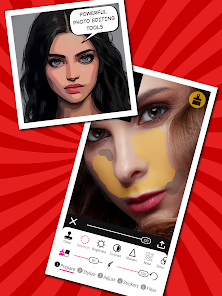
Are you bored of using the same old photos on your social media? Will you like to cartoon yourself and try different toon photo overlays to spice things up? If that is the case, Toonita caricature maker & comic maker art photo editor app is all you need to add some toon glam to your pics. From a collection of exciting photo retouch tools and an immersive meme creator app to offering new stickers for photos and a whole new collection of photo filters, this toonme cartoon maker app is an amazing tools to play with your pictures.
POSTER MAKER TO CARTOON YOURSELF
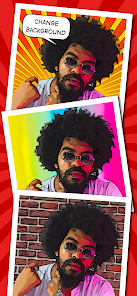
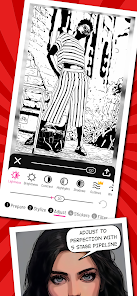
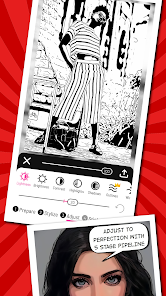
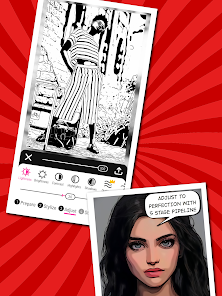
Toonita is the all-in-one free apps ultimate comic maker, cartoon maker and art photo editor featuring background change, face tuning, photo retouch, edit picture, stickers for photos, and speech bubble selections. Image processing is organized in five stages processing pipeline allowing you to adjust the outcome to perfection by going back and forth. The stages are:
(1) Prepare → (2) Stylize → (3) Adjust → (4) Stickers → (5) Filter
(1) PREPARE STAGE
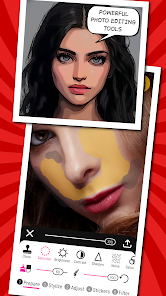
The Prepare stage contains many basic and advanced art photo editor tools that enable you to edit picture and adjust input for the Stylize stage:
1) Correct - flip and rotate an image
2) Rotate - fine rotation
3) Crop - arbitrary and constrained crop
4) Foreground - edit automatically detected foreground
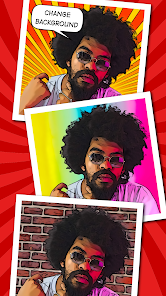
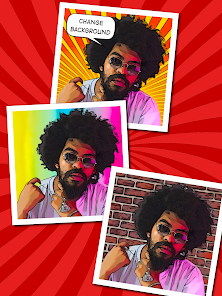
5) Background - automatically segment people and change background
6) Eyes Size - face tuning for frontal portraits
7) Nose Size - face tuning for frontal portraits
8) Mouth Size - face tuning for frontal portraits
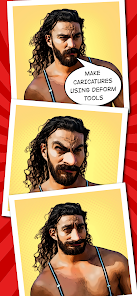
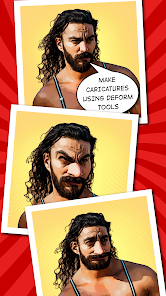
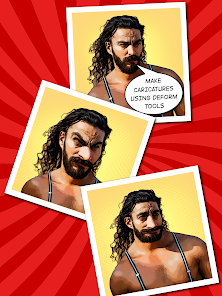
9) Deform - liquify filters: push, bloat, shrink, twirl, restore
10) Vanish - fill-in an arbitrary area of the image by surrounding pixels
11) Clone - clone stamp tool (tap and hold to edit stamps)
12) Selection - an optional selection that is applied as a mask for the following tools
13) Adjust Brightness
14) Adjust Contrast
15) Sharpen - sharpen or Gaussian blur tool
16) Noise - add noise or median blur
17) Saturation
18) Hue
19) Vignette - adds a dark or light vignette
(2) STYLIZE STAGE
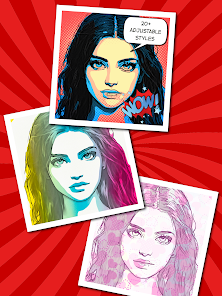
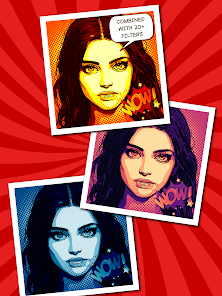
The Stylize stage contains 20+ custom cartoon filter and image overlays styles that enable you to cartoon yourself or colorize your image: Cartoon, Smooth, Details, Grayscale, Comic, Halftone, Money, Newspaper, Grunge, Matrix, Red, Green, Blue, Graphite, Sketch, Blueprint, Hot 1&2, Funky, Watercolor 1&2, Color Splash 1&2, Seaside, Pastel, and Valentine. Try different image filters and give a whole new look to your picture with this toonme cartoon filter app.
(3) ADJUST STAGE
The Adjust stage brings art editor tools used to fine-tune stylization results. The comic maker and cartoon maker app offers general image adjustments such as Lightness, Brightness, Contrast, Highlights, Shadows, and Saturation, so as the adjustments related to edge extraction: Outlines, Width, Smoothness, Details, and Blackness. Finally, the last two tools allow color adjustment in terms of the number of levels and their softness. Get the perfect cartoon filters and improve the look of your image!
(4) STICKERS
The Stickers stage allows you to add different speech bubbles with custom text and stickers for photos from several collections: Comic maker, Pop Art, Girl, Meme maker, Power, Kawaii, Poster maker, Animals, Motivation, Travel, Space, Christmas, and Halloween.
(5) FILTER STAGE
The Filter stage, as the name suggests, contains many photo filters, image overlays, cartoon filters and more that can further improve your result.
FEATURES OF TOONITA:
• Simple and easy to use cartoon filter app UI/UX
• Cartoon yourself with built-in comic maker and caricature maker tools
• Amazing collection of photo editor and picture retouch tools for you
• Erase background photo editor free apps
• Try poster maker different photo overlays, image filters and cartoon filter to cartoon yourself
• Add cool new stickers for photos like speech bubbles and expressions emojis
CREDITS are listed on http://toonita.app.
POSTER MAKER TO CARTOON YOURSELF
Toonita is the all-in-one free apps ultimate comic maker, cartoon maker and art photo editor featuring background change, face tuning, photo retouch, edit picture, stickers for photos, and speech bubble selections. Image processing is organized in five stages processing pipeline allowing you to adjust the outcome to perfection by going back and forth. The stages are:
(1) Prepare → (2) Stylize → (3) Adjust → (4) Stickers → (5) Filter
(1) PREPARE STAGE
The Prepare stage contains many basic and advanced art photo editor tools that enable you to edit picture and adjust input for the Stylize stage:
1) Correct - flip and rotate an image
2) Rotate - fine rotation
3) Crop - arbitrary and constrained crop
4) Foreground - edit automatically detected foreground
5) Background - automatically segment people and change background
6) Eyes Size - face tuning for frontal portraits
7) Nose Size - face tuning for frontal portraits
8) Mouth Size - face tuning for frontal portraits
9) Deform - liquify filters: push, bloat, shrink, twirl, restore
10) Vanish - fill-in an arbitrary area of the image by surrounding pixels
11) Clone - clone stamp tool (tap and hold to edit stamps)
12) Selection - an optional selection that is applied as a mask for the following tools
13) Adjust Brightness
14) Adjust Contrast
15) Sharpen - sharpen or Gaussian blur tool
16) Noise - add noise or median blur
17) Saturation
18) Hue
19) Vignette - adds a dark or light vignette
(2) STYLIZE STAGE
The Stylize stage contains 20+ custom cartoon filter and image overlays styles that enable you to cartoon yourself or colorize your image: Cartoon, Smooth, Details, Grayscale, Comic, Halftone, Money, Newspaper, Grunge, Matrix, Red, Green, Blue, Graphite, Sketch, Blueprint, Hot 1&2, Funky, Watercolor 1&2, Color Splash 1&2, Seaside, Pastel, and Valentine. Try different image filters and give a whole new look to your picture with this toonme cartoon filter app.
(3) ADJUST STAGE
The Adjust stage brings art editor tools used to fine-tune stylization results. The comic maker and cartoon maker app offers general image adjustments such as Lightness, Brightness, Contrast, Highlights, Shadows, and Saturation, so as the adjustments related to edge extraction: Outlines, Width, Smoothness, Details, and Blackness. Finally, the last two tools allow color adjustment in terms of the number of levels and their softness. Get the perfect cartoon filters and improve the look of your image!
(4) STICKERS
The Stickers stage allows you to add different speech bubbles with custom text and stickers for photos from several collections: Comic maker, Pop Art, Girl, Meme maker, Power, Kawaii, Poster maker, Animals, Motivation, Travel, Space, Christmas, and Halloween.
(5) FILTER STAGE
The Filter stage, as the name suggests, contains many photo filters, image overlays, cartoon filters and more that can further improve your result.
FEATURES OF TOONITA:
• Simple and easy to use cartoon filter app UI/UX
• Cartoon yourself with built-in comic maker and caricature maker tools
• Amazing collection of photo editor and picture retouch tools for you
• Erase background photo editor free apps
• Try poster maker different photo overlays, image filters and cartoon filter to cartoon yourself
• Add cool new stickers for photos like speech bubbles and expressions emojis
CREDITS are listed on http://toonita.app.
Updated on
Safety starts with understanding how developers collect and share your data. Data privacy and security practices may vary based on your use, region, and age. The developer provided this information and may update it over time.


Ratings and reviews
4.5
930 reviews

LeShan Jones
- Flag inappropriate
April 2, 2024
I've searched for a good mobile app that can convert photos to sketch images for a while now, this is one of the best I've yet found. Its many features give me the tools I need to create different sketches of my photos specifically background images that I need art of. I would like to see more cartoon styles available in the future, but for now it blows away the competition.
7 people found this review helpful
Ignite.rs
April 2, 2024
Thank your for your support! If you have some specific suggestions what styles you would like to see in the app, please email us at info@toonita.app, and we'll try to make them. We would also like to suggest you to try our other app called Paintation - Photo Art Effects, since it features wider range of different filters based on style transfer.

Kevin Levine
- Flag inappropriate
- Show review history
December 11, 2022
Update: Wow! Incredible, thank you for considering the feedback. It's fantastic when developers are in touch with their users! One other idea: Someday, having ability to apply cartoon filter to videos would be great. You've already guaranteed a resubscribe from me though :) Original Message: Can we get the ability to save settings as a custom preset? The default templates are always off.
13 people found this review helpful
Ignite.rs
December 12, 2022
Update: Version 6.0 which has the ability to create/update custom styles (presets) is now available. Thanks for the 5 stars! We are already considering video support most probably through a separate app, but we cannot make any promises at this moment. If you have more suggestions please contact us at info@toonita.app.

MI_PAIN
- Flag inappropriate
July 12, 2024
Don't download there's only one cartoon filter. And it's terrible
Ignite.rs
July 12, 2024
Sorry you didn't enjoy the app. There are 3 cartoonish filters (Cartoon, Smooth, Details) and all three of them are free. If you didn't like the produced output, you should try them with photos with high contrast (taken in the natural light).
What's new
Minor improvements and bug fixes


