
Thunkable Live
3.8star
4.56K reviews
500K+
Downloads

Everyone
info


About this app
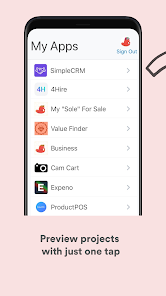
Thunkable is the platform where anyone can build their own apps on Android and iOS.
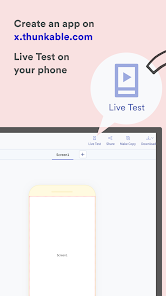
Use the Thunkable app to accelerate app development with a cool feature called live testing. Live testing is the ability to change and update your app in real-time with the changes you make on the platform (x.thunkable.com)
Just login to the app and see your changes live!
If you think it, you can Thunk it.
Use the Thunkable app to accelerate app development with a cool feature called live testing. Live testing is the ability to change and update your app in real-time with the changes you make on the platform (x.thunkable.com)
Just login to the app and see your changes live!
If you think it, you can Thunk it.
Updated on
Safety starts with understanding how developers collect and share your data. Data privacy and security practices may vary based on your use, region, and age. The developer provided this information and may update it over time.


Ratings and reviews
4.0
4.31K reviews

ÅLTURA, JŒL ᕈЄNЄƳRA
- Flag inappropriate
November 5, 2025
In the browser, when you click/ tap the "Live Test on the Device", it opens a window: "Login to the Thunkable Live app on your mobile device to preview your app as you build it. Enter the character code on Thunkable live mobile app". Click/tap the "Enter my code", the problem is, there is no code from the Mobile app... so where to find that code on the Thunkable Live App if there is none, no code to be found, no facility to generate or input. The mobile app is barely usable & user-friendly!
12 people found this review helpful

Ammar Iqbal
- Flag inappropriate
January 10, 2026
It's a splendid! highly recommend for post graduate to develop their skill in programming that could further enhance their credibility during actual interview!!! Significant congratulations towards developer and team!!! 💕💖❤️
1 person found this review helpful

Yuya Toria
- Flag inappropriate
January 17, 2026
NOT STUDENT FRIENDLY. ive been trying to pay for builder plan since morning but cant cus it requires certain cards and as a student a 17 year old who doesn't have a card or bank acc - someone who only relies in online banking. I tried all of the apps i can think of: gcash(doesnt work), maya(doesnt work), ecebuana(trashy system). I really want to finish my project qs soon as possible but cant :). If you're mentally unstable like me dont use this app... it'll break u
Thunkable
January 21, 2026
Hi Yuya Toria, thank you for the feedback. We've communicated this to you through our support team already, but your bank may reject a subscription payment that is charged on a debit card or a prepaid card. You can try calling your bank to see if they will accept an international transaction with Thunkable, Inc. to see if payment will go through.
What’s new
* Updated packages
* Updated with the latest Google guidelines
* Updated with the latest Google guidelines
App support
About the developer
Thunkable, Inc.
support-x-playstore@thunkable.com
605 Market St Ste 700
San Francisco, CA 94105
United States
+1 415-917-4005


