HP Print Service Plugin
4.1star
3.02M reviewsinfo
500M+
Downloads

PEGI 3
info


About this app
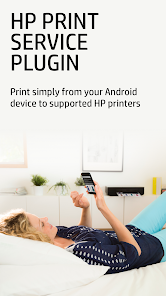
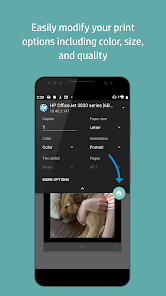
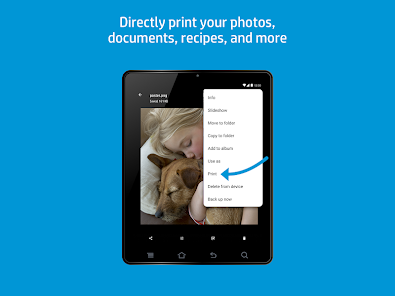
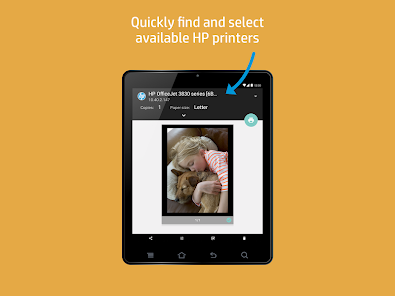
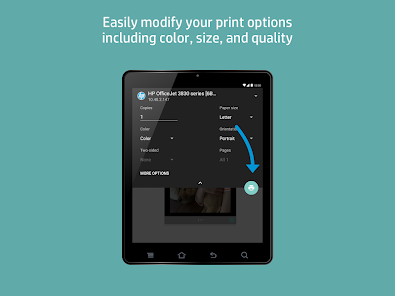
The HP Print Service Plugin is the only print driver that you'll need to easily print documents, emails and pictures from print-supported applications to a variety of HP Printers, including HP OfficeJet, HP LaserJet, HP DesignJet, HP Photosmart, HP DeskJet and HP Envy.
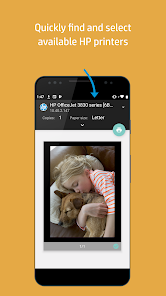
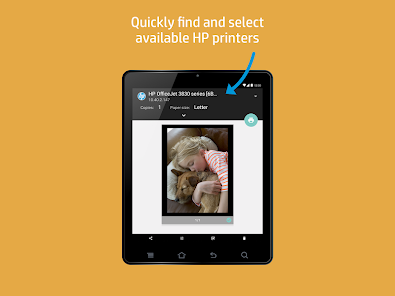
You can discover and print to HP printers that are:
• Connected to the same network as your mobile device
• Broadcasting a Wi-Fi Direct network
• Connected to the mobile device via a USB On-the-Go cable
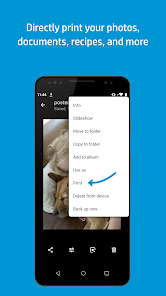
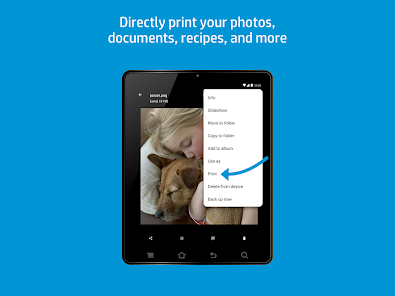
Just select Print or Share to PSP when you need to print. Just tap the menu button to reveal the print option. Location of menu button may vary depending on your model of Android™ device.
The HP Print Service Plugin simplifies printing on your Android™ Lollipop™ (v5.0) and newer devices. If you use Android 6 (Marshmallow) or earlier, you might need to enable the HP Print Service Plugin in your device's settings
For more information on using the HP Print Service Plugin or details on supported HP Printers, go to:
https://support.hp.com/us-en/document/c04024231/?openCLC=true
For more information on Mobile Printing in general, go to:
https://www.hp.com/go/mobileprinting
You can discover and print to HP printers that are:
• Connected to the same network as your mobile device
• Broadcasting a Wi-Fi Direct network
• Connected to the mobile device via a USB On-the-Go cable
Just select Print or Share to PSP when you need to print. Just tap the menu button to reveal the print option. Location of menu button may vary depending on your model of Android™ device.
The HP Print Service Plugin simplifies printing on your Android™ Lollipop™ (v5.0) and newer devices. If you use Android 6 (Marshmallow) or earlier, you might need to enable the HP Print Service Plugin in your device's settings
For more information on using the HP Print Service Plugin or details on supported HP Printers, go to:
https://support.hp.com/us-en/document/c04024231/?openCLC=true
For more information on Mobile Printing in general, go to:
https://www.hp.com/go/mobileprinting
Updated on
Safety starts with understanding how developers collect and share your data. Data privacy and security practices may vary based on your use, region, and age. The developer provided this information and may update it over time.


Ratings and reviews
4.1
2.84M reviews

A Google user
- Flag inappropriate
- Show review history
June 12, 2019
Review downgraded to two stars because they have broken the "simply print a photo". It appears massive and oversized (because Fill Page), however selecting Fit To Page no longer works, it's still massive and wrong. The solution is to share (not print) to the plugin, but that takes a simple three-tap operation and makes it complicated. Please restore the default of having images fit the page, because chances are few people want to waste ink printing a zoomed up middle bit!
18 people found this review helpful

Emily Wu
- Flag inappropriate
- Show review history
August 26, 2025
Was great but suddenly stopped working for me. It keeps saying that my printer is "not connected" even though I have checked and made sure it's connected to the same wifi as my phone. It's very frustrating because I still haven't been able to get it to work. Also one time, I got that pop-up message to disappear but now the print button is unresponsive so it's just pointless.
130 people found this review helpful

Russell Pitman
- Flag inappropriate
January 21, 2026
Since the last update it won't work. It just says "there was a problem printing the page" and gives the option to retry. that implies there was a first attempt, but it never even loaded the job in the first place. meaning there's nothing to retry with. It's a feedback loop of failure. and yes, I have uninstalled and reinstalled multiple times, as well as also downloading the HP app. this has made no change.
1 person found this review helpful
What’s new
• Reliability and performance improvements
App support
About the developer
HP Inc.
HPIncAppStore@hp.com
1501 Page Mill Rd
Palo Alto, CA 94304
United States
+1 858-924-4028


