
Libra Mobile Banking
2.6star
2.11K reviews
100K+
Downloads

Everyone
info

About this app
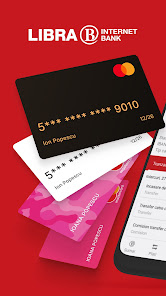
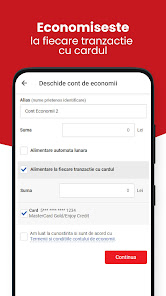
Banking at a touch distance - payments, online credit, carrying money, saving, transaction history, currency exchange or ATM location.
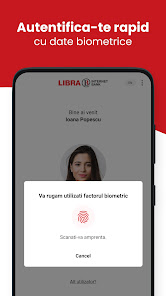
The Libra Mobile Banking application allows biometric or PIN authentication and includes an extensive list of features required to manage your bank account, such as:
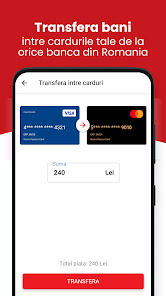
- Summary of accounts, payments in lei and currency, recurring payments
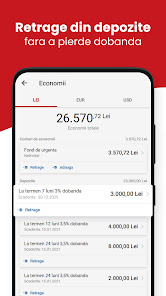
- Deposits and savings accounts
- Foreign exchange
- Bring money
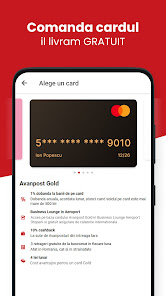
- cards
- Online loans
- Account statements
- Update personal data
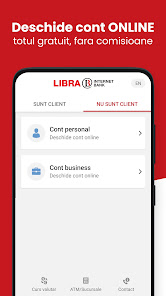
Moreover, the application can be used to open a bank account without maps and no roads to the bank.
The Libra Mobile Banking application allows biometric or PIN authentication and includes an extensive list of features required to manage your bank account, such as:
- Summary of accounts, payments in lei and currency, recurring payments
- Deposits and savings accounts
- Foreign exchange
- Bring money
- cards
- Online loans
- Account statements
- Update personal data
Moreover, the application can be used to open a bank account without maps and no roads to the bank.
Updated on
Safety starts with understanding how developers collect and share your data. Data privacy and security practices may vary based on your use, region, and age. The developer provided this information and may update it over time.


Ratings and reviews
2.6
2.08K reviews

Iris Andrici
- Flag inappropriate
November 14, 2025
The app does what it has to but the user experience needs a lot of work. Categories are hard to see, certain transactions require either too many steps or are in logistically improbable categories that do not follow the affordances of online banking applications. I believe since this is a virtual bank the app is the most valuable asset to demonstrate credibility. I trust your business however I look forward to frequent updates.

Liviu Liviu
- Flag inappropriate
- Show review history
November 8, 2025
I like this banking app, but.. 2 small suggestions: 1) add back Face login 🙏 fingerprint often doesn't work. 2) highlight important buttons when I log in I find myself pressing the cancel button because it is highlighted in white. please switch them. the Confirm button should be white, highlighted and put to the right and the cancel button should be put in left position and greyed out. please hear me out 🙏
1 person found this review helpful

Edwin Tamasan
- Flag inappropriate
November 29, 2025
The newer versions of the application broke the Android's native backwards navigation. Instead of going back to the previous screen, it closes the application. Not a good user interaction.
What’s new
Imbunatatiri si remediere bug-uri.
App support
About the developer
LIBRA INTERNET BANK SA
mbkstore@librabank.ro
CALEA VITAN NR. 6-6A TRONSON B, C, ETAJELE 1,6,9,13, CLADIREA
PHOENIX TOWER, SECTORUL 3
031296 Bucuresti
Romania
+40 743 222 095


