
Borescope ET16

100K+
Downloads

PEGI 3
info


About this app
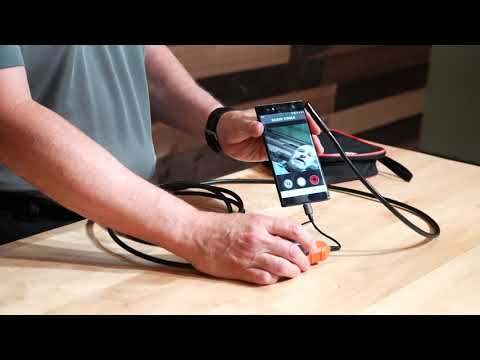
Klein Tools ET16 Borescope features a 9 mm camera surrounded by 6 LEDs attached to a 10-Foot (3 m) armored gooseneck cable. The digital camera has a USB Type-C (and micro-USB) connection for most Android® (OTG 4.0 or higher) smartphones and devices. The camera and video output is displayed on the Android® device using the free Klein Tools ET16 Borescope App. The ET16 does not require batteries; it is powered by a device connection.
Updated on
Safety starts with understanding how developers collect and share your data. Data privacy and security practices may vary based on your use, region, and age. The developer provided this information and may update it over time.

No data shared with third parties
Learn more about how developers declare sharing

No data collected
Learn more about how developers declare collection
What’s new
After the user declines camera access, the app shows a prompt that it is required and will lock the user out of the app.
If the user closes or reopens the app, it prompts the user again to accept access, if it is declined, the same warning is shown.
The user then will need to go to settings > apps > ET16 and allow camera access
App support
phone
Phone number
+18005534676
About the developer
Klein Tools, Inc.
kenke@kleintools.com
450 Bond St
Lincolnshire, IL 60069
United States
+1 630-337-9697


