

Shift Work Calendar
Contains adsIn-app purchases

4.2star
4.42K reviewsinfo
1M+
Downloads

PEGI 3
info



About this app
Do you work shifts?
Fed up of trying to work out what shift you will be working when asked about a future date?
Wouldn't it be nice to have an App close at hand to tell you!
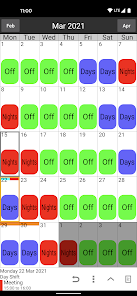
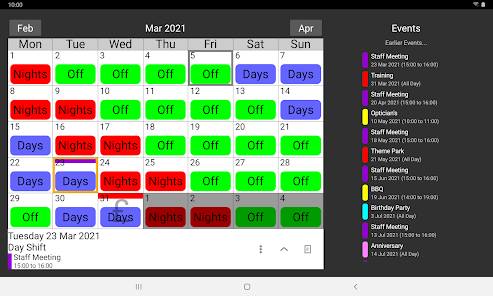
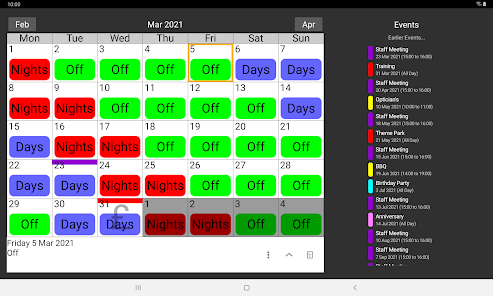
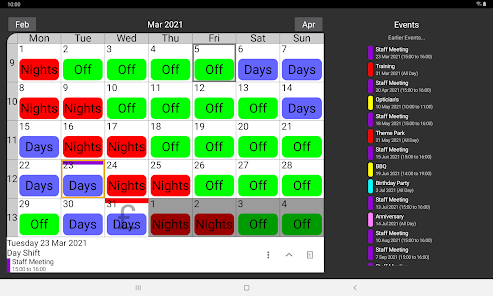
Shift Work Calendar can be used to plan and organise your life around your work commitments.
Keep track of your life with this Shift Work Calendar, designed to make planning easier for people who work shifts.
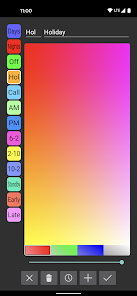
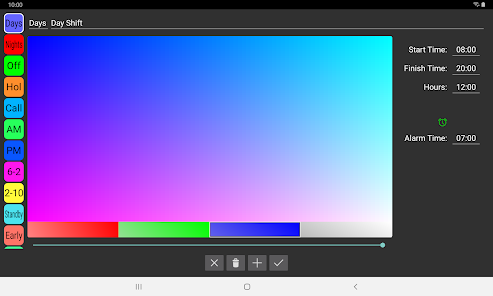
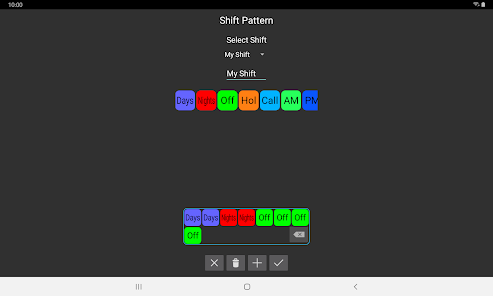
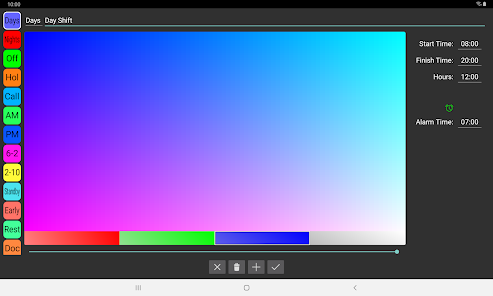
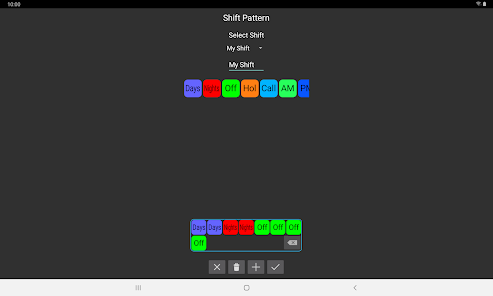
Shift Work Calendar allows you to easily build different shift patterns by choosing your own colours and names which can be speedily added to the calendar and visible at a quick glance.
Features:
Custom labels can be created with unique colours and names.
Custom shift patterns can be created.
Shift patterns can be quickly added to the calendar automatically repeating for years if required.
Pay days can be quickly added to the calendar.
Calendar Colours can be changed for a personalised appearance.
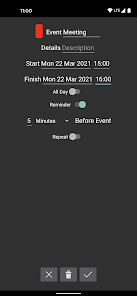
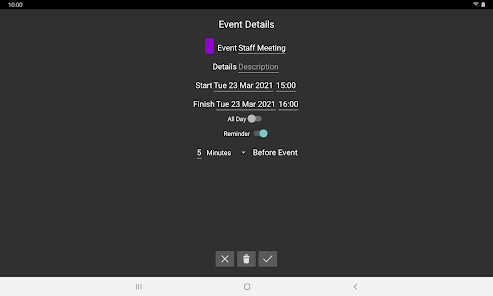
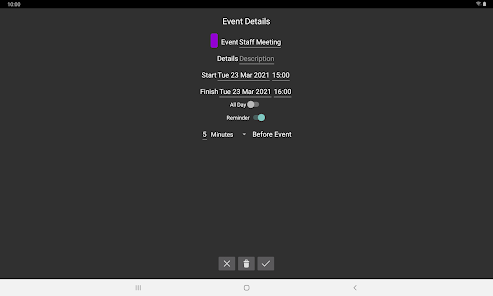
Events can be added to the calendar to show appointments, meetings etc.
Events can have a notification / alarm reminder.
Calendars can be stored in the cloud for easy transfer between your devices.
Calendars can be shared with friends / family / colleagues using cloud share.
Multiple calendars can be stored.
A lock option can be enabled to stop accidental changes of the calendar.
Undo button allows mistakes to be rectified when adding labels to the calendar.
Search device option to easily import calendar files.
Pro Features:
Remove adverts.
Compare 2 calendars at the same time and find matching days.
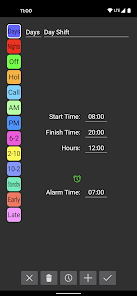
Times can be added to labels to calculate hours worked.
Hours can be adjusted by date to calculate extra / lower hours.
Alarms based on shift pattern.
Send Shift Pattern by email.
Home screen Widget.
Email support@shifts.tech for support. Feedback and suggestions are most welcome.
Fed up of trying to work out what shift you will be working when asked about a future date?
Wouldn't it be nice to have an App close at hand to tell you!
Shift Work Calendar can be used to plan and organise your life around your work commitments.
Keep track of your life with this Shift Work Calendar, designed to make planning easier for people who work shifts.
Shift Work Calendar allows you to easily build different shift patterns by choosing your own colours and names which can be speedily added to the calendar and visible at a quick glance.
Features:
Custom labels can be created with unique colours and names.
Custom shift patterns can be created.
Shift patterns can be quickly added to the calendar automatically repeating for years if required.
Pay days can be quickly added to the calendar.
Calendar Colours can be changed for a personalised appearance.
Events can be added to the calendar to show appointments, meetings etc.
Events can have a notification / alarm reminder.
Calendars can be stored in the cloud for easy transfer between your devices.
Calendars can be shared with friends / family / colleagues using cloud share.
Multiple calendars can be stored.
A lock option can be enabled to stop accidental changes of the calendar.
Undo button allows mistakes to be rectified when adding labels to the calendar.
Search device option to easily import calendar files.
Pro Features:
Remove adverts.
Compare 2 calendars at the same time and find matching days.
Times can be added to labels to calculate hours worked.
Hours can be adjusted by date to calculate extra / lower hours.
Alarms based on shift pattern.
Send Shift Pattern by email.
Home screen Widget.
Email support@shifts.tech for support. Feedback and suggestions are most welcome.
Updated on
Safety starts with understanding how developers collect and share your data. Data privacy and security practices may vary based on your use, region, and age. The developer provided this information and may update it over time.

No data shared with third parties
Learn more about how developers declare sharing

This app may collect these data types
Personal info, App info and performance, and Device or other IDs

Data is encrypted in transit

You can request that data be deleted
Ratings and reviews
4.2
4.2K reviews

Gordon Krahn
- Flag inappropriate
November 25, 2025
I've been using this app since 2018. Allows me to plan my, always, busy schedule. Reminds me of upcoming appointments. Sure beats old school sticky notes!
Shwoca Technologies Ltd
November 25, 2025
Thank you for your review. We are pleased the app is everything you need and more 😀

Ryan Quinn
- Flag inappropriate
December 2, 2025
It's fine I guess. Does what you need it to do, easy to use nothing special. That widget is awful though... calling that a "pro feature" is laughable.
Shwoca Technologies Ltd
December 2, 2025
Thank you for taking the time to leave a review. We would love some further feedback on the widget if you wouldn't mind contacting us at support@shifts.tech, it would be much appreciated

Dave Bishop
- Flag inappropriate
November 25, 2025
couldn't live without it.... set it up to show my 4 on 4 off rota, can change manually to add overtime/holiday and can add notes so never miss appointments. 100% recommend
Shwoca Technologies Ltd
November 25, 2025
Thank you for taking the time to leave a review. We are pleased to hear that the app is everything you need to keep track of your shifts 😀
What’s new
Bug fixes
Cloud Terms and Conditions updated
Cloud Terms and Conditions updated
App support
About the developer
SHWOCA TECHNOLOGIES LTD
contact@shifts.tech
124-128 City Road
LONDON
EC1V 2NX
United Kingdom
+44 7407 540955


