Samba Network Music Player
Contains adsIn-app purchases
4.6star
3.28K reviewsinfo
100K+
Downloads

PEGI 3
info


About this app
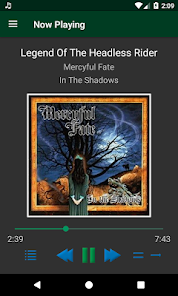
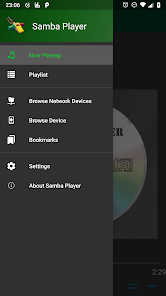
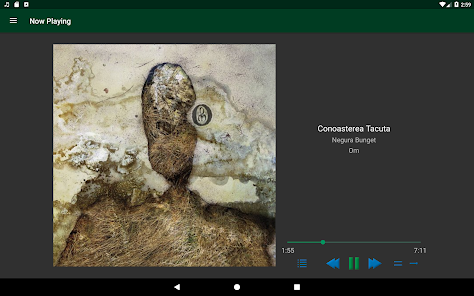
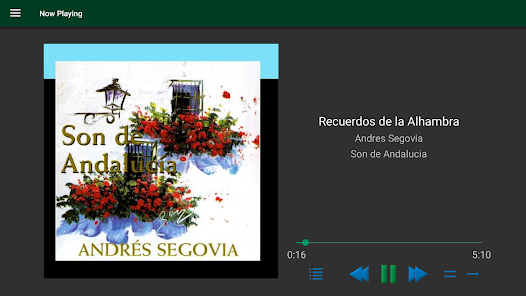
Listen to your network stored music collection as if it was all on your phone!
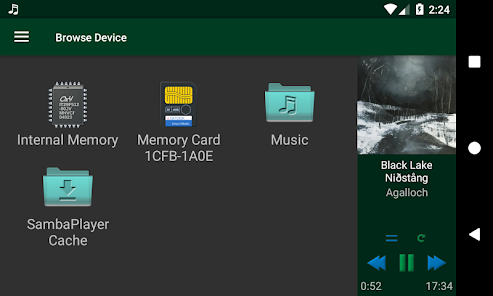
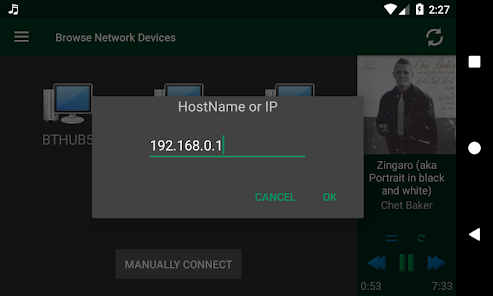
Enjoy music right away, no complicated setup required. Samba Player works with shared folders from Windows, Linux, Mac, home routers, media players, network drives (NAS) or any network device that can share folders.
- works over WiFi, Ethernet or even in Hotspot mode.
- can also play files from the device's memory or external sdcard
- music formats: MP3, MP4 audio (m4a), Ogg Vorbis (ogg) and FLAC
- save passwords and quick jump to shares using Bookmarks
- smart streaming lets you enjoy your music better on slow networks
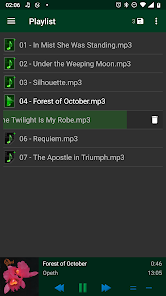
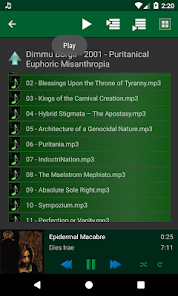
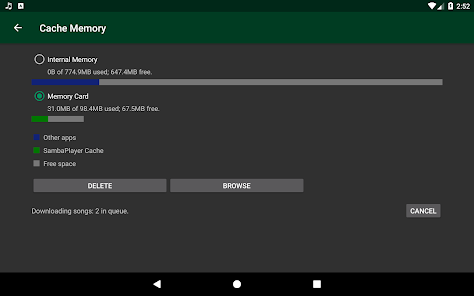
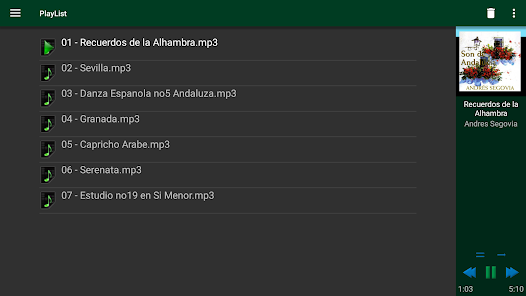
- download the playlist with one click and listen to it on the go!
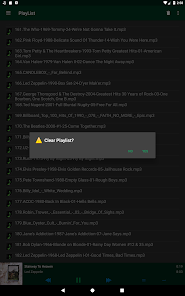
- edit, shuffle and repeat your playlist
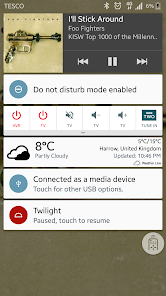
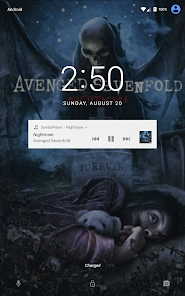
- supports Bluetooth, AVRCP metadata, album art and media controls on accessories, car stereos, Android Auto and Android Wear
Samba Player is still undergoing development, please email the developer for any issues! 3Cats want you to be a happy listener!
Please support 3Cats Software by rating this app if you like it!
Enjoy music right away, no complicated setup required. Samba Player works with shared folders from Windows, Linux, Mac, home routers, media players, network drives (NAS) or any network device that can share folders.
- works over WiFi, Ethernet or even in Hotspot mode.
- can also play files from the device's memory or external sdcard
- music formats: MP3, MP4 audio (m4a), Ogg Vorbis (ogg) and FLAC
- save passwords and quick jump to shares using Bookmarks
- smart streaming lets you enjoy your music better on slow networks
- download the playlist with one click and listen to it on the go!
- edit, shuffle and repeat your playlist
- supports Bluetooth, AVRCP metadata, album art and media controls on accessories, car stereos, Android Auto and Android Wear
Samba Player is still undergoing development, please email the developer for any issues! 3Cats want you to be a happy listener!
Please support 3Cats Software by rating this app if you like it!
Updated on
Safety starts with understanding how developers collect and share your data. Data privacy and security practices may vary based on your use, region, and age. The developer provided this information and may update it over time.


Ratings and reviews
4.5
2.62K reviews

dav ep
- Flag inappropriate
- Show review history
April 12, 2025
Edit: One big issue is it doesn't play gapless, so when one song flows into the next there is a very annoying pause. Other than that... It's great. Easy to set up. Easy to use. Interface is a bit clunky, but functional. I'm album oriented, so I tend to add just a few albums at a time, and that works well. YMMV.
2 people found this review helpful

Rene
- Flag inappropriate
July 6, 2025
Lots to love here but lots of compromises. Overall I'd give this a 3.5/5 but am happy enough to say 4/5 for the official rating. I've been using this for about a year now and I unlocked the ad-free version almost instantly. It's a great way to play music from my personal collection across a variety of devices. The UI is ok, but clunky (with different "back" buttons for navigation and no easy way to go back to browsing). Audio compatibility is lackluster and bin/cue isn't supported properly.

Darren Jones
- Flag inappropriate
October 10, 2024
I've never liked the way music apps navigate through folder structures, so I've recently come back to Samba Player. Now I remember why I like it so much. The only thing letting it down is failure to display a cover.jpg file for album artwork. If the mp3 file has an embedded image, then it works fine. Otherwise, it uses the stock Samba Player CD image. I'd also like to see the number of tracks I have in a playlist. Keep up the good work 3Cats!
2 people found this review helpful
What’s new
2.7
- Use Samba Player in your car with Android Auto!
2.6
- Use Samba Player on your Android TV!
2.5
- Sleep Timer!
- Go to bed listening to music that automatically stops when the timer is up!
- Or even better, when the timer is up and the current song ends!
2.4
- Multiple Playlists support!
- Playlists are saved automatically. Recall them, rename them, delete them!
2.3
- You can now add all Music in selected Folders recursively!
- To select a Folder, Long-Tap on it!
- Use Samba Player in your car with Android Auto!
2.6
- Use Samba Player on your Android TV!
2.5
- Sleep Timer!
- Go to bed listening to music that automatically stops when the timer is up!
- Or even better, when the timer is up and the current song ends!
2.4
- Multiple Playlists support!
- Playlists are saved automatically. Recall them, rename them, delete them!
2.3
- You can now add all Music in selected Folders recursively!
- To select a Folder, Long-Tap on it!
App support
About the developer
Mihai Badea
rumburake+3cats@gmail.com
43 Berners Drive
ST ALBANS
AL1 2HZ
United Kingdom
undefined


