
RoughAnimator - animation app

4.4star
2.94K reviewsinfo
50K+
Downloads

PEGI 3
info
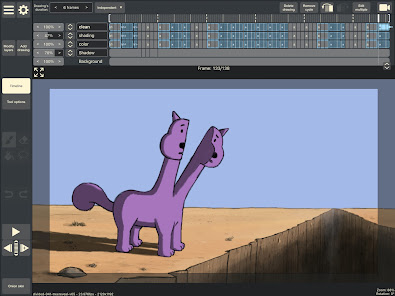
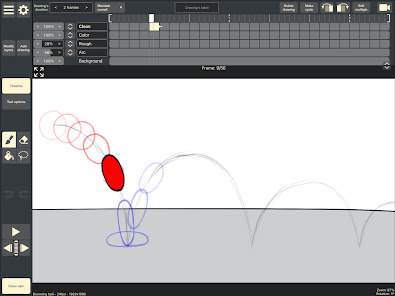
About this app
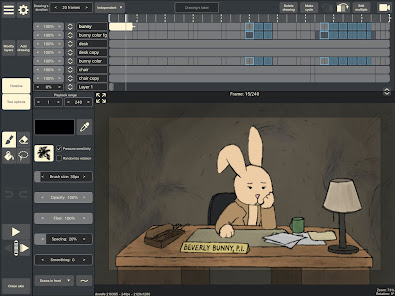
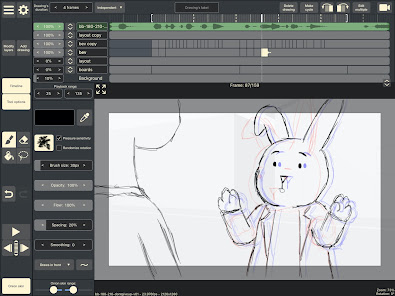
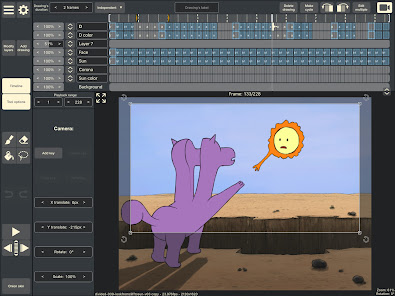
A fully featured hand drawn animation application for Android. Made by an animator, for animators. Powerful enough for professionals, simple enough for beginners. Everything you need to create traditional hand drawn frame-by-frame animation, anywhere you go!
Features:
- Timeline with unlimited layers and easily adjustable exposure length of individual drawings, for pose-to-pose or straight-ahead animating
- Onion skinning
- Preview playback
- Scrub along timeline
- Import audio for lip syncing
- Import video for rotoscoping animation
- Custom brushes
- Supports Samsung S-Pen and other pressure sensitive devices
- Control framerate and resolution
- Export animation to Quicktime video, GIF, or image sequence
- RoughAnimator projects can be imported to Adobe Flash/Animate, After Effects, and Toon Boom Harmony
- Also available on desktop
Features:
- Timeline with unlimited layers and easily adjustable exposure length of individual drawings, for pose-to-pose or straight-ahead animating
- Onion skinning
- Preview playback
- Scrub along timeline
- Import audio for lip syncing
- Import video for rotoscoping animation
- Custom brushes
- Supports Samsung S-Pen and other pressure sensitive devices
- Control framerate and resolution
- Export animation to Quicktime video, GIF, or image sequence
- RoughAnimator projects can be imported to Adobe Flash/Animate, After Effects, and Toon Boom Harmony
- Also available on desktop
Updated on
Safety starts with understanding how developers collect and share your data. Data privacy and security practices may vary based on your use, region, and age. The developer provided this information and may update it over time.

No data shared with third parties
Learn more about how developers declare sharing

No data collected
Learn more about how developers declare collection
Ratings and reviews
4.4
1.56K reviews

GONZALO FERNANDEZ JIMENEZ
- Flag inappropriate
August 12, 2025
LOVED this app but I had a really big issue with the rendering process since last update using my Samsung A9 tablet. I wrote an email to the team with the details. hopefully they read it and fix the problem I'm sure more users out there are finding the same problem. For me it could be an app killer issue since my work is trapped unexportable outside of it.
4 people found this review helpful

Dillan Watson (BananaBread)
- Flag inappropriate
- Show review history
November 24, 2025
I highly recommend this app for anyone trying to get into animation. It pressure sensitivity, a simple but fairly versatile brush engine, support for multiple layers, video export, and even a built in camera. Not only that, it's a cheap one time purhase. As of right now my only gripes are that there's no transparent video export for Android (but normal mp4 video export is still there) and there's no grids or perspective grids, but im sure these will be added in the future.
14 people found this review helpful

Forlan Ossai
- Flag inappropriate
November 27, 2025
I just got this app and I'm really liking it but I use an Android phone, I connect my graphics tablet to it, the graphics tablet is only configured for portrait mode so PLEASE PLEASE PLEASE PLEASE, can you PLEASE make an option to keep the orientation in portrait mode PLEASE. I DON'T WANT TO GO BACK TO USING MY FINGER.😭 You can even keep everything the same but PLEASE make it an option.
1 person found this review helpful
What’s new
- Bug fixes
App support
About the developer
Jacob Nathan Kafka
weirdhat@weirdhat.com
1616 Beverley Rd 6B
Brooklyn, TX 77043-3238
United States
undefined


