myWear File Explorer
3.1star
1.2K reviews
100K+
Downloads

Everyone
info


About this app
Manage your files and folders on your smartwatch.
Works ONLY on devices with Wear OS.
********** IMPORTANT 1 **********
The new Wear OS 4 no longer allows apps to access system files or folders, even the user giving permission. You can only access image, audio and video files.
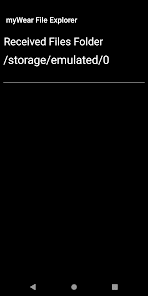
For Wear OS 4 watch users, the app will now open in the only folder where you can manage and create files and folders, including sending and receiving files.
********** IMPORTANT 2 **********
This app IS NOT A RINGTONE MANAGER!
IT IS NOT RESPONSIBLE FOR SETTING RINGTONES!
It manages FILES and FOLDERS.
********** IMPORTANT 3 **********
If files aren't being transferred try changing the destination folder on watch.
Due security changes in the latest versions of Wear OS, for the app to work properly user will have to enable permission manually. On watch go to:
1- Settings
2- Apps & notifications
3- App info
4- myWear File Explorer
5- Permissions
6- Files and media
7- Allow all the time
**********************************
The app's file transfer is limited to files with approximately 65 MB.
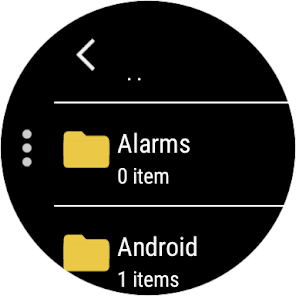
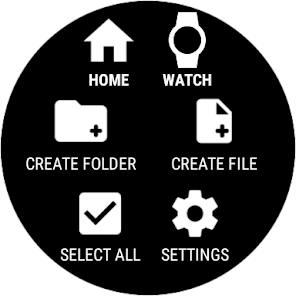
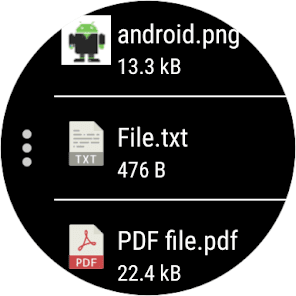
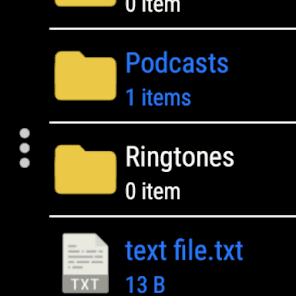
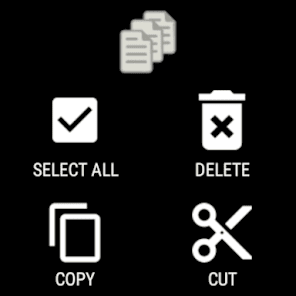
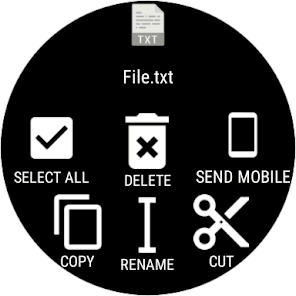
Copy, delete, move (cut) and rename files and folders directly on the smartwatch.
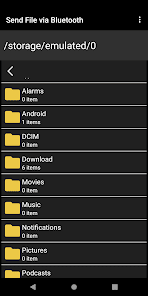
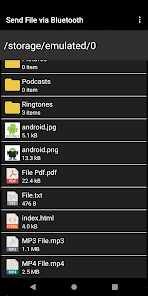
Send your files from your smartphone or tablet to your smartwatch in a simple way.
Send files from smartwatch to your smartphone or tablet.
Functionalities included:
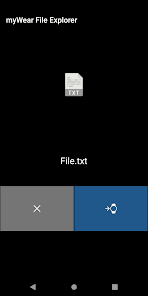
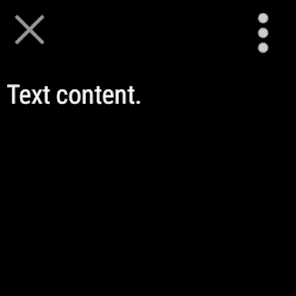
- Create, view and edit text files (.txt).
- Open files in PDF format as text or as image.
- Open image files (.png, .jpg, .gif and .bmp).
- Create, rename, copy, move and delete folders.
- Display thumbnails of images.
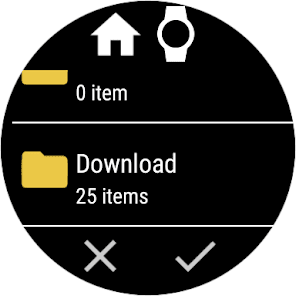
- Multiple selection of files and folders.
- Open ePub files (simple ePub reader without links).
Works ONLY on devices with Wear OS.
********** IMPORTANT 1 **********
The new Wear OS 4 no longer allows apps to access system files or folders, even the user giving permission. You can only access image, audio and video files.
For Wear OS 4 watch users, the app will now open in the only folder where you can manage and create files and folders, including sending and receiving files.
********** IMPORTANT 2 **********
This app IS NOT A RINGTONE MANAGER!
IT IS NOT RESPONSIBLE FOR SETTING RINGTONES!
It manages FILES and FOLDERS.
********** IMPORTANT 3 **********
If files aren't being transferred try changing the destination folder on watch.
Due security changes in the latest versions of Wear OS, for the app to work properly user will have to enable permission manually. On watch go to:
1- Settings
2- Apps & notifications
3- App info
4- myWear File Explorer
5- Permissions
6- Files and media
7- Allow all the time
**********************************
The app's file transfer is limited to files with approximately 65 MB.
Copy, delete, move (cut) and rename files and folders directly on the smartwatch.
Send your files from your smartphone or tablet to your smartwatch in a simple way.
Send files from smartwatch to your smartphone or tablet.
Functionalities included:
- Create, view and edit text files (.txt).
- Open files in PDF format as text or as image.
- Open image files (.png, .jpg, .gif and .bmp).
- Create, rename, copy, move and delete folders.
- Display thumbnails of images.
- Multiple selection of files and folders.
- Open ePub files (simple ePub reader without links).
Updated on
Safety starts with understanding how developers collect and share your data. Data privacy and security practices may vary based on your use, region, and age. The developer provided this information and may update it over time.

No data shared with third parties
Learn more about how developers declare sharing

No data collected
Learn more about how developers declare collection
Ratings and reviews
3.0
696 reviews

Brett Vanliew
- Flag inappropriate
April 10, 2022
It does not transfer. The display on the phone says it's sending file but nothing ever shows up on the watch anywhere. I have rebooted the watch and the phone with the same results. Also, off of the phone there is no way to select multiple files at once. You have to select each one by itself to send. Very very inconvenient. Feels and looks very basic, i will continue to search elsewhere for a quality file manager.
33 people found this review helpful
Marcelo R. dos Santos
April 12, 2022
Did you give permission? On phone go to: Settings - Apps / Apps & notifications - All apps / See all apps - myWear File Explorer - Permissions - Files and media - Allow access.
On watch go to myWear File Explorer app permissions settings - Files and media - Allow all the time.
Did you try to change the destination folder?

Neil Kerry
- Flag inappropriate
November 11, 2025
have no idea what I did but after hours of going around in circles, i put a new notification on my galaxy watch. Great. tried to put a second notification on a couple weeks later, i must have attempted this at least 30 times and nothing. i should have 30+ of this file on my watch but i cannot see it anywhere. I read all guides from reviews, all permissions are granted. I'm tired and p*ssed off of wasting more time. grateful that it worked the first time though

Jonathan
- Flag inappropriate
July 2, 2025
Thanks!! haha I've been trying to set the same ringtone and notification sounds on my watch as I have on my phone with zero luck until I came across this app. It works perfectly! First try even. Simple and effective. Just follow the instructions...then reset the watch after you copy the mp3 files to their correct folders.
1 person found this review helpful
What’s new
Simple audio and video player (MP3 and MP4).
Minor performance improvements.
Minor performance improvements.
App support
About the developer
Marcelo Ribeiro dos Santos
marcelorsdev@gmail.com
R. Alberto de Souza Caravana
Grecco
VASSOURAS - RJ
27700-000
Brazil


