
USB Lockit - Pendrive Password
Contains adsIn-app purchases
3.3star
4.54K reviews
500K+
Downloads

Everyone
info


About this app
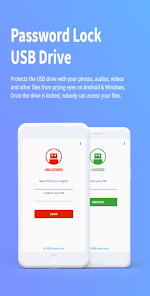
Protects the USB drive with your photos, audios, videos and other files from prying eyes on Android & Windows. Once the drive is locked, nobody can access your files.
All in 3 Easy Steps:
1. To lock the USB drive and protects all your files, simply set a PIN and click on LOCK button.
2. To unlock the USB drive and access to all your files, enter your PIN and click on UNLOCK button.
3. To relock the USB drive without entering the PIN every time, just a click on the LOCK button.
ATTENTION: If you lose or forget the PIN, it cannot be recovered. It is advisable to write it in a safe place.
Features:
• Fast Locking - Drive locking in few seconds through a simple but powerful user interface.
• Cross Platform - When the drive is locked your files remain safe in all operating systems.
• Standard Device - Works with all USB flash drives on the market formatted in FAT32/exFAT.
• Fully Portable - Designed for Android & Windows for access without root or admin rights.
Supported Language:
English, German, French, Spanish, Italian, Portuguese, Russian, Chinese.
Available on Android & Windows
All in 3 Easy Steps:
1. To lock the USB drive and protects all your files, simply set a PIN and click on LOCK button.
2. To unlock the USB drive and access to all your files, enter your PIN and click on UNLOCK button.
3. To relock the USB drive without entering the PIN every time, just a click on the LOCK button.
ATTENTION: If you lose or forget the PIN, it cannot be recovered. It is advisable to write it in a safe place.
Features:
• Fast Locking - Drive locking in few seconds through a simple but powerful user interface.
• Cross Platform - When the drive is locked your files remain safe in all operating systems.
• Standard Device - Works with all USB flash drives on the market formatted in FAT32/exFAT.
• Fully Portable - Designed for Android & Windows for access without root or admin rights.
Supported Language:
English, German, French, Spanish, Italian, Portuguese, Russian, Chinese.
Available on Android & Windows
Updated on
Safety starts with understanding how developers collect and share your data. Data privacy and security practices may vary based on your use, region, and age. The developer provided this information and may update it over time.

No data shared with third parties
Learn more about how developers declare sharing

No data collected
Learn more about how developers declare collection

Data is encrypted in transit

Data can’t be deleted
Ratings and reviews
3.3
4.44K reviews

Memoona
- Flag inappropriate
December 1, 2025
don't use this app if you forget the password you also can't open or restore the data. there is not the option for forget password 😞😞😞 plz don't use this app 😭🙏
Nicola Bezze
December 5, 2025
For your safety, you have set your PIN and only you can know! If you lose or forget the PIN, it cannot be recovered. This warning is clearly written on Google Play and showed in the App to the user with a warning message in 8 different languages! Doesn't exist "restore or reset" because is not an account! Read before posting nonsense comments.

James Bennett
- Flag inappropriate
- Show review history
October 10, 2025
Cannot see drive claiming it is not FAT32/exFAT. Drive is specifically formated exFAT. Wish it worked but does not. Edit: whatever this person is on about has nothing to do with my review. It does not recognize the drive to set a pin.
12 people found this review helpful
Nicola Bezze
October 10, 2025
If your phone doesn't see the drive or doesn't support exFAT, it's not a app issue. Contact support via email, without posting nonsense comments.

AppTrove
- Flag inappropriate
September 1, 2023
The Windows version of this app is flagged by Malwarebytes as Trojan, which is a big warning! The Android app (v4.6), however, has come out clean. The app locks the attached USB disk and cannot be accessed on any device without unlocking it. CONs: 1. You have to remember to 'LOCK' it before unmounting it, else all files will be accessible when plugged in to other devices. No autolock feature. 2. There is no support for macOS. 3. Restart warning notification keeps showing up on Android.
64 people found this review helpful
What’s new
New fingerprint feature.
Bug fixes.
Bug fixes.
App support
About the developer
Nicola Bezze
usblockit@gmail.com
Via Tazzoli, 37
35027 Noventa Padovana
Italy
undefined


