
CamScanner- scanner, PDF maker
Contains adsIn-app purchases
4.7star
4.95M reviews
500M+
Downloads
Editors' Choice

Everyone
info
About this app
Looking for an efficient scanner app?
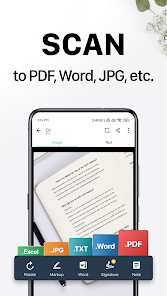
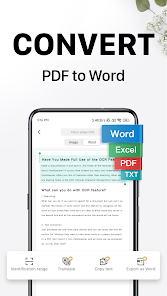
Try CamScanner! CamScanner is an all-in-one scanner app. It turns your mobile device into a powerful portable scanner that recognizes text automatically (OCR) and improves your productivity to save your time. Download this scanner app to instantly scan, save, and share any documents in PDF, JPG, Word, or TXT formats.
Would you like to keep your entire office in your pocket and increase your productivity at work?
Use the CamScanner scanner app to handle your paperwork with ease. Say goodbye to huge and heavy copy machines and get this ultra-fast scanner app now.
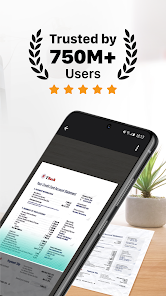
* CamScanner has over 300 million users across over 200 countries and regions worldwide.
* Over 500,000 new registrations per day
FEATURES
* Quickly Digitize Documents
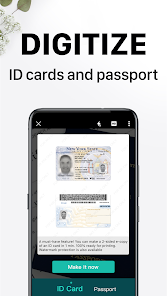
The CamScanner scanner app uses the camera on your mobile device to scan and digitize all kinds of paper documents: receipts, notes, invoices, whiteboard discussions, business cards, certificates, etc.
* Optimize Scan Quality
Smart cropping and auto enhancing ensure the text and graphics in your scans are clear and sharp with premium colors and resolutions.
* Extract Text
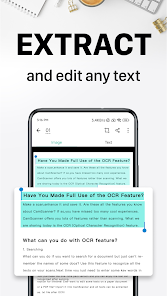
The optical character recognition (OCR) feature of this scanner app enables you to recognize text in images or PDFs. You can extract the text for later searching, editing, or sharing.
* Share PDF/JPEG Files
With this PDF scanner, you can easily share documents in PDF or JPEG format with friends in multiple ways: share with social media, send attachments or download links through email, etc.
* Wireless Printing & Remote Fax
Instantly and wirelessly print out any documents in the CamScanner scanner app with a nearby printer without installing any applications or drivers. You can also select documents from the app and remotely fax them to over 30 countries and regions.
* Advanced Document Editing
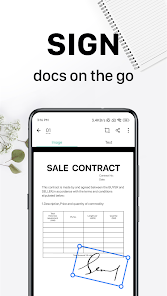
Make annotations on documents using a full set of editing tools in this PDF scanner. You can also add a customized watermark to mark your own documents.
* Quick Search
Have trouble finding the documents you want? With the CamScanner scanner app, you can tag your documents and find them with ease. Besides, the OCR feature enables you to search for images based on their content. With this PDF scanner, you can quickly find the document you want.
* Secure Important Documents
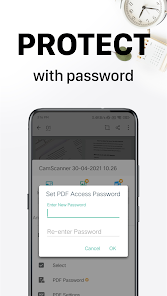
If you want to protect confidential content, you can set a password for viewing. You can also set a password to the document download link to ensure better security.
* Sync Across Platforms
Sign up to access documents on all your devices. You can sign in on your smartphone, tablet, or computer (visit www.camscanner.com) to sync your documents. In this way, you can view, edit and share any document with the CamScanner scanner app on the go.
UNLIMITED ACCESS MEMBERSHIP SUBSCRIPTION
* You can subscribe to get unlimited access to all features of the scanner app.
* Subscriptions are billed weekly, monthly, quarterly, or annually at the rate based on the subscription plan.
* Payment will be charged to Google Play Store at confirmation of purchase.
* Subscription renews automatically unless auto-renew is turned off at least 24 hours before the end of the current period.
* Account will be charged for renewal within 24 hours prior to the end of the current period. The cost depends on the selected plan.
* Subscriptions may be managed by the user, and auto-renewal may be turned off by going to the user's Account Settings after purchase.
* Any unused portion of the free trial will be forfeited when the user purchases a subscription.
We'd love to hear your feedback: support@camscanner.com
Follow us on X: @CamScanner
Like us on Facebook: CamScanner
Follow us on Instagram: @CamScanner_Official
Follow us on YouTube: @CamScanner_Official
Follow us on TikTok: @CamScanner_official
Try CamScanner! CamScanner is an all-in-one scanner app. It turns your mobile device into a powerful portable scanner that recognizes text automatically (OCR) and improves your productivity to save your time. Download this scanner app to instantly scan, save, and share any documents in PDF, JPG, Word, or TXT formats.
Would you like to keep your entire office in your pocket and increase your productivity at work?
Use the CamScanner scanner app to handle your paperwork with ease. Say goodbye to huge and heavy copy machines and get this ultra-fast scanner app now.
* CamScanner has over 300 million users across over 200 countries and regions worldwide.
* Over 500,000 new registrations per day
FEATURES
* Quickly Digitize Documents
The CamScanner scanner app uses the camera on your mobile device to scan and digitize all kinds of paper documents: receipts, notes, invoices, whiteboard discussions, business cards, certificates, etc.
* Optimize Scan Quality
Smart cropping and auto enhancing ensure the text and graphics in your scans are clear and sharp with premium colors and resolutions.
* Extract Text
The optical character recognition (OCR) feature of this scanner app enables you to recognize text in images or PDFs. You can extract the text for later searching, editing, or sharing.
* Share PDF/JPEG Files
With this PDF scanner, you can easily share documents in PDF or JPEG format with friends in multiple ways: share with social media, send attachments or download links through email, etc.
* Wireless Printing & Remote Fax
Instantly and wirelessly print out any documents in the CamScanner scanner app with a nearby printer without installing any applications or drivers. You can also select documents from the app and remotely fax them to over 30 countries and regions.
* Advanced Document Editing
Make annotations on documents using a full set of editing tools in this PDF scanner. You can also add a customized watermark to mark your own documents.
* Quick Search
Have trouble finding the documents you want? With the CamScanner scanner app, you can tag your documents and find them with ease. Besides, the OCR feature enables you to search for images based on their content. With this PDF scanner, you can quickly find the document you want.
* Secure Important Documents
If you want to protect confidential content, you can set a password for viewing. You can also set a password to the document download link to ensure better security.
* Sync Across Platforms
Sign up to access documents on all your devices. You can sign in on your smartphone, tablet, or computer (visit www.camscanner.com) to sync your documents. In this way, you can view, edit and share any document with the CamScanner scanner app on the go.
UNLIMITED ACCESS MEMBERSHIP SUBSCRIPTION
* You can subscribe to get unlimited access to all features of the scanner app.
* Subscriptions are billed weekly, monthly, quarterly, or annually at the rate based on the subscription plan.
* Payment will be charged to Google Play Store at confirmation of purchase.
* Subscription renews automatically unless auto-renew is turned off at least 24 hours before the end of the current period.
* Account will be charged for renewal within 24 hours prior to the end of the current period. The cost depends on the selected plan.
* Subscriptions may be managed by the user, and auto-renewal may be turned off by going to the user's Account Settings after purchase.
* Any unused portion of the free trial will be forfeited when the user purchases a subscription.
We'd love to hear your feedback: support@camscanner.com
Follow us on X: @CamScanner
Like us on Facebook: CamScanner
Follow us on Instagram: @CamScanner_Official
Follow us on YouTube: @CamScanner_Official
Follow us on TikTok: @CamScanner_official
Updated on
Events & offers


Safety starts with understanding how developers collect and share your data. Data privacy and security practices may vary based on your use, region, and age. The developer provided this information and may update it over time.


Ratings and reviews
4.7
4.86M reviews

Allen Irizarry
- Flag inappropriate
October 8, 2025
edit: My original review below was in 2016 and STILL appplies.. that's how amazing it is and continues to be. This app is super intuitive, easy to use, and the pictures come out amazing as if you were really scanning them. When I was forced to take online classes for the remainder of my college turn, this was a LIFE SAVER. Not only that, I could scan my homework on the go - at a diner, in the break room, in a car/bus. I couldn't have graduated without it!! I would give it more stars if I could!
1,826 people found this review helpful

Phillip Comeaux
- Flag inappropriate
December 4, 2025
this app just sucks it keeps cutting off pages. I never really give bad reviews but when you have to send a scan 5 times because it doesn't come out on the other end correct. it kinda aggravates me. and I had to pay for the app to send in my scan would not let me continue without paying. and I believe if I am gonna pay for a app it should be working correctly.
1 person found this review helpful
INTSIG PTE
December 5, 2025
Please accept our apologies for the inconvenience caused. Could you describe the issue you met in detail and report to us from CS app--Me-Feedback and attach some screenshots of the issue for analysis? You can also contact us via at asupport@camscanner.com. We'll try our best to find the solution. Thanks

Unknown Man
- Flag inappropriate
- Show review history
October 7, 2025
You ruined the "No Shadow" filter. Don't tell me I'm mistaken. Been using it for months and even have all the photos I've taken. It worked perfectly. I love the no shadow filter as it's hard to get a perfect environment to take pictures of documents with no shadow. Now, everytime I take a picture with my phone's shadow, the shadow will only be lightly removed after the filter is applied. But it'll still be glaringly obvious in the final photo. Pls fix. Tq.
125 people found this review helpful
INTSIG PTE
October 15, 2025
Please accept our apologies for the inconvenience caused. Could you describe the issue you met in detail and report to us from CS app--Me-Feedback and attach some screenshots of the issue for analysis? We'll try our best to find the solution. Thanks
What’s new
· Improved quality for compressed PDFs.
· General improvements for a faster, more reliable workflow.
· General improvements for a faster, more reliable workflow.
App support
About the developer
INTSIG PTE. LTD.
support@camscanner.com
151 CHIN SWEE ROAD
#14-01 MANHATTAN HOUSE
Singapore 169876
+86 177 0173 9631


