
Iperius Remote Desktop
2.1star
376 reviews

Everyone
info
100K+
Downloads


About this app
****
IPERIUS REMOTE DESKTOP needs to enable the Android Accessibility Service. It is required if you want to control remotely this device.
Enable the accessibility service by clicking on: Accessibility->Installed application->Iperius Remote Service You can disable it whenever you want.
IN DETAIL:
1. You will be able to send events such as opening applications, scrolling the page or opening settings
2. You will be able to trigger events on your device such as reboot or lock
****
Iperius Remote Desktop is a multi-Platform remote desktop software for Android, iOS, Windows, and Mac.
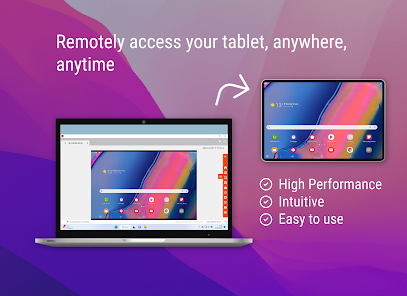
Connect remotely to any computer from your smartphone, or do remote assistance to Android devices.
Bank-level security with 2FA, end-to-end encryption (TLS 1.2, DTLS-SRTP), HIPAA, and GDPR-compliant.
Iperius Remote contains no advertising and is free for private use.
For commercial use, please visit: https://www.iperiusremote.com/iperius-remote-control-software-shop.aspx
Whether for IT Support or Smart Working, Iperius Remote is a simple and powerful software with many functions.
Iperius offers many Remote Desktop functions:
- File (Delta) and Folder Transfer
- Remote Printing
- Video recording of sessions
- Shared address book
- High performance up to 60 FPS
- Compatible with Windows, MAC, iOS, and Android
- End-to-end encryption (TLS 1.2, DTLS-SRTP), HIPAA and GDPR compliant
- Low latency even for intercontinental connections
- Unattended access
- Access control permissions and connection statistics
- Customised client (full rebranding)
- No firewall configuration
For an overview of features, please visit: https://www.iperiusremote.com/iperius-remote-support-software-features.aspx
Quick guide
1. Install and start Iperius Remote on both devices.
2. Enter the Iperius Remote ID and password that you see on the remote device.
3. Click the Connect button. Now you can control the device remotely.
Do you have any questions? Contact us! https://www.iperiusremote.com/contact.aspxmote.it/contact.aspx
IPERIUS REMOTE DESKTOP needs to enable the Android Accessibility Service. It is required if you want to control remotely this device.
Enable the accessibility service by clicking on: Accessibility->Installed application->Iperius Remote Service You can disable it whenever you want.
IN DETAIL:
1. You will be able to send events such as opening applications, scrolling the page or opening settings
2. You will be able to trigger events on your device such as reboot or lock
****
Iperius Remote Desktop is a multi-Platform remote desktop software for Android, iOS, Windows, and Mac.
Connect remotely to any computer from your smartphone, or do remote assistance to Android devices.
Bank-level security with 2FA, end-to-end encryption (TLS 1.2, DTLS-SRTP), HIPAA, and GDPR-compliant.
Iperius Remote contains no advertising and is free for private use.
For commercial use, please visit: https://www.iperiusremote.com/iperius-remote-control-software-shop.aspx
Whether for IT Support or Smart Working, Iperius Remote is a simple and powerful software with many functions.
Iperius offers many Remote Desktop functions:
- File (Delta) and Folder Transfer
- Remote Printing
- Video recording of sessions
- Shared address book
- High performance up to 60 FPS
- Compatible with Windows, MAC, iOS, and Android
- End-to-end encryption (TLS 1.2, DTLS-SRTP), HIPAA and GDPR compliant
- Low latency even for intercontinental connections
- Unattended access
- Access control permissions and connection statistics
- Customised client (full rebranding)
- No firewall configuration
For an overview of features, please visit: https://www.iperiusremote.com/iperius-remote-support-software-features.aspx
Quick guide
1. Install and start Iperius Remote on both devices.
2. Enter the Iperius Remote ID and password that you see on the remote device.
3. Click the Connect button. Now you can control the device remotely.
Do you have any questions? Contact us! https://www.iperiusremote.com/contact.aspxmote.it/contact.aspx
Updated on
Safety starts with understanding how developers collect and share your data. Data privacy and security practices may vary based on your use, region, and age. The developer provided this information and may update it over time.

No data shared with third parties
Learn more about how developers declare sharing

No data collected
Learn more about how developers declare collection
Ratings and reviews
2.1
369 reviews

J. F. (JLo)
- Flag inappropriate
April 9, 2026
LOVE IT! App works as intended!! Control phone from pc and vise versa... APP IS NOT FOR THOSE WHO LACK COMMON SENSE!!! Lots of reviews from dummies who should not own a phone or access to the internet. The app warns users about the risk of using. Scammers gain access to information ONLY AFTER the user (you) provides assigned ID & password. Some people learn the hard way! (Do not be one of those people)
Enter Software
April 10, 2026
Thanks for your feedback—we’re glad you’re enjoying the app!

SLola
- Flag inappropriate
- Show review history
April 8, 2026
People give this a one star review because scammers are using it as a tool. It's like getting mad at a shopping cart for hitting your car. It works well and is reasonably priced and scammers only use it because it works so well I'm sure. I do think they aren't doing themselves any favors with the evil mask looking logo...
Enter Software
April 10, 2026
Thanks for your comment. We really appreciate it.
And noted on the logo feedback.

Dale Valenta
- Flag inappropriate
- Show review history
April 25, 2026
it works well with PCs and laptops, but for Android devices (tablets, phones, etc) it requires someone to authorise the app every time. Personally, I need this for accessing my android tablets at home when im away, but this system doesent allow that.
What’s new
• Added compatibility with Android 16
• Improved overall performance and stability
• Enhanced security and connection reliability
• Fixed various minor bugs and UI issues
• Improved overall performance and stability
• Enhanced security and connection reliability
• Fixed various minor bugs and UI issues
App support
About the developer
ENTER SRL
g.tozzi@entersrl.it
VIA GENERALE CARLO ALBERTO DALLA CHIESA 18
63066 GROTTAMMARE
Italy
+39 340 932 4885


